Vibe Coding Apps: Beginner's Guide and 8 Apps You Can Build This Weekend
Advertisement
What Are Vibe Coding Apps?
Vibe coding apps are applications built mainly by describing what you want to an AI tool and refining the output through conversation, instead of writing the code line by line. The phrase comes from Andrej Karpathy, who in February 2025 described it as fully giving in to the vibes and forgetting that the code even exists while the AI writes it. In 2026 you can go from an idea to a deployed app with user logins and a database in an afternoon, without a computer science background.
In practice the loop is short. You describe a feature. The tool generates the code and runs it. You look at the result and say what is wrong or what to add. You repeat until it works. The skill is not typing code. The skill is describing what you want precisely, noticing when the result drifts, and knowing enough about how apps fit together to ask for the right fix.
The shift shows up in the numbers. GitHub's Octoverse 2025 report counted more than 36 million new developers joining the platform in a single year, its fastest growth yet, and found that nearly 80% of new developers used GitHub Copilot within their first week. For most newcomers, AI assistance is now part of how they learn to build software, not an add-on.
Which Tool to Use for Vibe Coding Apps
Two kinds of tools support the loop. Browser builders such as Lovable, Bolt.new, v0 and Replit handle the database, logins and hosting for you and show you a live preview as they work. AI editors such as Cursor and Claude Code give you more control but expect you to run and deploy the app yourself.
Beginners should start with a browser builder. Lovable is the most forgiving for a complete web app, and Bolt.new suits people who want to see the files and terminal as the code is written. If you have not chosen yet, the best vibe coding tools comparison covers ten options with a side-by-side table. The prompts in this guide are written to be tool-agnostic, so you can paste them into Lovable, Bolt.new or v0 as they are.
Advertisement
The 6-Step Vibe Coding Workflow
Most beginner failures come from skipping the first two steps. Do them every time, even for a two-hour project.
Step 1: Write a One-Page Spec Before You Open the Tool
Answer four questions in a text file: Who uses this? What is the single most important thing they do? What data does the app store? What does done look like this weekend? Keep it under 200 words. You will paste it into the tool as the first message and refer back to it when the AI wanders.
Step 2: Start With the Smallest Version That Proves the Idea
Do not ask for a fitness app. Ask for a page where you can log a workout with a date and a note, and a list showing the last ten workouts. Once that works, add the next feature. Small steps compound. Big prompts produce big messes that are hard to untangle.
Step 3: Build the UI First, Then Data, Then Login
Builders produce their best results in that order. A static screen with fake data is easy to judge by eye. Once you like it, ask the tool to replace the fake data with a real database table. Only then add authentication, because auth touches every screen and is far easier to reason about once the screens are stable.
Step 4: Test Like a Stranger
Open the app in a private browser window. Create a second account. Try to break things: empty forms, very long text, the back button, refreshing in the middle of an action. Every bug you find is a one-line prompt to fix. Every bug you miss ships to your users.
Step 5: Lock Down Security Before You Share a Link
Ask the tool three questions explicitly: Are any API keys visible in the browser? Can one user see another user's data? Are all form inputs validated on the server? Then verify each answer with your second account. Supabase-backed apps in particular need row-level security policies, and builders sometimes skip them.
Step 6: Deploy, Then Connect the Code to GitHub
Every serious builder deploys in one click. Do it early so you can share progress on a real URL. Then turn on GitHub sync. It is your backup against a bad edit, and it is the door out if you later want to move the project to an AI editor or hire a developer.
8 Vibe Coding Apps to Build This Weekend
Each project lists what you will learn, roughly how long it takes on a first attempt, and a starter prompt. Paste the prompt, then iterate one feature at a time. The projects are ordered from easiest to hardest, and the table at the end summarises them.
Advertisement
1. Personal Portfolio With a Contact Form
Learn: layout, responsive design, form handling. Time: 1 to 2 hours. This is the best first project because you can judge every result by eye, and it is useful the moment it is live.
Build a single-page personal portfolio for a [your role]. Sections: hero with my name and a one-line pitch, About, three project cards with image, title, description and link, and a contact form that emails me at [email]. Mobile-first, clean typography, dark mode toggle. Do not invent projects; I will paste them next.If you want to go deeper on this one, can AI make my portfolio covers tool choice, prompts for different professions and moving the result to your own domain.
2. Habit Tracker With Login
Learn: databases, authentication, per-user data. Time: 2 to 4 hours. Watch the line about users only seeing their own habits. It is the single most important sentence in the prompt, and you must test it with two accounts.
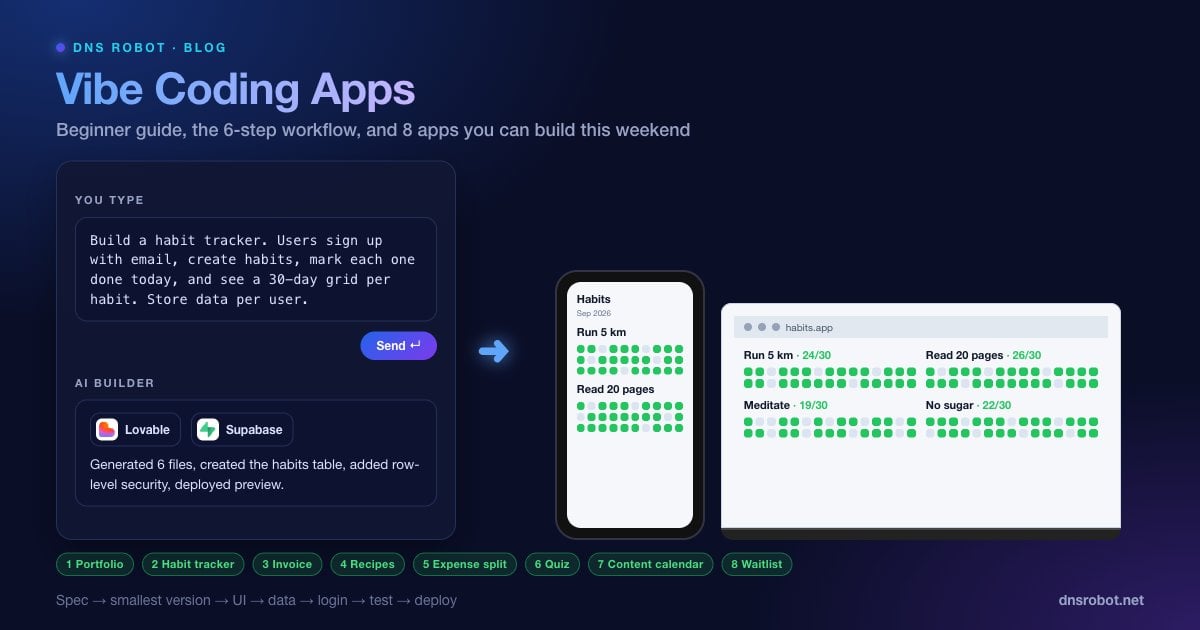
Build a habit tracker. Users sign up with email. They can create habits, mark each habit done for today, and see a 30-day grid per habit showing which days were completed. Store data per user so users only ever see their own habits.3. Invoice Generator
Learn: forms with calculations, PDF export. Time: 2 to 3 hours. Useful immediately if you freelance, and a good introduction to how the AI handles arithmetic and document layout.
Build an invoice generator. A form for my business details, client details, line items with quantity and unit price, tax rate, and notes. Show a live preview that totals automatically. Add a button to download the invoice as a PDF.4. Recipe Box
Learn: create, read, update and delete records, search, image uploads. Time: 2 to 3 hours.
Build a recipe app. I can add a recipe with title, photo, ingredients list, steps and tags. The home page shows recipe cards with search by title and filter by tag. Clicking a card opens the full recipe. Let me edit and delete recipes.5. Expense Splitter for Trips
Learn: multi-user logic, calculations that have to be right. Time: 3 to 4 hours. The settlement algorithm is where AI tools sometimes produce subtle bugs. Check the result by hand with three people and four expenses before you trust it.
Build a trip expense splitter. Create a trip, add participants by name, add expenses with amount, who paid and who shares it. Show a settlement page that lists the minimum set of payments needed to settle everyone up.6. Quiz App With a Leaderboard
Learn: state, timers, rankings. Time: 2 to 3 hours.
Build a 10-question multiple-choice quiz about [topic]. Show one question at a time with a 20-second timer, a score at the end, and a leaderboard of the top 10 scores with a name entry. Store scores in a database.7. Content Calendar for a Small Team
Learn: calendar views, statuses, filters, multiple users. Time: 3 to 4 hours. If you would rather start from a spreadsheet, the content calendar template gives you the exact columns to copy.
Build a content calendar. Team members log in, add content items with title, channel (blog, YouTube, Instagram, email), publish date, owner and status (idea, drafting, review, scheduled, published). Show a month calendar view and a list view with filters by channel and status.8. Waitlist Landing Page With an Admin Dashboard
Learn: email capture, admin views, basic analytics. Time: 1 to 2 hours. This is the fastest way to validate an idea before you build the real thing, and the pattern behind every landing page. If the real thing is a social product, how to create a social media app covers the next stage.
| App | What you learn | First-attempt time | Needs login |
|---|---|---|---|
| Personal portfolio | Layout, forms | 1 to 2 h | No |
| Habit tracker | Database, auth, per-user data | 2 to 4 h | Yes |
| Invoice generator | Calculations, PDF | 2 to 3 h | No |
| Recipe box | CRUD, search, images | 2 to 3 h | Optional |
| Expense splitter | Multi-user logic, calculations | 3 to 4 h | Optional |
| Quiz with leaderboard | State, timers, rankings | 2 to 3 h | No |
| Content calendar | Calendar views, filters | 3 to 4 h | Yes |
| Waitlist + dashboard | Email capture, admin, charts | 1 to 2 h | Admin only |
Build a waitlist landing page for [product]. Headline, three benefits, email signup form with validation. Add an admin page behind a password that shows total signups, signups per day as a chart, and a CSV export.Vibe Coding Prompts That Work Better
A few patterns reliably improve results across every tool.
State the stack constraint once. "Use React, Tailwind and Supabase. Do not add other libraries unless I ask." This prevents random dependency churn.
Describe the result, not the implementation. "When I click Save, the item should appear in the list without a page reload" beats "use optimistic updates".
Paste the error verbatim. Copy the full error message. Do not paraphrase it.
Ask for a plan on big changes. "Before changing anything, list the files you will modify and why." Then say go.
Reset when it loops. If the tool makes the same mistake three times, undo to the last good version and rephrase the request from scratch.
Testing a Vibe-Coded App
You do not need a testing framework to catch most problems. You need a checklist and a second account. Run through it before every share and again before launch.
Sign up, log out, log back in. Reset a password if the app supports it.
Submit every form empty, then with very long text, then with characters like quotes and angle brackets.
Create data with account A, log in as account B, and try to open account A's records by changing IDs in the URL.
Resize the browser to phone width and check every screen.
Refresh the page in the middle of an action and confirm nothing is lost or duplicated.
Open the browser's developer tools, look at the Network tab, and confirm no request contains a secret key.
If the app exposes an API, the test a public API endpoint guide shows how to call it from the command line and check status codes and response times without the front end in the way.
Advertisement
Launching Your App on a Real Domain
A builder subdomain is fine for testing and wrong for launch. Buy a domain before you share the app widely, add it in the builder's custom domain settings, and create the DNS records it gives you at your registrar. The Domain Availability Checker finds an available name across 100+ extensions in one query.
DNS changes take from minutes to 48 hours to reach every resolver, so check global propagation with the DNS Propagation Checker instead of refreshing your own browser. Once the domain resolves, the builder issues an HTTPS certificate automatically; confirm it with the SSL Checker. Then run the URL through the HTTP Headers Checker, which grades the security headers your app sends. A generated app usually scores poorly at first, and fixing that is a single prompt: ask the tool to add HSTS, a Content Security Policy and frame protection.
Common Vibe Coding Mistakes and How to Avoid Them
The same five mistakes account for most abandoned vibe coding projects. None of them is about the AI being wrong; all of them are about process.
| Mistake | What happens | Fix |
|---|---|---|
| Asking for the whole app in one prompt | Half-working features everywhere | Build one feature at a time |
| Never testing with a second user | Users can see each other's data | Two accounts, every time |
| Ignoring the generated code entirely | Secrets leak, bugs hide | Skim files named config, env, api |
| Building for weeks without GitHub | One bad edit wipes the work | Turn on sync in the first hour |
| Chasing perfect design before it works | Beautiful app that does nothing | Function first, polish last |
Advertisement
What to Build Next
Once two or three of the projects above are live, you understand the loop well enough to take on something with real users. The natural next steps are a product with payments, a multi-user tool for a team you belong to, or a small SaaS around a spreadsheet you already maintain. At that point it is worth reading the web security best practices guide end to end, because the checks that were optional for a habit tracker become mandatory the moment strangers trust your app with their data.
Start this weekend with the portfolio or the waitlist page. Write your 200-word spec, paste the prompt, and two hours from now you will have a live URL and a much better sense of what the next project should be.
Grade your app's security headers before you share the link
DNS Robot's free HTTP Headers Checker fetches your deployed app and grades its security headers from A to F, showing exactly which of HSTS, Content Security Policy, X-Frame-Options and X-Content-Type-Options are missing. Paste the result into your builder and ask it to fix the gaps. No sign-up.
사용해보기 HTTP Headers CheckerAdvertisement
Vibe Coding Apps FAQ
Vibe coding apps are software built mainly by describing features to an AI tool and refining the output through conversation, rather than hand-writing the code. The finished app is a normal web or mobile app; only the way it was built is different.