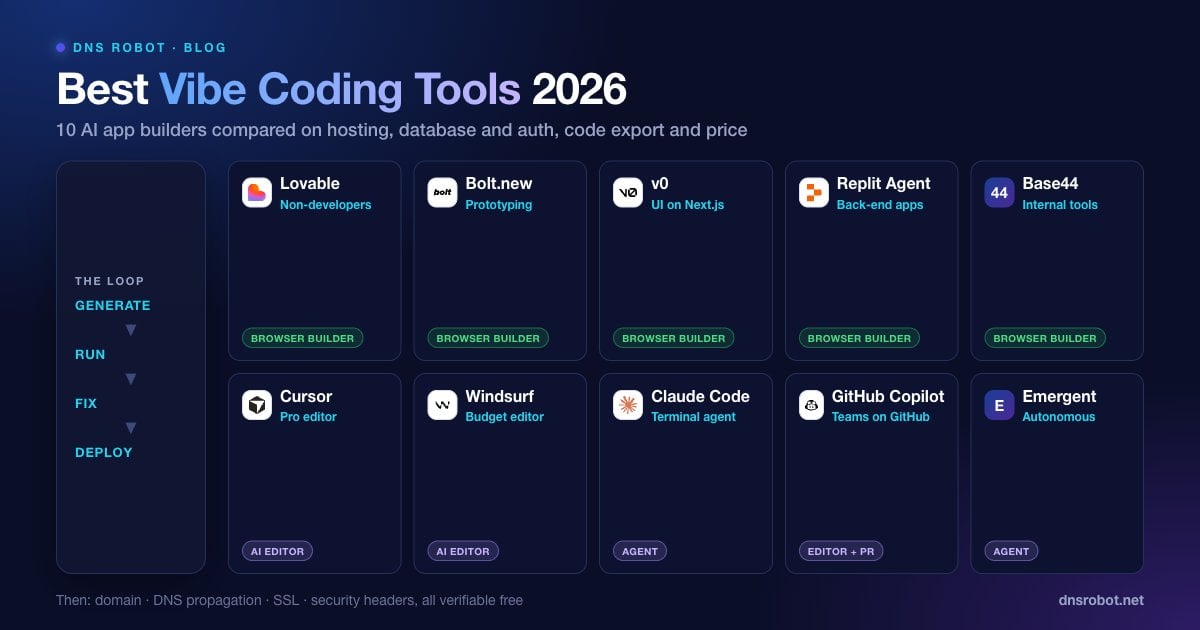
Best Vibe Coding Tools in 2026: 10 AI App Builders Compared
Advertisement
What Is Vibe Coding?
The best vibe coding tools turn a plain-English description into a working app you can deploy the same afternoon. Vibe coding itself is building software by describing what you want to an AI model in natural language and refining the result through conversation, instead of writing most of the code by hand. Andrej Karpathy coined the term in February 2025, and in November 2025 Collins Dictionary named it Word of the Year, which shows how fast the practice spread.
The tools worth paying for are built around that loop, and the good ones do four jobs: generate a full feature from a prompt rather than a snippet, run the result so you can see it immediately, fix their own errors with one click, and deploy to a real URL with hosting, a database and authentication handled for you. Those four jobs, plus whether you can export the code, are the criteria behind every ranking in this guide.
Adoption is no longer niche. Stack Overflow's 2025 Developer Survey found that 84% of developers use or plan to use AI tools in their workflow, while only 33% say they trust the accuracy of what those tools produce. That gap between usage and trust is the whole story of vibe coding in 2026: the tools are fast, and the job of the human is to check the work.
How We Compared the Vibe Coding Tools
Every tool was measured against the same three typical first projects: a personal portfolio with a working contact form, a habit tracker with email login and a per-user database, and a small internal dashboard that reads rows from a spreadsheet. Five criteria decided the ranking.
Prompts to working version. How many messages it took to get something you could actually use.
Error recovery. Whether the tool could fix its own runtime and build errors without being told how.
Stack coverage. Whether hosting, a database and authentication were handled inside the tool or left to you.
Code export. Whether you can take the code to GitHub or a zip file and keep working elsewhere.
Deployment. What it took to get the app on a public HTTPS URL, and then on a custom domain.
Pricing is described in tiers rather than exact dollar amounts, because most of these vendors have reworked their plans recently, several of them more than once. Always check the vendor's pricing page before you commit to a paid tier.
Advertisement
The 10 Best Vibe Coding Tools in 2026
The list runs from the most beginner-friendly browser builders to the most developer-oriented editors. Each entry states who it is best for, what it does well, and where it falls down.
1. Lovable: Best for Non-Developers Building a Full Web App
Lovable generates a React front end with a Supabase back end, wires up authentication, and deploys to its own hosting in a single flow. Its biggest strength is coherence: the apps it produces look consistent from page to page, and the database schema usually matches the UI without extra prompting. It also syncs the code to GitHub, so you are never locked in.
Weak points: complex business logic can drift after many rounds of edits, and the credit-based pricing punishes long iteration sessions. It also assumes the web; there is no native mobile story. Free tier available, paid plans start in the $20 to $30 per month range.
2. Bolt.new: Best for Developers Prototyping in the Browser
Bolt, from StackBlitz, runs a real Node.js environment inside your browser tab. You can install packages, watch the terminal, and edit any file directly while the AI works alongside you. It supports more frameworks than most competitors, including Next.js, Astro, SvelteKit and Expo for mobile, and Bolt Cloud now hosts the app, connects a custom domain and adds a built-in database without leaving the tab.
Weak points: it is easy to end up with a half-broken project if you and the AI edit the same files at once, and token usage adds up quickly on large apps. Free tier available, paid plans start around $20 per month.
3. v0 by Vercel: Best for UI Quality on Next.js
v0 produces the cleanest UI code in this list. Components come out using Tailwind CSS and shadcn/ui, and because Vercel makes it, deployment is one click and previews are automatic. It has grown from a component generator into a full-stack builder, but its DNA is still design-first, which shows in how good the first draft of any screen looks.
Weak points: back-end features are thinner than Lovable or Bolt, and it strongly assumes the Vercel ecosystem. Free tier available, paid plans start around $20 per month.
4. Replit Agent: Best for Back-End-Heavy Apps in One Workspace
Replit Agent plans the app, writes it, runs it and hosts it, all inside Replit's cloud IDE. It handles Python, Node.js and several other stacks, which makes it the most flexible browser builder for apps with real server logic. Built-in databases, secrets management and deployments mean you rarely leave the tab.
Weak points: the agent can take long, expensive detours on ambiguous prompts, and the editor is heavier than Bolt or Lovable. Paid plans start around $20 to $25 per month.
5. Cursor: Best AI Editor for Real Codebases
Cursor is a fork of VS Code with AI wired into every surface: inline edits, a multi-file agent mode, codebase-aware chat and background agents that work while you do something else. It is one of the most widely adopted AI editors among professional developers, and it supports any language or framework.
Weak points: it does not run or deploy your app for you, so it is not a describe-and-ship tool for beginners. Free tier available, Pro starts around $20 per month.
6. Windsurf: Best Cursor Alternative on a Budget
Windsurf's Cascade agent is strong at long, multi-step changes and tracks what you are doing in the editor unusually well, so it rarely loses context mid-task. Now owned by Cognition, the company behind the Devin agent, it is a serious alternative to Cursor and is often cheaper for the same workload.
Weak points: the same as Cursor, it assumes you will handle running and deploying the app. Free tier available, paid plans start around $15 per month.
7. Claude Code: Best for Terminal-First Developers and Big Refactors
Claude Code runs in your terminal and works directly on your files and git history. It shines on tasks that span many files, on debugging, and on anything where you want the model to run the tests and iterate until they pass. It integrates with VS Code and JetBrains but does not depend on them, and it is comfortable driving tools like git, npm and docker on your behalf.
Weak points: no visual builder, no hosting, and you need to be comfortable with a command line. Usage is billed through a Claude subscription or API tokens.
8. GitHub Copilot: Best for Teams Already on GitHub
Copilot's agent mode can take an issue, open a pull request, and iterate on review comments. It works in VS Code, JetBrains, Xcode and on GitHub.com itself. For teams with existing repositories and review processes, it is the lowest-friction way to add vibe coding without changing anyone's editor.
Weak points: less aggressive than Cursor or Claude Code on large autonomous changes, and the free tier is small. Paid plans start around $10 per month for individuals.
9. Base44: Best for Internal Tools and Business Apps
Base44 focuses on the parts other builders skip: user management, role-based access, email sending and a hosted database are all included by default. That makes it a strong choice for CRMs, dashboards and client portals. Wix acquired it in 2025, so expect deeper integration with Wix hosting over time.
Weak points: designs are more utilitarian than Lovable or v0, and it is not the tool for consumer-facing marketing sites. Free tier available, paid plans start around $20 per month.
10. Emergent: Best for Autonomous End-to-End Builds
Emergent positions itself as a vibe coding agent rather than a builder. You give it a specification, it produces a plan, executes it, and tests the result before handing it back. It builds web and mobile apps, and its output is heavier on back-end structure than most browser builders, which suits apps with real data models.
Weak points: a newer product with a smaller community, and long agent runs can be costly. Free credits available, paid plans start around $20 per month.
Vibe Coding Tools Comparison Table
The table below compares the best vibe coding tools side by side. "Handles hosting" means the tool puts your app on a public URL itself. "Handles database and auth" means user accounts and saved data work without you configuring a separate service.
| Tool | Type | Handles hosting | Handles database and auth | Code export | Best for |
|---|---|---|---|---|---|
| Lovable | Browser builder | Yes | Yes (Supabase) | GitHub sync | Non-developers, full web apps |
| Bolt.new | Browser builder | Yes (Bolt Cloud) | Yes (built in) | Download or GitHub | Developers prototyping fast |
| v0 | Browser builder | Yes (Vercel) | Partial | Yes | UI and Next.js apps |
| Replit Agent | Cloud IDE + agent | Yes | Yes (built in) | Yes | Back-end-heavy apps |
| Cursor | AI editor | No | No | Native | Professional developers |
| Windsurf | AI editor | No | No | Native | Developers on a budget |
| Claude Code | Terminal agent | No | No | Native | Refactors, debugging, tests |
| GitHub Copilot | Editor + PR agent | No | No | Native | Teams already on GitHub |
| Base44 | Browser builder | Yes | Yes (built in) | Limited | Internal tools, portals |
| Emergent | Agent platform | Yes | Yes | Yes | Autonomous end-to-end builds |
Advertisement
How to Choose the Best Vibe Coding Tool for You
Run through these five questions in order. Most people have a clear answer by the third one.
Can you read code? If not, stay in the browser-builder column: Lovable, Bolt, v0, Replit, Base44. If yes, an AI editor gives you more control per dollar.
Does the app need logins and saved data? Lovable, Replit and Base44 handle this with the least prompting. v0 needs more help.
Where do you want it hosted? Vercel users should start with v0. If you do not care, Lovable, Bolt or Replit host it for you.
Is this a throwaway prototype or a product? Prototypes: whichever tool is fastest for you. Products: pick one with GitHub sync so you can move to an editor later.
Is it a mobile app? Bolt (via Expo), Replit and Emergent are the browser builders on this list with a real mobile story.
How Much Vibe Coding Tools Cost
Almost every tool has a free tier, and almost every free tier runs out in a day of serious use. The pattern across the category is a $15 to $30 monthly plan for individuals, billed either as a flat fee with usage limits or as credits that the AI consumes per message. Credit-based pricing is the one to watch: a long debugging session can burn a week of credits in an afternoon.
| Pricing model | Tools | Watch out for |
|---|---|---|
| Credits or tokens per message | Lovable, Bolt.new, v0, Emergent | Long edit loops on a large app drain credits fast |
| Flat monthly with usage limits | Cursor, Windsurf, GitHub Copilot | Premium model requests are capped; overage is billed |
| Subscription plus compute | Replit Agent | Agent run time and hosting are separate line items |
| Subscription or API tokens | Claude Code | Token cost scales with codebase size and task length |
| Monthly message and integration credits | Base44 | Integration credits used by the live app (emails, AI calls, uploads) run out separately from build credits |
Advertisement
Deploying a Vibe-Coded App on Your Own Domain
Every builder gives you a subdomain like yourapp.lovable.app or yourapp.vercel.app. That is fine for testing and wrong for launch: a product on a vendor subdomain looks temporary, and moving later means changing every link you have shared. Buy the domain before you show anyone the app. The Domain Availability Checker checks a name across 100+ extensions in one query and suggests alternatives when the .com is taken.
Connecting the domain is the same three steps in every tool. First, add the custom domain inside the builder's settings. Second, create the DNS records it asks for at your registrar, usually a CNAME for www and either an A record or an ALIAS/ANAME record for the bare domain. Third, wait for the tool to issue an HTTPS certificate, which happens automatically once DNS resolves. Here is what a typical set of records looks like:
; Bare domain -> the builder's IP (Vercel shown; Lovable and Netlify give you their own)
yourapp.com.        A       76.76.21.21

; www -> the builder's hostname
www.yourapp.com.    CNAME   cname.vercel-dns.com.

; Verify from the terminal once you have saved the records
dig +short yourapp.com A
dig +short www.yourapp.com CNAMEDNS changes take anywhere from a few minutes to 48 hours to reach every resolver in the world, and the most common launch-day panic is "it works for me but not for my co-founder". Check global propagation with the DNS Propagation Checker rather than refreshing your own browser, and confirm the certificate chain with the SSL Checker before you share the link. If the site shows a privacy warning after DNS resolves, the connection is not private fix walks through the usual causes.
Security Pitfalls in Vibe-Coded Apps
AI builders are optimised to make things work, not to make them safe. The same four problems show up in almost every first-draft app, and all four are cheap to fix if you look for them before launch.
API keys in the front end. Builders sometimes place secret keys in client-side code where anyone can read them in the browser. Search the generated code for
key,secretandtokenand move anything sensitive to the server side or an environment variable.Missing row-level security. Supabase-backed apps need row-level security policies or every logged-in user can read every row. Ask the tool explicitly to add them, then test with two accounts.
Unvalidated input. Forms that trust whatever the browser sends. Ask for server-side validation on every endpoint.
No security headers. Generated apps rarely set a Content Security Policy, HSTS or frame protection. These take minutes to add and block whole classes of attack.
# Scan an exported project for secrets before you share the repo
grep -rniE "(api[_-]?key|secret|token|password)\s*[:=]" src/ --include=*.ts --include=*.tsx --include=*.js

# Check the security headers on the deployed app
curl -sI https://yourapp.com | grep -iE "strict-transport|content-security|x-frame|x-content-type"Run the deployed URL through the HTTP Headers Checker to get an A-to-F grade on the headers and the exact values it found. The web security best practices guide goes through every layer in detail, including the headers, password hashing and dependency checks that a generated app usually skips.
Advertisement
Vibe Coding vs Traditional Development
Vibe coding wins on speed for anything small and well-understood: a landing page, an internal dashboard, a prototype to show investors, a personal tool. Traditional development still wins where correctness is expensive to get wrong: payments, medical or financial data, anything with regulatory exposure, and any system that must stay fast and reliable under heavy load. The practical middle path in 2026 is vibe coding to reach a working version fast, then a developer review before real users arrive.
The skill that matters has shifted. Typing code is no longer the bottleneck; describing intent clearly, noticing when the output drifts, and knowing enough about databases and authentication to spot mistakes are. If you want to build that skill with concrete projects, the vibe coding apps guide walks through eight beginner apps with ready-to-paste prompts, and can AI make my portfolio is the fastest first project.
Find a domain for your app before you launch
DNS Robot's free Domain Availability Checker searches a name across 100+ extensions in one query, shows what is taken, and suggests alternatives. Buy the domain first, then point it at your builder and verify DNS propagation and the SSL certificate with the same free tools.
Thử Domain Availability CheckerAdvertisement
Best Vibe Coding Tools FAQ
Lovable is the easiest starting point for a complete web app, because it handles design, database, authentication and hosting in one flow. Bolt.new is the next choice if you want to see the files and terminal while the AI works.