Free BIMI Checker & Record Generator
Validate BIMI records, verify brand logo URLs, check VMC certificates, and generate BIMI DNS records for any domain. Preview how your logo appears in email clients like Gmail, Yahoo Mail, and Apple Mail.
Free BIMI ToolBIMI Record CheckLogo PreviewVMC Validation
BIMI Record Checker
Check and validate BIMI (Brand Indicators for Message Identification) records for any domain
Advertisement
What Is a BIMI Record?
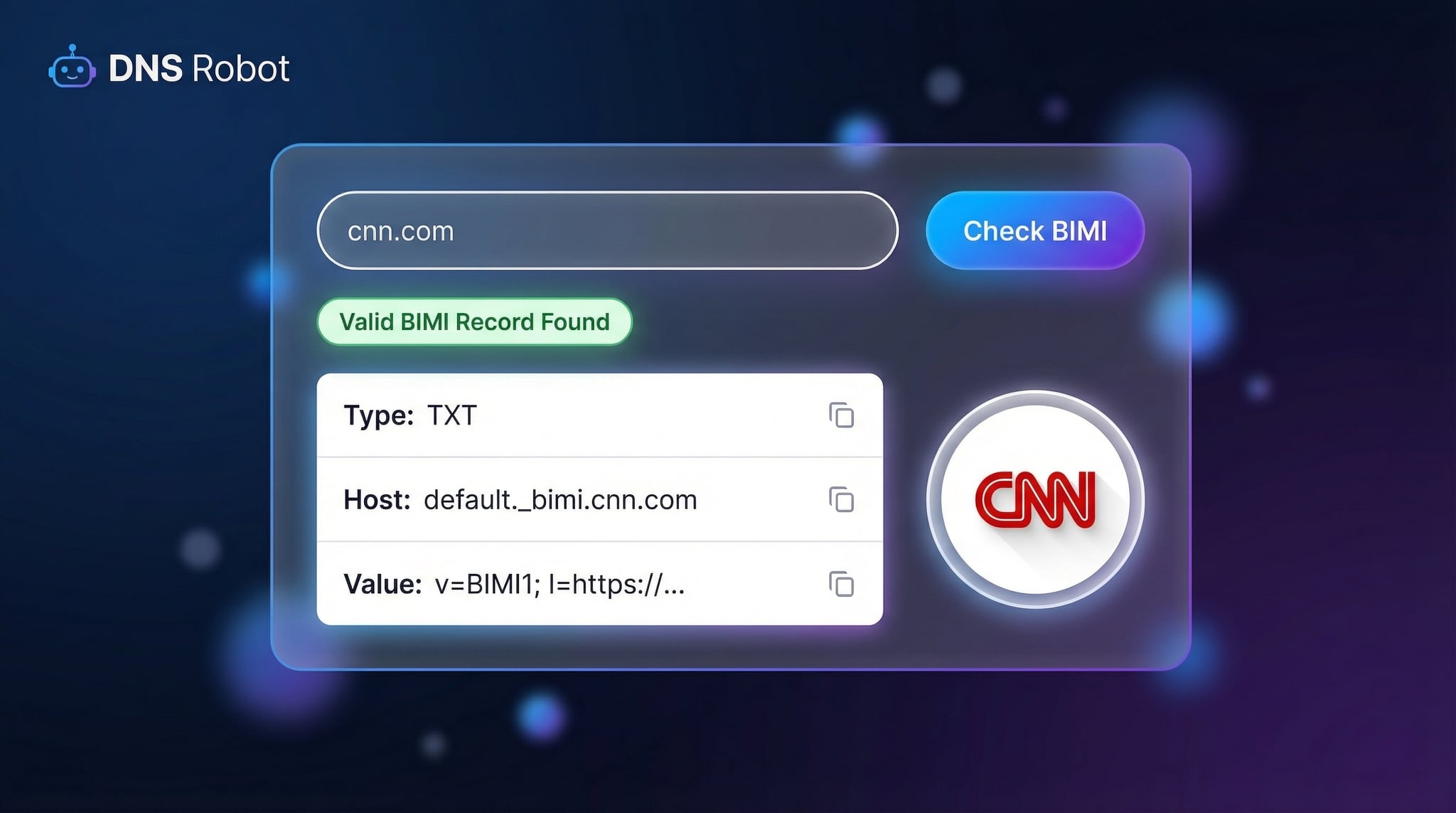
BIMI (Brand Indicators for Message Identification) is an email authentication standard that enables organizations to display their verified brand logo directly in recipients' inboxes. A BIMI record is a DNS TXT record published at default._bimi.yourdomain.com that tells email clients where to find your logo and, optionally, your Verified Mark Certificate (VMC).
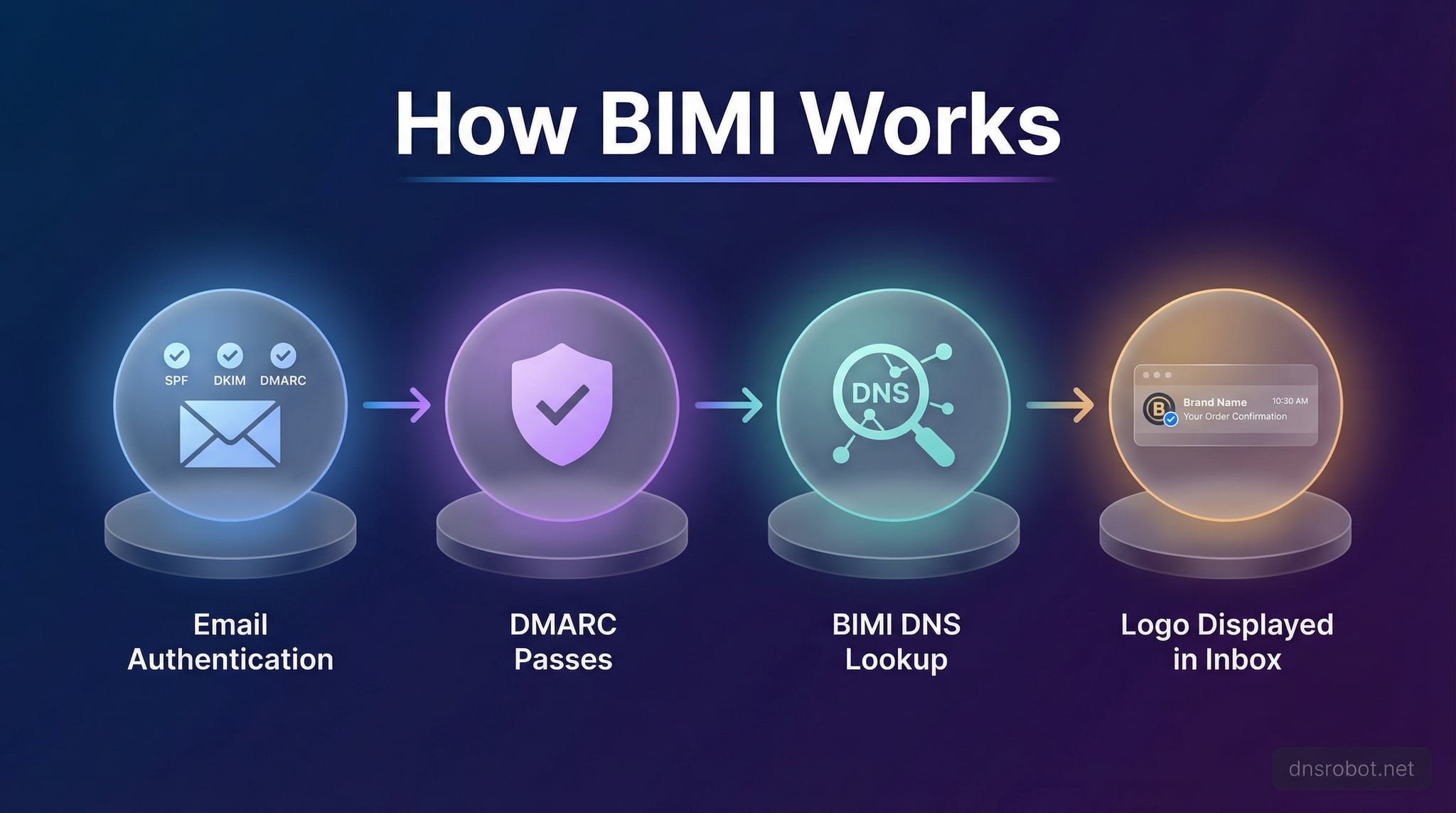
When an incoming email passes SPF, DKIM, and DMARC authentication, the receiving email client queries the sender's BIMI record. If a valid record is found with a properly formatted SVG logo, the email client displays that logo next to the message — increasing brand visibility, building recipient trust, and reducing phishing effectiveness.
Our free BIMI checker validates your existing BIMI configuration, while the built-in BIMI record generator helps you create a correctly formatted BIMI DNS record with an interactive wizard — no manual syntax needed.
How BIMI Works
BIMI adds a visual trust layer on top of existing email authentication protocols. Here's how the BIMI lookup process works when someone receives your email:
1
Email Authentication
The receiving server checks SPF, DKIM, and DMARC. All three must pass with DMARC set to quarantine or reject.
2
BIMI DNS Lookup
The email client queries the TXT record at default._bimi.domain.com to find the BIMI configuration.
3
Logo & VMC Fetch
The client fetches the SVG logo from the l= tag URL and validates the VMC from the a= tag if required.
4
Logo Display
If all checks pass, the email client renders the brand logo next to the email in the inbox — building trust and brand recognition.
BIMI Record Tags Reference
A BIMI DNS record uses three tags. Understanding each tag is essential for creating a valid BIMI record that email clients can process correctly.
v=BIMI1Version
Required. Always set to BIMI1. Identifies this TXT record as a BIMI record.
l=Logo URL
Required. HTTPS URL pointing to an SVG Tiny 1.2 PS logo file. Must have square aspect ratio (1:1). Maximum recommended size: 32KB.
a=Authority (VMC)
Optional. HTTPS URL pointing to a Verified Mark Certificate in PEM format. Required by Gmail for logo display.
BIMI Record Example
v=BIMI1; l=https://example.com/brand/logo.svg; a=https://example.com/brand/vmc.pemThis record is published as a TXT record at default._bimi.example.com
BIMI Requirements
1
DMARC Enforcement
2
SVG Tiny PS Logo
Logo must be in SVG Tiny 1.2 PS format with a square aspect ratio (1:1), hosted via HTTPS URL, max ~32KB recommended.
4
VMC Certificate (Gmail)
Gmail requires a Verified Mark Certificate from DigiCert or Entrust. Requires a registered trademark.
Why Use a BIMI Checker?
Brand Visibility
Display your logo in Gmail, Yahoo, and Apple Mail inboxes
Anti-Phishing
Help recipients identify legitimate brand emails vs phishing
VMC Verification
Verify your Verified Mark Certificate is properly referenced
Record Generator
Generate valid BIMI records with presets — no manual syntax
DNS Validation
Check if your BIMI record is published and correctly formatted
Email Client BIMI Support
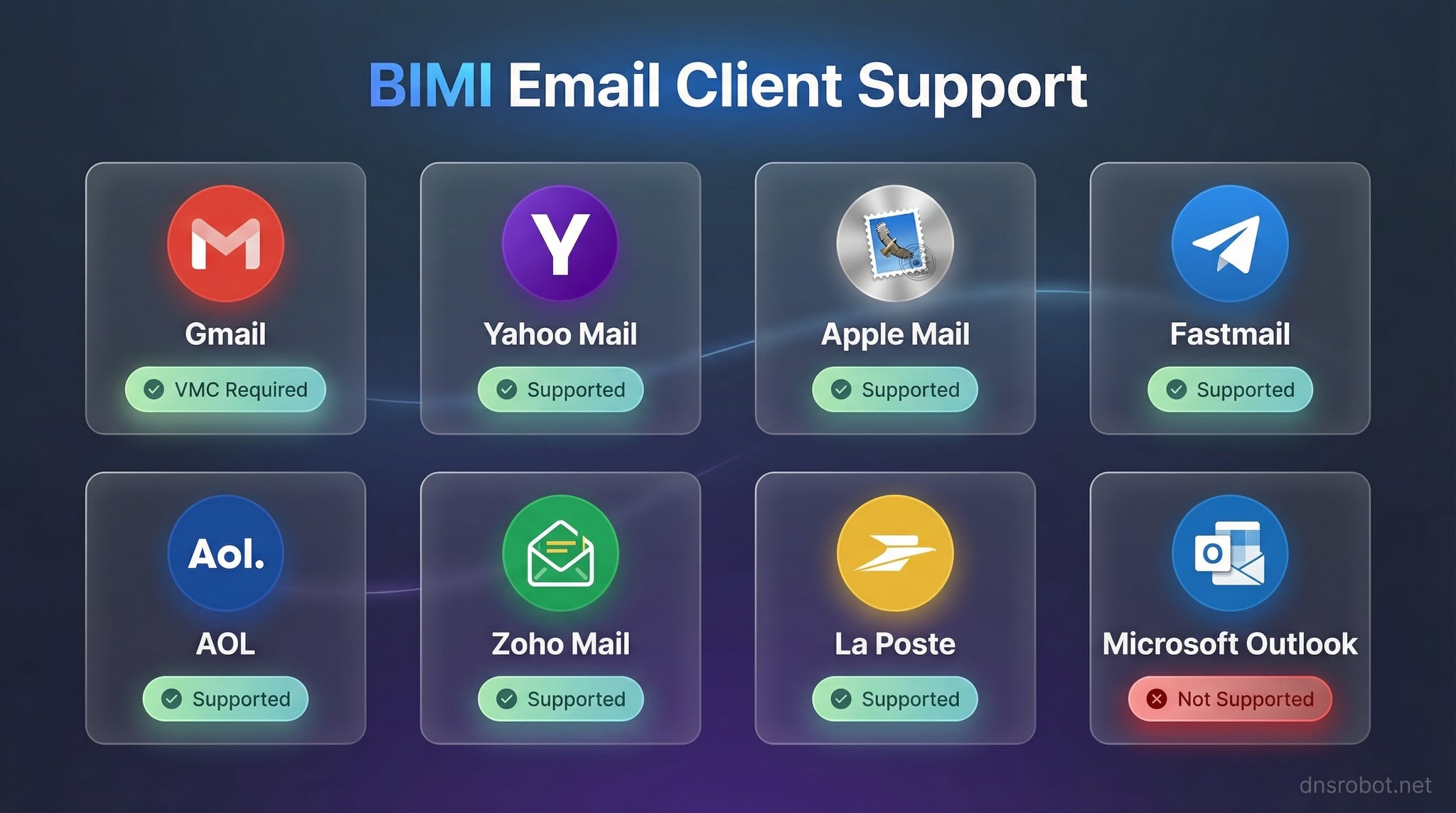
BIMI adoption is growing across major email providers. Not all clients support BIMI equally — some require a VMC while others display logos without one. Microsoft Outlook does not currently support BIMI.
📧
Gmail
VMC Required
📮
Yahoo Mail
No VMC Needed
🍎
Apple Mail
No VMC Needed
⚡
Fastmail
No VMC Needed
📬
AOL
No VMC Needed
🌐
Zoho Mail
No VMC Needed
✉️
La Poste
No VMC Needed
❌
Outlook
Not Supported
How to Create a BIMI Record
Setting up BIMI involves preparing your email authentication, creating a compliant logo, and publishing a DNS record. Follow these five steps to get your brand logo displayed in email inboxes:
1
Set Up DMARC Enforcement
Ensure your domain has a DMARC record with p=quarantine or p=reject. If you don't have one, use our DMARC generator to create it.
2
Prepare Your SVG Logo
Convert your brand logo to SVG Tiny 1.2 PS format with a square aspect ratio (1:1). Remove all scripts, animations, and external references. Keep file size under 32KB.
3
Host the Logo via HTTPS
Upload the SVG file to a publicly accessible HTTPS URL on your domain or CDN. Ensure the server returns the correct Content-Type: image/svg+xml header. Verify the SSL certificate is valid.
4
Obtain a VMC (Optional — Required for Gmail)
If you need Gmail to display your logo, obtain a Verified Mark Certificate from DigiCert or Entrust. This requires a registered trademark. Host the PEM certificate via HTTPS.
5
Publish the BIMI DNS Record
Use our BIMI generator above to create your record, then add it as a TXT record at default._bimi.yourdomain.com in your DNS. Verify with the BIMI checker to confirm it's published correctly.
Email Authentication Ecosystem
BIMI is the visual reward for implementing a complete email authentication stack. Use these tools to verify each layer of your domain's email security:
Related DNS & Email Tools
BIMI and Brand Trust
BIMI represents the next evolution of email authentication, adding a visual trust layer on top of SPF, DKIM, and DMARC. When your brand logo appears next to your emails in recipient inboxes, it signals authenticity and builds trust. Research shows that BIMI can increase email open rates by up to 10% and significantly reduce the effectiveness of phishing attacks targeting your brand. For organizations investing in email marketing, BIMI turns email authentication compliance into a competitive advantage.
BIMI Self-Assertion vs VMC
There are two approaches to BIMI implementation. Self-assertion publishes a BIMI record with only a logo URL (no VMC). This works with Yahoo Mail, Apple Mail, AOL, and Fastmail — but not Gmail. VMC-based BIMI includes a Verified Mark Certificate that cryptographically proves trademark ownership. Gmail requires a VMC, making it necessary for organizations targeting Gmail's 1.8 billion users. VMCs cost approximately $1,000-$1,500/year from DigiCert or Entrust and require an eligible registered trademark.
BIMI Implementation Checklist
- SPF record configured and passing
- DKIM signing enabled and keys published
- DMARC with p=quarantine or p=reject
- SVG Tiny 1.2 PS format logo prepared
- Logo hosted on HTTPS with valid SSL
- Square aspect ratio (1:1) for logo
- VMC obtained (if targeting Gmail)
- DNS TXT record published at default._bimi
Frequently Asked Questions about BIMI
What is a BIMI record?
BIMI (Brand Indicators for Message Identification) is a DNS TXT record at default._bimi.domain.com that lets organizations display their brand logo next to authenticated emails. It requires DMARC enforcement and an SVG logo published via HTTPS.
What are the BIMI requirements?
DMARC with p=quarantine or p=reject, an SVG Tiny 1.2 PS format logo hosted via HTTPS, SPF and DKIM passing, and optionally a VMC for Gmail support. The logo must have a square aspect ratio.
What is a VMC?
A Verified Mark Certificate cryptographically verifies brand logo ownership. Gmail requires a VMC for BIMI display. VMCs are issued by DigiCert or Entrust after verifying trademark ownership. They cost ~$1,000-$1,500/year.
Which email clients support BIMI?
Gmail (VMC required), Yahoo Mail, Apple Mail, AOL, Fastmail, Zoho Mail, and La Poste support BIMI. Microsoft Outlook does not currently support BIMI.
How do I create a BIMI record?
Use the BIMI generator above: enter your domain, provide your logo URL (and VMC URL for Gmail), then add the generated TXT record to your DNS at default._bimi.yourdomain.com.
What SVG format does BIMI require?
SVG Tiny 1.2 PS (Portable/Secure) — a restricted SVG subset that excludes scripts, animations, and external references. The logo must be square (1:1 ratio) and typically under 32KB.
Does BIMI require DMARC enforcement?
Yes. BIMI requires DMARC with p=quarantine or p=reject. A policy of p=none (monitoring only) is not sufficient. This ensures only authenticated emails display your brand logo.
Do I need a trademark for BIMI?
Only for Gmail — a registered trademark is required to obtain a VMC. Other email clients (Yahoo, Apple Mail, AOL) display BIMI logos without a VMC using self-assertion.
What is BIMI self-assertion?
Self-assertion publishes a BIMI record with only a logo URL (no VMC). Works with Yahoo Mail, Apple Mail, and Fastmail. Gmail does not support self-assertion and requires a VMC.
Is this BIMI checker free?
Yes, completely free. Check unlimited domains, validate BIMI records, preview logos, and generate new BIMI records without any registration or payment.