Can AI Make My Portfolio? Yes: How to Build One in an Hour (With Prompts)
Advertisement
Can AI Make My Portfolio? The Short Answer
Can AI make my portfolio? Yes. An AI app builder can generate a complete portfolio website, including layout, responsive design, project cards, an about page and a working contact form, from a single paragraph of instructions, and put it on a public URL in under an hour. The tools that do it best in 2026 are Lovable, v0, Framer, Bolt.new and the one-click builders from hosting companies.
The catch is that the AI cannot decide what your portfolio should say, and that is the part that gets you hired. Recruiters spend very little time on a first pass: Ladders' 2018 eye-tracking study found an average of 7.4 seconds on an initial resume screen, and it is safe to assume a portfolio gets a similarly short first look. In that window the visitor needs your name, what you do, one project that proves it, and a way to contact you. AI can lay that out beautifully. Only you can supply it.
What AI Does Well and Badly
Knowing where the tools are strong tells you where to spend your own effort.
| AI is good at | AI is bad at |
|---|---|
| Layout and responsive design; modern builders produce clean mobile-friendly pages by default | Choosing your projects; it invents placeholders if you let it, and every fake project weakens the real ones |
| Consistency; colours, spacing and typography stay coherent across pages | Writing your story; generic "passionate developer" copy is instantly recognisable |
| Boilerplate; contact forms, dark mode, navigation and card grids in minutes | Judging quality; it cannot tell you which of your five projects to lead with |
| Iteration; "make the hero taller and the cards three across" is a ten-second change | Top-level taste; it will produce a site that looks like every other AI-built site unless you push it |
Advertisement
The 5 Best AI Portfolio Builders
All five produce a complete site in under an hour. They differ in how much design control you get and how the code is handled. For a wider comparison beyond portfolios, see best vibe coding tools.
1. Lovable: Best All-Round Choice
Lovable builds a React site, connects a database if you want to edit projects without touching code, and deploys with one click. It is the best choice when your portfolio needs a contact form that actually sends email or a small admin area for adding projects later. Custom domains are supported on paid plans.
2. v0 by Vercel: Best Design Quality
v0 produces the cleanest front-end code in the category, using Tailwind CSS and shadcn/ui components. Deployment to Vercel is built in, and Vercel's free tier is more than enough for a portfolio. Pick v0 if the look of the site matters most to you and you do not need much beyond static pages and a form.
3. Framer: Best for Visual Fine-Tuning
Framer's AI generates a starting layout and then hands you a visual editor, so designers and anyone who would rather drag than prompt can refine every pixel. Hosting and custom domains are part of the product. It is the natural choice for design portfolios.
4. Bolt.new: Best If You Want to Keep the Code
Bolt runs a real development environment in the browser, so you can watch the files being written and edit them directly. Choose it if you plan to keep tinkering, want to learn a little as you go, or intend to host the result yourself on GitHub Pages, Netlify or Cloudflare.
5. Durable or Hostinger AI Builder: Best for Speed
These generate a full site from a few form fields in under a minute. They are less flexible than the four above, but for a simple one-page portfolio with no technical decisions at all, they are hard to beat. If you want a broader look at builders of this kind, the best website builder guide compares them.
How to Build Your Portfolio With AI in 5 Steps
The order matters. Gathering material before opening a tool is what separates a portfolio that looks like yours from one that looks like a template.
Advertisement
Step 1: Gather Your Material First (30 Minutes)
Before you open any tool, write these in a text file: your name, role and a one-line pitch of twelve words or fewer; three to five projects, each with a title, a one-paragraph description, your specific contribution, the result, a link and one image; a short about section in your own voice, three sentences is enough; and how to contact you with the links to show, such as GitHub, LinkedIn, Dribbble or email. This file is 80 percent of the work. The AI does the other 20.
Step 2: Paste the Master Prompt
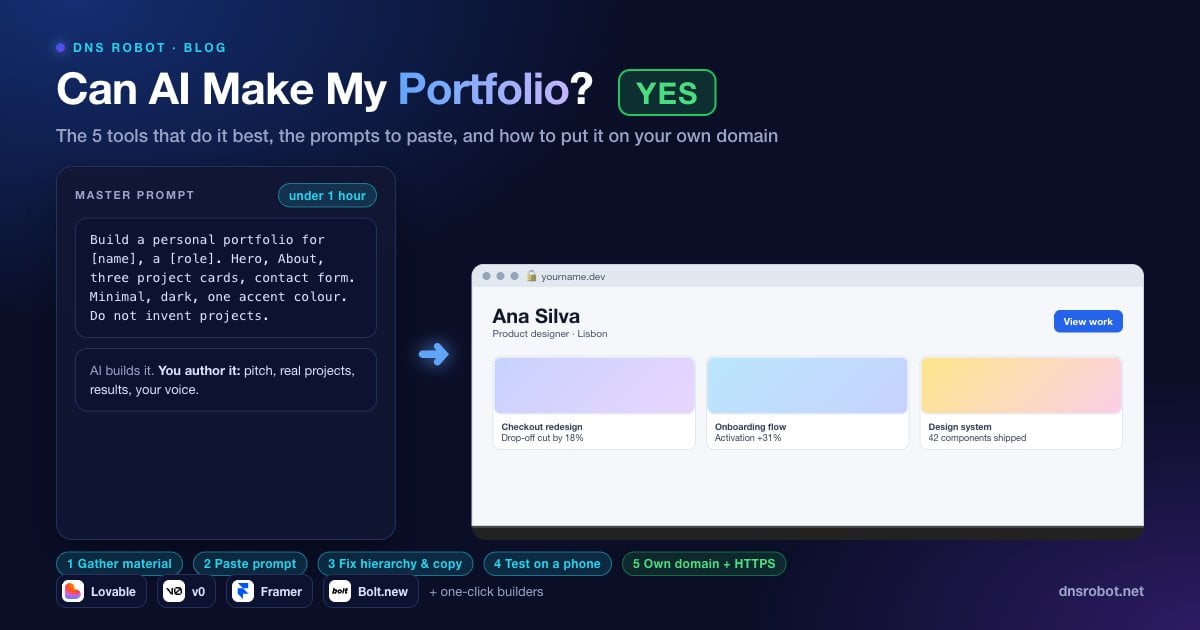
Use this in Lovable, v0 or Bolt. Replace the bracketed parts, then paste your project list as the second message.
Build a personal portfolio website for [name], a [role] based in [city]. Single page with smooth-scroll navigation. Sections: hero with name, one-line pitch and two buttons (View work, Contact); About with the text I provide; Projects as a responsive grid of cards, each with image, title, one-line description and a link to a detail page; Contact with a form (name, email, message) that sends to [email]. Style: [minimal / bold / editorial], [light / dark] theme with a single accent colour [#hex]. Use system fonts, generous whitespace, no stock icons. Mobile-first. Do not invent projects; use only the ones I paste next.Step 3: Fix the Three Things AI Always Gets Slightly Wrong
Every first draft needs the same three fixes, and each one is a single follow-up prompt.
Hierarchy. Ask it to make the hero pitch larger than everything else and to cut the number of competing elements above the fold.
Project order. Tell it explicitly which project comes first. It defaults to the order you pasted.
Copy. Search the page for "passionate", "innovative" and "cutting-edge". Replace every instance with what you actually did.
Step 4: Test on a Phone and in a Private Window
Open the live preview on your phone. Check that images load, the form submits, and nothing overlaps. Then open the site in a private browser window, where no cached files or logged-in sessions hide problems. Submit the contact form and confirm the email arrives. This one step catches most of the embarrassing problems.
Step 5: Put It on Your Own Domain
Your portfolio URL should be your name, not a subdomain of a product. The section below walks through buying the domain, pointing it at the builder and confirming HTTPS.
Prompts for Different Professions
Paste one of these after the master prompt to shape the site for your field.
| Profession | Add-on prompt |
|---|---|
| Developer | Add a Skills section as a compact list grouped by Languages, Frameworks and Tools. Add a GitHub link in the header. Project cards show the tech stack as small tags. |
| Designer | Project cards are image-led with a large cover and minimal text. Add a case study page per project with problem, process and outcome sections and a gallery. Dribbble link in the footer. |
| Writer or marketer | Replace Projects with Selected Work: a list of articles with publication, title, one-line summary and link. Add three testimonials. Add a newsletter signup to the footer. |
| Photographer or artist | Make the home page a masonry gallery with a lightbox on click. Move About and Contact into a slide-in panel. Lazy-load and optimise images. |
| Student or career changer | Add Education and Certifications. Lead Projects with course and personal projects, labelling each with what I learned. Confident tone, no inflation. |
If you would rather start from a finished layout and edit it, the free portfolio website templates roundup lists options that work with or without AI. If you mainly need your CV online, a resume website template is a simpler starting point.
What a Good Portfolio Shows in 60 Seconds
Visitors need to see, in this order: who you are and what you do in one line, one project that proves it with a visible result, and how to contact you. Everything else is supporting material. If the AI builds five sections before the first project, cut them.
Results beat descriptions. "Rebuilt the checkout flow" is a task. "Rebuilt the checkout flow, cutting drop-off by 18 percent" is a result. Ask the tool to give each project card one bold line for the result, and write that line yourself.
Advertisement
Putting Your Portfolio on Your Own Domain
Buy a domain with your name if you can. Check availability across 100+ extensions at once with the Domain Availability Checker; if the .com is taken, .dev, .design, .me and .io all read well on a portfolio. Then use the custom domain setting in your builder; Vercel's custom domain guide shows the typical flow, and the other builders follow the same pattern. It gives you DNS records to add at your registrar, usually a CNAME for www and an A or ALIAS record for the bare domain. A typical set looks like this:
; Bare domain -> the builder's address (each builder gives you its own)
yourname.dev.        A       76.76.21.21

; www -> the builder's hostname
www.yourname.dev.    CNAME   cname.vercel-dns.com.

; Check the records have propagated
dig +short yourname.dev A
dig +short www.yourname.dev CNAMEDNS changes can take up to 48 hours to reach every resolver, so confirm propagation with the DNS Propagation Checker rather than refreshing your own browser. Once the domain resolves, the builder issues an HTTPS certificate automatically; confirm it with the SSL Checker, and if the browser shows a privacy warning in the meantime, the connection is not private fix explains why and what to do.
Claiming Your Name Everywhere Else
A portfolio on your own domain is stronger when the same name is yours on the platforms recruiters check next. Before you settle on a domain, run the name through the Username Checker, which tests availability across 30 platforms, including GitHub, GitLab, X, Instagram, Dribbble and YouTube, in one query. LinkedIn is not in the list, so claim your custom LinkedIn URL by hand. A consistent handle across your domain, GitHub and LinkedIn is a small signal that adds up, and it takes five minutes to secure while the name is still free.
Advertisement
AI Portfolio Mistakes to Avoid
So, can AI make my portfolio good enough to get hired? Yes, as long as you avoid these five mistakes.
Accepting the first result. Give a specific style direction, a single accent colour and your own copy. Generic inputs produce the generic look.
Letting the AI invent projects. Say "do not invent projects" in the prompt and check every card.
Leaving it on a builder subdomain. A portfolio at a product subdomain reads as temporary. Your name, your domain.
Skipping the contact form test. Submit it yourself and confirm delivery before you send the link to anyone.
Never updating it. Add a project every quarter. A portfolio last touched two years ago tells visitors more than any project on it, and not in your favour.
Check if your name is free as a domain and a username
DNS Robot's free Username Checker tests your name across 30 platforms in one query, and the Domain Availability Checker does the same for domain extensions. Secure both before you build the portfolio, so the URL on your CV matches the handle on your GitHub and social profiles.
Testen Username CheckerAdvertisement
Can AI Make My Portfolio FAQ
Yes. Lovable, v0, Bolt.new and Framer all have free tiers that can produce a complete portfolio. You will usually need a paid plan, typically $10 to $25 per month, to connect a custom domain and remove the tool's branding.