Subnet Calculator
Free visual subnet calculator for IPv4 and IPv6. Click any bit or drag the prefix slider and watch the network address, broadcast address, subnet mask, wildcard mask, and usable host range update live. Split a block into subnets (equal or VLSM), convert an IP range to CIDR blocks, and share any result with a link.
Visual CIDR CalculatorVLSM & Subnet SplitterIP Range to CIDRIPv4 & IPv6
Click a bit to flip it. Blue bits are the network, purple bits are hosts. Drag the slider to change the prefix.networkhost
Octet 1
Octet 2
Octet 3
Octet 4
/24
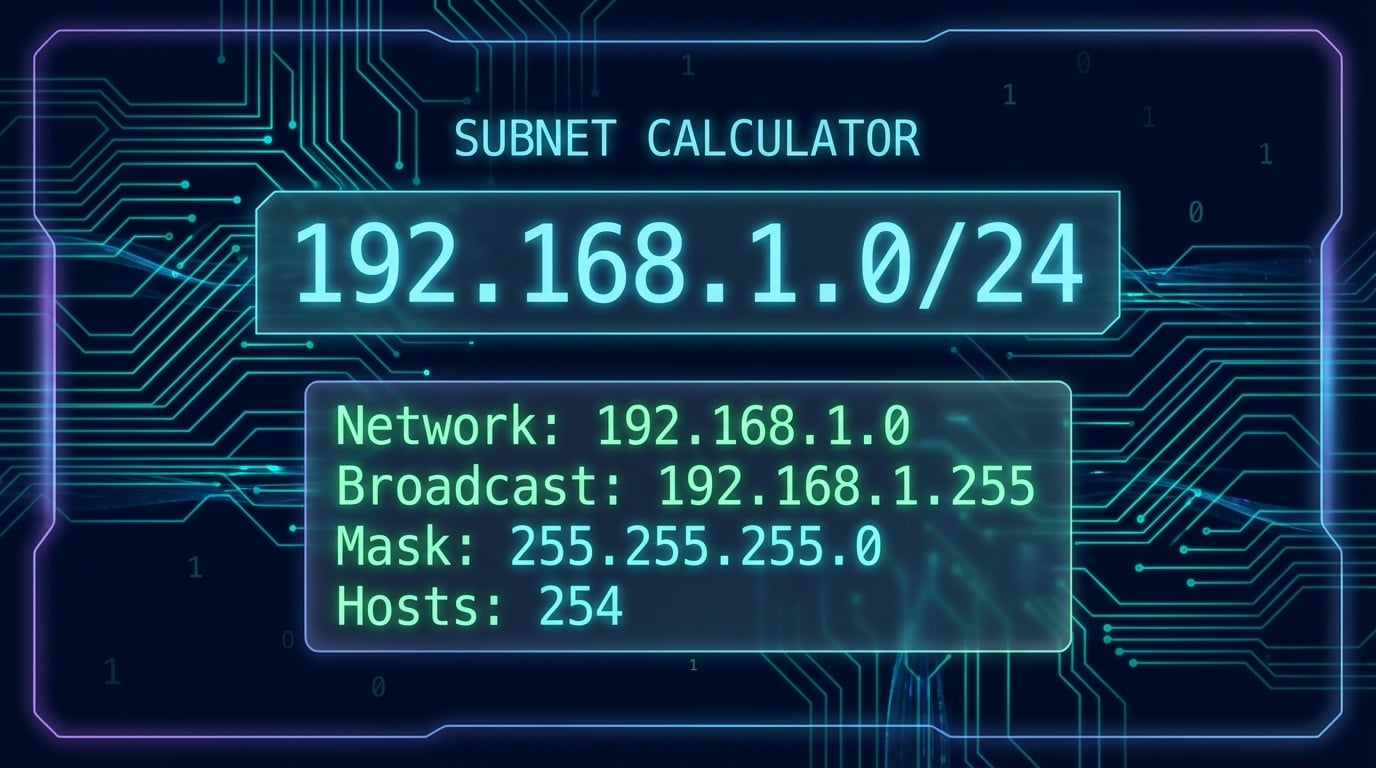
192.168.1.0/24Class CPrivate range (RFC 1918)
Network address
192.168.1.0Broadcast address
192.168.1.255First usable host
192.168.1.1Last usable host
192.168.1.254Subnet mask
255.255.255.0Wildcard mask (ACLs)
0.0.0.255Total addresses
256
Usable hosts
254
Binary subnet mask
11111111.11111111.11111111.00000000/24 means 24 network bits and 8 host bits. The network address is the first address in the block and the broadcast address is the last; hosts use the addresses between them.
Advertisement
What Is a Subnet Calculator?
A subnet calculator is a tool that computes all subnetting details from an IP address and CIDR prefix length. This tool supports both IPv4 (like 192.168.1.0/24) and IPv6 (like 2001:db8::/48). For IPv4, get the network address, broadcast address, subnet mask, wildcard mask, first and last usable hosts, total addresses, and usable host count. For IPv6, get the expanded and compressed address forms, network prefix, first and last addresses, total addresses, address type, and scope.
Whether you're a network engineer designing enterprise architectures, a system administrator configuring servers, or a student learning subnetting, this free IP subnet calculator eliminates manual binary math and gives you accurate results instantly. Use it as a subnet mask calculator to convert between CIDR and dotted-decimal notation, as a CIDR calculator that shows all 32 bits colored by network and host, as a VLSM calculator that splits a block by the hosts each subnet needs, or as an IP range to CIDR converter. All calculations happen in your browser — no data is sent to any server.
How CIDR Notation Works
CIDR (Classless Inter-Domain Routing) notation represents an IP address and its associated network prefix in the format IP/prefix. For IPv4, the prefix ranges from 0–32 (out of 32 bits). For IPv6, it ranges from 0–128 (out of 128 bits). The prefix indicates how many bits belong to the network portion — the remaining bits identify individual hosts or interface identifiers within that network.
1
IP Address Input
Enter an IPv4 (e.g., 10.0.0.0/16) or IPv6 (e.g., 2001:db8::/32) address
2
Binary Masking
The prefix defines which bits are network (1s) and host (0s)
3
AND Operation
IP AND prefix mask yields the network address
4
Results
Network, range, usable hosts, address type — all calculated
Visual CIDR Calculator: Flip Bits and Watch the Range Change
Most IP calculators hide the binary. This one shows it. The grid above the results lays out all 32 bits of the IPv4 address in four octets. Blue bits are the network portion (the first n bits for a /n prefix) and purple bits are the host portion. Click any bit to flip it and the address, network, broadcast, and range recalculate instantly. Drag the prefix slider or press the − and + buttons to move the boundary between network and host bits, and use the ▲ ▼ arrows on an octet to step through neighbouring addresses.
Type any notation
192.168.1.0/24, 192.168.1.0 255.255.255.0, or just an IP (defaults to /24). Results appear as you type — there is no Calculate button.
See why /26 has 62 hosts
Set the slider to /26 and six purple host bits remain: 2⁶ = 64 addresses, minus the network and broadcast addresses.
Share the exact state
The URL updates as you work (?q=10.0.0.0/8). Copy the link and a colleague opens the same address and prefix.
Try it with a few common blocks: 192.168.1.0/24, 10.0.0.0/8, 172.16.0.0/12, 192.168.0.0/25, or a single host such as 203.0.113.7/32.
Advertisement
Subnet Mask Cheat Sheet: Every CIDR Prefix from /8 to /32
Use this subnet cheat sheet when converting between subnet mask and CIDR notation. Every prefix from /8 to /32 is listed with its subnet mask, wildcard mask, total addresses, and usable hosts — the same numbers the calculator produces, in one CIDR chart you can bookmark. Click a prefix to load it into the calculator.
| CIDR | Subnet Mask | Wildcard | Addresses | Usable Hosts |
|---|---|---|---|---|
| /8 | 255.0.0.0 | 0.255.255.255 | 16,777,216 | 16,777,214 |
| /9 | 255.128.0.0 | 0.127.255.255 | 8,388,608 | 8,388,606 |
| /10 | 255.192.0.0 | 0.63.255.255 | 4,194,304 | 4,194,302 |
| /11 | 255.224.0.0 | 0.31.255.255 | 2,097,152 | 2,097,150 |
| /12 | 255.240.0.0 | 0.15.255.255 | 1,048,576 | 1,048,574 |
| /13 | 255.248.0.0 | 0.7.255.255 | 524,288 | 524,286 |
| /14 | 255.252.0.0 | 0.3.255.255 | 262,144 | 262,142 |
| /15 | 255.254.0.0 | 0.1.255.255 | 131,072 | 131,070 |
| /16 | 255.255.0.0 | 0.0.255.255 | 65,536 | 65,534 |
| /17 | 255.255.128.0 | 0.0.127.255 | 32,768 | 32,766 |
| /18 | 255.255.192.0 | 0.0.63.255 | 16,384 | 16,382 |
| /19 | 255.255.224.0 | 0.0.31.255 | 8,192 | 8,190 |
| /20 | 255.255.240.0 | 0.0.15.255 | 4,096 | 4,094 |
| /21 | 255.255.248.0 | 0.0.7.255 | 2,048 | 2,046 |
| /22 | 255.255.252.0 | 0.0.3.255 | 1,024 | 1,022 |
| /23 | 255.255.254.0 | 0.0.1.255 | 512 | 510 |
| /24 | 255.255.255.0 | 0.0.0.255 | 256 | 254 |
| /25 | 255.255.255.128 | 0.0.0.127 | 128 | 126 |
| /26 | 255.255.255.192 | 0.0.0.63 | 64 | 62 |
| /27 | 255.255.255.224 | 0.0.0.31 | 32 | 30 |
| /28 | 255.255.255.240 | 0.0.0.15 | 16 | 14 |
| /29 | 255.255.255.248 | 0.0.0.7 | 8 | 6 |
| /30 | 255.255.255.252 | 0.0.0.3 | 4 | 2 |
| /31 | 255.255.255.254 | 0.0.0.1 | 2 | 2 |
| /32 | 255.255.255.255 | 0.0.0.0 | 1 | 1 |

Subnet Splitter and VLSM Calculator
Open the Split / VLSM tab to divide a block into smaller networks. Split into N equal subnets (a /24 into four /26s), split to a target prefix (a /16 into /20s), or use VLSM (Variable Length Subnet Masking) and list the hosts each subnet needs. The VLSM calculator sorts the requirements largest first and assigns the smallest prefix that fits each one, so no address space is wasted and every subnet starts on a valid boundary.
| Hosts needed | Assigned subnet | Usable range | Usable hosts |
|---|---|---|---|
| 100 | 10.0.0.0/25 | 10.0.0.1 – 10.0.0.126 | 126 |
| 50 | 10.0.0.128/26 | 10.0.0.129 – 10.0.0.190 | 62 |
| 20 | 10.0.0.192/27 | 10.0.0.193 – 10.0.0.222 | 30 |
| 2 | 10.0.0.224/30 | 10.0.0.225 – 10.0.0.226 | 2 |
The example above splits 10.0.0.0/24 for four departments that need 100, 50, 20 and 2 hosts. Open this VLSM plan in the calculator, then copy the table as CSV for your IP address management (IPAM) sheet. The remaining space (10.0.0.228 – 10.0.0.255) stays free for growth.
IP Range to CIDR Converter
Firewalls, cloud security groups, and router ACLs accept CIDR blocks, not arbitrary start and end addresses. The Range → CIDR tab takes any IPv4 range and returns the smallest set of CIDR blocks that covers it exactly. A range that lines up with a power of two collapses to a single block (192.168.0.0 – 192.168.0.255 is 192.168.0.0/24); an unaligned range such as 192.168.0.1 – 192.168.0.100 needs nine blocks, from a /32 up to a /27. Copy the list straight into an AWS security group, a Cloudflare IP list, or an ip route statement.
Going the other way (CIDR to IP range) is what the main tab already does: the first and last address of any block are the network and broadcast addresses shown in the results. To see which organization owns a public block, run the network address through the IP WHOIS lookup or the ASN lookup.
Wildcard Mask Calculator for Cisco ACLs and OSPF
Every IPv4 result includes the wildcard mask, the bitwise inverse of the subnet mask that Cisco IOS uses in access lists and OSPF network statements. A 0 bit in the wildcard means "must match" and a 1 bit means "ignore". So 192.168.1.0/24 becomes 192.168.1.0 0.0.0.255, 10.0.0.0/8 becomes 10.0.0.0 0.255.255.255, and a single host is 0.0.0.0 (or the host keyword). To convert by hand, subtract each octet of the subnet mask from 255.
IPv6 CIDR Prefix Reference
IPv6 uses 128-bit addresses, providing a vastly larger address space than IPv4. The IPv6 subnet calculator handles prefix lengths from /8 to /128. Here are the most common IPv6 prefix lengths used in real-world network planning and ISP allocations.
| Prefix | Typical Use | Addresses |
|---|---|---|
| /32 | ISP allocation (single organization) | 2⁹⁶ ≈ 79.2 sextillion |
| /48 | Site allocation (one customer site) | 2⁸⁰ ≈ 1.2 septillion |
| /56 | Residential assignment (multi-subnet home) | 2⁷² ≈ 4.7 sextillion |
| /64 | Single subnet (standard LAN segment) | 2⁶⁴ ≈ 18.4 quintillion |
| /112 | Point-to-point link (IPv4-like sizing) | 65,536 |
| /126 | Point-to-point link (4 addresses) | 4 |
| /127 | Point-to-point link (RFC 6164) | 2 |
| /128 | Single host (loopback, host route) | 1 |
Unlike IPv4, IPv6 does not use broadcast addresses — it uses multicast and anycast instead. The standard subnet size for LANs is /64, which provides 2⁶⁴ addresses for Stateless Address Autoconfiguration (SLAAC). Our IPv6 calculator also detects the address type (Global Unicast, Link-Local, Unique Local, Multicast, Loopback, or IPv4-Mapped).
Advertisement
Understanding Subnet Calculation Results
When you enter an IP address in CIDR notation into the subnet calculator, it computes several key fields. Understanding each field is essential for proper network configuration and troubleshooting.
Network Address
The first address in the subnet, identifying the network itself. Obtained by performing a bitwise AND between the IP and subnet mask. Cannot be assigned to any host.
Broadcast Address
The last address in the subnet, used to send packets to all hosts simultaneously. Calculated by setting all host bits to 1. Also cannot be assigned to hosts.
Subnet Mask
A 32-bit mask with 1s for network bits and 0s for host bits (e.g., 255.255.255.0). Used by devices to determine if a destination IP is on the same subnet or needs routing.
Wildcard Mask
The bitwise inverse of the subnet mask (e.g., 0.0.0.255). Used in Cisco ACLs and OSPF configurations to match ranges of IP addresses in access control and routing rules.
First & Last Usable Host
The range of IP addresses that can be assigned to devices. First usable = network address + 1, last usable = broadcast address - 1. For /31 links, both addresses are usable (RFC 3021).
Total & Usable Hosts
Total addresses = 2^(32-prefix). Usable hosts = total - 2 (minus network and broadcast). Knowing usable count ensures you don't over-allocate or under-provision subnets.
Private IP Address Ranges (RFC 1918)
RFC 1918 defines three blocks of private IPv4 addresses that are not routable on the public internet. These are used for internal networks behind NAT (Network Address Translation). Our subnet calculator automatically detects whether the entered IP falls within a private or public range.
10.0.0.0/8
Class A PrivateStart: 10.0.0.0
End: 10.255.255.255
Addresses: 16,777,216
Typical use: Large enterprises, data centers
172.16.0.0/12
Class B PrivateStart: 172.16.0.0
End: 172.31.255.255
Addresses: 1,048,576
Typical use: Cloud VPCs, medium networks
192.168.0.0/16
Class C PrivateStart: 192.168.0.0
End: 192.168.255.255
Addresses: 65,536
Typical use: Home/small office LANs
Advertisement
Who Uses a Subnet Calculator?
Subnet calculators are essential tools for anyone working with IP networks. From enterprise network architects to home lab enthusiasts, understanding subnetting is a fundamental networking skill.
Network Engineers
Design subnetting schemes for enterprise networks, configure OSPF areas, plan VLAN-to-subnet mappings, and optimize IP address utilization across sites.
Security Professionals
Configure firewall rules with precise CIDR ranges, segment sensitive systems into isolated subnets, and implement zero-trust network architectures.
System Administrators
Set up server networks, configure DHCP scopes, plan cloud VPC subnets (AWS, Azure, GCP), and troubleshoot connectivity issues between subnets.
Cloud Architects
Design VPC architectures with properly sized subnets across availability zones, plan CIDR blocks for VPC peering, and avoid IP range overlaps.
Home Lab Users
Set up home networks with separate subnets for IoT devices, media servers, and workstations. Calculate the right subnet size for each network segment.
Students & Certification Prep
Practice subnetting for CCNA, CompTIA Network+, and other networking certifications. Verify manual calculations and build subnetting intuition.

Subnetting Best Practices
Proper subnetting is crucial for efficient network design. Follow these best practices to avoid common mistakes and plan your IP addressing effectively.
Do
- Plan for 20–30% growth when sizing subnets
- Use /30 or /31 for point-to-point router links
- Align subnets to power-of-2 boundaries for clean summarization
- Document every subnet allocation in an IPAM system
- Separate management, user, and server traffic into distinct subnets
Don't
- Allocate a /24 when a /27 would suffice — wastes 224 addresses
- Use overlapping CIDR blocks between VPN-connected sites
- Assign network or broadcast addresses to hosts
- Mix private and public IPs in the same subnet
- Forget to account for gateway, HSRP/VRRP, and DHCP server IPs
Advertisement
Related Network & IP Tools
Explore more free network and IP tools on DNS Robot to complement your subnetting work.
IP Lookup
Look up geolocation, ISP, and ASN details for any IP address
IPv4 to IPv6 Converter
Convert IPv4 addresses to IPv6-mapped format
IPv6 Compression
Compress and expand IPv6 addresses — RFC 5952 compliant
IP to Decimal Converter
Convert IP addresses between decimal, hex, and binary
What Is My IP
Find your public IP address with geolocation and ISP info
Ping Tool
Test connectivity and latency to any host
Port Checker
Test port connectivity and service availability
Domain to IP
Find the IP address of any website with CDN detection
ASN Lookup
See which network owns an IP block and its announced prefixes
IP WHOIS Lookup
RIR registration details for any IPv4 or IPv6 address
Frequently Asked Questions
What is a subnet calculator?
A subnet calculator is a tool that takes an IP address and CIDR prefix length (like 192.168.1.0/24 for IPv4 or 2001:db8::/48 for IPv6) and calculates all subnet details. For IPv4: network address, broadcast address, subnet mask, wildcard mask, usable hosts, and IP class. For IPv6: expanded/compressed forms, network prefix, address range, address type, and scope. It helps network administrators plan IP allocation without manual binary math.
What is CIDR notation and how does it work?
CIDR (Classless Inter-Domain Routing) notation represents an IP address and its network prefix in the format IP/prefix (e.g., 192.168.1.0/24). The number after the slash indicates how many bits of the 32-bit IPv4 address are used for the network portion. For example, /24 means the first 24 bits are the network part (subnet mask 255.255.255.0), leaving 8 bits for host addresses (256 total, 254 usable). CIDR replaced the older classful addressing system for more flexible IP allocation.
How do I convert a subnet mask to CIDR notation?
To convert a subnet mask to CIDR, count the number of consecutive 1-bits in the binary representation. For example, 255.255.255.0 in binary is 11111111.11111111.11111111.00000000 — that's 24 ones, so CIDR is /24. Common conversions: 255.0.0.0 = /8, 255.255.0.0 = /16, 255.255.255.0 = /24, 255.255.255.128 = /25, 255.255.255.192 = /26, 255.255.255.240 = /28, 255.255.255.252 = /30.
What is the difference between subnet mask and wildcard mask?
A subnet mask and wildcard mask are bitwise inverses. The subnet mask uses 1s for network bits and 0s for host bits (e.g., 255.255.255.0), while the wildcard mask flips this (e.g., 0.0.0.255). Subnet masks are used in network interface configuration and routing tables, while wildcard masks are used in Cisco ACLs and OSPF area configuration. To convert: subtract each octet from 255.
What is the network address and broadcast address?
The network address is the first address in a subnet (e.g., 192.168.1.0 in a /24), identifying the network itself. The broadcast address is the last address (e.g., 192.168.1.255), used to send packets to all hosts in the subnet. Neither can be assigned to hosts. Usable addresses fall between them — for a /24, that's 192.168.1.1 through 192.168.1.254 (254 usable).
How many usable hosts does each CIDR prefix provide?
The formula is 2^(32-prefix) - 2. Common examples: /8 = 16,777,214 hosts, /16 = 65,534 hosts, /20 = 4,094 hosts, /24 = 254 hosts, /25 = 126 hosts, /26 = 62 hosts, /27 = 30 hosts, /28 = 14 hosts, /29 = 6 hosts, /30 = 2 hosts (point-to-point), /31 = 2 hosts (RFC 3021, no broadcast), /32 = 1 host (single address).
What are private IP address ranges?
RFC 1918 defines three private ranges: 10.0.0.0/8 (16.7M addresses, Class A), 172.16.0.0/12 (1M addresses, Class B), and 192.168.0.0/16 (65K addresses, Class C). These are not routable on the public internet and require NAT to reach external hosts. Our subnet calculator automatically detects private ranges.
What is subnetting and why is it important?
Subnetting divides a large IP network into smaller subnets for: (1) efficient IP allocation, (2) improved security via isolation, (3) reduced broadcast traffic, (4) simplified management, (5) regulatory compliance. For example, splitting a /24 into four /26 subnets creates four 62-host networks.
What is a /31 and /32 subnet used for?
A /31 subnet (RFC 3021) provides exactly 2 IPs with no network or broadcast address — ideal for point-to-point router links, saving one address vs /30. A /32 represents a single host address and is used for loopback interfaces, host routes, firewall rules, and BGP peering.
How do I plan subnets for my network?
Count hosts needed per subnet with 20-30% growth buffer, choose the smallest CIDR that fits, allocate from a larger block using powers of 2, reserve the first subnet for infrastructure, and document everything. Example: for a /24 block needing 50 users, 20 servers, 10 IoT devices — use /26 (62), /27 (30), and /28 (14) respectively.
Does this subnet calculator support IPv6?
Yes. Our subnet calculator supports both IPv4 and IPv6. Switch to the IPv6 tab to enter any IPv6 address with a prefix length (/8 to /128). The IPv6 calculator shows the expanded and compressed address forms, network prefix, first and last addresses, total addresses, address type (Global Unicast, Link-Local, Unique Local, Multicast, Loopback, IPv4-Mapped), and scope. IPv6 uses 128-bit addresses and does not have broadcast addresses — it uses multicast instead.
What is the standard IPv6 subnet size?
The standard IPv6 subnet size is /64, which provides 2^64 (approximately 18.4 quintillion) addresses. This is required for SLAAC (Stateless Address Autoconfiguration) to work correctly, as the last 64 bits are used for the interface identifier. ISPs typically allocate /48 per organization and /56 per residential customer. For point-to-point links, /127 (RFC 6164) is recommended.
How many hosts are in a /27?
A /27 subnet has 32 total addresses and 30 usable hosts. The 27-bit prefix leaves 5 host bits (2^5 = 32 addresses); the first address is the network address and the last is the broadcast address, so 30 remain for devices. Its subnet mask is 255.255.255.224 and its wildcard mask is 0.0.0.31. A /24 network contains eight /27 subnets.
What does 255.255.255.0 mean?
255.255.255.0 is the subnet mask for a /24 network. In binary it is 24 ones followed by 8 zeros, so the first three octets of an address identify the network and the last octet identifies the host. That gives 256 addresses per network, of which 254 are usable (the network address and the broadcast address are reserved). It is the default mask on most home and small office routers, for example 192.168.1.0/24.
What is the subnet mask of 192.168.1.1/24?
The subnet mask of 192.168.1.1/24 is 255.255.255.0. The host 192.168.1.1 sits in the network 192.168.1.0/24, whose usable range is 192.168.1.1 through 192.168.1.254 and whose broadcast address is 192.168.1.255. The wildcard mask is 0.0.0.255 and the network holds 254 usable hosts.
How do you calculate a subnet by hand?
Write the IP address and the subnet mask in binary. AND them bit by bit to get the network address. Invert the mask to get the wildcard mask, then OR it with the network address to get the broadcast address. The first usable host is the network address plus one and the last usable host is the broadcast address minus one. Total addresses are 2 to the power of (32 minus the prefix length); subtract two for usable hosts. This calculator shows the same 32 bits colored by network and host so you can check each step.