











API疎通確認の方法:DNS・TLS・CORSを順に調べる
 Shaik Vahid10分で読めます
ポイント
「APIが落ちた」は、ほとんどの場合1つの原因ではありません。DNS、443番ポート、TLS、HTTPステータス、CORS、ペイロードの6層を順に調べ、最初に失敗した層で止めます。よくある原因は、反映されていないDNSレコード、一晩で期限切れになった証明書、そしてcurlでは動くのにブラウザ呼び出しだけ壊す Access-Control-Allow-Origin ヘッダーの欠落です。
今すぐ確認

読み始める
「APIが落ちた」が1つの原因で済まない理由
API呼び出しが失敗したとき、クライアントが表示するエラーは、実際に壊れた箇所より何層も上で生成されています。ブラウザの Failed to fetch だけでは、ホスト名が解決できなかったのか、TCP接続が拒否されたのか、TLSハンドシェイクが拒否されたのか、あるいはサーバーが正常な200を返したのにCORSヘッダーがないためブラウザが破棄したのか、区別できません。4つとも同じメッセージになります。
推測をやめて、スタックを順番にたどりましょう。各層は下の層が成功して初めて意味を持つため、最初に失敗した層が本当のバグで、それ以降はノイズです。
確認すべき層は6つあり、全部で2分ほどで済みます。
- DNS:ホスト名はそもそもIPに解決されるか
- 443番ポート:待ち受けているものはあるか、接続は拒否またはフィルタされていないか
- TLS:証明書は有効で期限内か、チェーンは完全か
- HTTPステータス:サーバーは実際に何を返すか(200、401、429、503)
- CORS:ブラウザが本文を渡すために必要なヘッダーが付いているか
- ペイロード:JSONはコードが想定する形か
エンドポイントのステータスとヘッダーを今すぐ確認
何度叩いても問題ない実在のエンドポイントを選ぶ
練習には、実データを返し、APIキーが不要で、同じリクエストを20回送ってもレート制限されないライブのエンドポイントが必要です。主要な公開APIの多くは今やサインアップとトークンを要求するため、失敗の原因がテスト対象の層ではなく認証情報かもしれず、候補はかなり絞られます。
以下の例では、Waqt Azan (مواقيت الصلاة) の無料の礼拝時刻APIを使います。アラビア語の礼拝時刻サービスで、100か国以上・6万以上の地点を扱っています。教材として向いている理由は3つあります。キーも認証ヘッダーも不要であること、HTMLではなく構造化されたJSONを返すこと、CORSポリシーが緩いことです。そのためcurlコマンドはそのまま動き、fetch() の例も、厳格なContent-Security-Policyのないページのコンソールから動きます。
エンドポイントは、国と都市のスラッグをパスにそのまま取ります。
# Prayer times for a city — no API key, no headers required
curl -s https://waqtazan.com/api/v1/timings/saudi-arabia/riyadh

# The same data as a subscribable calendar feed
curl -s https://waqtazan.com/api/v1/ical/saudi-arabia/riyadh.ics
デバッグ対象の実際のホストに置き換えてください。公開API、自分のステージングサーバー、サードパーティのWebhook受信側のどれをテストする場合でも、6つの層は同じです。
第1層:ホスト名は解決できるか
DNSはよくある原因です。レコードを変更したが反映されていない、ワイルドカードを削除した、APIのサブドメインがそもそも作られていない、といったケースがあります。
まず何よりホスト名を解決してください。ここで何も返らなければ、アプリを何度再起動しても無駄です。クライアントはソケットを開く段階にすら進めません。
dig +short waqtazan.com A
nslookup waqtazan.com

# Compare what different resolvers see — catches mid-propagation records
dig +short waqtazan.com A @1.1.1.1
dig +short waqtazan.com A @8.8.8.8レコードを変更した直後に2つのパブリックリゾルバの答えが食い違うなら、まだ反映の途中です。クライアントがどのリゾルバに当たるかで、APIが断続的に壊れているように見えます(ジオルーティングのCDNは、リゾルバごとに常に異なるアドレスを返すことがあるため、設定したレコードと照らし合わせてください)。DNSルックアップで全レコードを確認するか、レコード変更の直後にDNS伝播チェッカーで世界中のリゾルバでの反映状況を確認できます。
ここで答えが空なら、ChromeではERR_NAME_NOT_RESOLVED、Nodeでは getaddrinfo ENOTFOUND に直結します。対処法の一覧は ERR_NAME_NOT_RESOLVED を参照してください。
気にしなくてよい点が1つあります。多くのAPIはCDNの背後にあるため、AレコードはオリジンサーバーではなくCDNのエッジを指します。これは正常です。重要なのはどのIPかではなく、答えが返ること自体です。
第2層:443番ポートは開いているか
ホスト名は解決できたので、アドレスは存在します。次に、そこで何かが待ち受けているかを調べます。クライアントがどれも同じように報告してしまう、まったく異なる3つの障害をここで切り分けます。
- Open(開いている):TCPハンドシェイクが完了します。次の層へ進みます。
- Refused(拒否):ホストが即座にRSTを返しています。ホストはありますが、そのポートにバインドされたものがありません。多くはサービスのクラッシュか、localhostのみへのバインドです。
- Filtered(フィルタ):接続がタイムアウトするまで固まります。ファイアウォールやセキュリティグループがパケットを黙って破棄しているため、リクエストは1分以上待ってから失敗します(macOSでは75秒)。
# Time-boxed TCP check: -w limits the connect on Linux; on macOS use -G 5 instead
nc -vz -w 5 waqtazan.com 443

# Or with curl: --connect-timeout caps the connect; 000 means no response came back
curl -s -o /dev/null -w '%{http_code}\n' --connect-timeout 5 https://waqtazan.com/拒否とフィルタでは対処がまったく違うため、どちらかを知っておく価値があります。ポートチェッカーは両者を区別でき、ネットワークの外からテストします。社内VPNからは開いているポートが、公開インターネットからはファイアウォールで閉じられていることがあるため、これは重要です。
curlがステータスコードとして 000 を出力したら、HTTPレスポンスが返ってきていません。多くは第1〜3層での失敗(DNS応答なし、ポートの拒否やフィルタ、TLSハンドシェイクの失敗)ですが、接続を受け付けた後に切断する、または一切応答しないサーバーでも 000 になります。-v を付けると、最後に成功した段階が分かります。拒否の場合は ERR_CONNECTION_REFUSED で詳しく解説しています。
第3層:TLS証明書は有効か
443番ポートは開いていますが、ポートが開いていることはHTTPSエンドポイントが動くことを意味しません。証明書は期限で切れ、更新の自動化は静かに失敗するため、一晩で壊れる典型的な原因です。
証明書は3つの条件を同時に満たす必要があります。期限切れでないこと、名前が要求したホスト名と一致すること、サーバーが中間証明書のチェーンを完全に送ることです。3つ目が厄介です。チェーンが不完全でもブラウザでは動くことが多く、Chromeは足りない中間証明書を自分でダウンロードし、Firefoxは中間証明書をプリロードしています。一方、Node、Python、Java、OpenSSLビルドのcurlは失敗します(macOS標準のcurlはAppleの検証機構を使うため通ることがあります)。これが「ブラウザでは動くのに本番では動かない」という定番のバグ報告の原因です。
# Expiry dates and subject
echo | openssl s_client -connect waqtazan.com:443 -servername waqtazan.com 2>/dev/null \
  | openssl x509 -noout -subject -dates

# Full chain as presented by the server
openssl s_client -connect waqtazan.com:443 -servername waqtazan.com -showcerts < /dev/null
-showcerts の出力に含まれる証明書の数を数えてください。証明書が1枚だけなら、多くは中間証明書の欠落です。SSL証明書チェッカーは、有効期限、チェーンの完全性、ホスト名の一致を一度に報告します。中間証明書がなぜ重要かは SSL証明書チェーンとは で解説しています。
-servername は残してください。OpenSSL 1.1.1以降は -connect のホスト名からSNIを設定しますが、macOS標準のLibreSSL版 openssl は設定せず、IPアドレスに接続する場合はどのバージョンでも設定されません。SNIがないと、共有ホストはデフォルト証明書を返すか、Cloudflareのようにハンドシェイクを中断し、存在しない名前の不一致を追いかけることになります。
第4層:レスポンスヘッダーを読む
TLSは問題ないので、ようやく本物のHTTPのやり取りができます。クライアントが要約したものではなく、サーバーが実際に返した内容を読みましょう。ここではヘッダーだけを表示します。本文はダウンロードして捨てているので、クライアントが送るGETと同じです。
curl -s -D - -o /dev/null https://waqtazan.com/api/v1/timings/egypt/cairoまずステータス行、次に content-type、そのほかは後です。この2つのフィールドで、リクエストが成功したか、本文がJSONかが、ほかを読む前に分かります。
正常なJSONレスポンスの見た目
上のコマンドを2026年10月27日にテスト用エンドポイントへ実行すると、ほかにもありますが次のヘッダーが返りました。
| ヘッダー | 値 | 分かること |
|---|---|---|
HTTP/2 | 200 | リクエストは成功し、サーバーはHTTP/2に対応している |
content-type | application/json | HTMLのエラーページではなくJSONが返る |
content-length | 567 | 空ではない実際のペイロードがある |
access-control-allow-origin | * | ブラウザはこのレスポンスを読める |
server | cloudflare | オリジンの前にCDNがある |
alt-svc | h3=":443" | 以降のリクエストでHTTP/3が案内されている |
第5層:ブラウザ呼び出しだけを壊すヘッダー
この層は何時間も溶ける場所です。curlとブラウザの結果が本当に食い違うからです。CORSを強制するのはサーバーではなくブラウザです。Access-Control-Allow-Origin がなくても、サーバーは完全で正しい200を返しますが、ブラウザがJavaScriptに本文を渡すのを拒否するだけです。
つまり症状はこうです。curlは完璧に動き、Postmanも完璧に動くのに、ブラウザのコンソールには、CORSポリシーによってリクエストがブロックされたと出ます。サーバーには何の問題もなく、レスポンスにヘッダーが1つ足りないだけです。
テスト用エンドポイントは access-control-allow-origin: * を返すため、どのオリジンからでも通常の fetch() が動きます。
// Run it in the console of a tab on a site without a strict CSP, such as example.com
// (this page's own CSP blocks it). It works there because ACAO is set to *
const r = await fetch('https://waqtazan.com/api/v1/timings/egypt/cairo')
console.log(await r.json())プリフライトの罠:ヘッダーを足すまでは動く
もう一段階厄介な落とし穴があり、このエンドポイントがよい実例になります。シンプルなリクエスト(カスタムヘッダーなしの通常のGET)は成功します。しかしカスタムヘッダーを足した瞬間、または Content-Type: application/json でPOSTした瞬間、ブラウザはまず OPTIONS のプリフライトを送り、そのレスポンスにも独自のCORSヘッダーが必要です(MDN)。
プリフライトは別のコードパスから返る別のレスポンスなので、単独でテストしてください。
curl -s -D - -o /dev/null -X OPTIONS \
  -H 'Origin: https://example.com' \
  -H 'Access-Control-Request-Method: GET' \
  https://waqtazan.com/api/v1/timings/egypt/cairo
2026年10月27日時点で、このプリフライトは content-type: text/html の200を返し、access-control-allow-origin ヘッダーはまったくありません。そのため、通常のGETは問題なく動くのに、プリフライトを伴うブラウザからのリクエストはブロックされます。
これがまさに罠です。開発中は動いていた連携に Authorization や X-Request-Id ヘッダーを足すと、サーバー側の変更が一切ないのに壊れます。公開データだけが必要なら、リクエストをシンプルに保てば動き続けます。
第6層:ペイロードは想定した形か
最後の層は、コードが本当に気にする層です。フィールド名が変わった、数値が文字列に変わった、パースできない形式のタイムスタンプが届いた、という場合は、有効なJSONの200でも壊れます。
パーサーを書く前に、実際のレスポンスを見てください。このエンドポイントは表示用にフォーマットされた時刻とISOタイムスタンプの両方を返します。真似する価値のあるパターンで、ローカライズされた文字列は人間向け、ISO値はコード向けです。
{
  "city": { "slug": "riyadh", "name_ar": "الرياض", "name_en": "Riyadh" },
  "country": "saudi-arabia",
  "date": "2026-10-26",
  "times":    { "fajr": "4:38 ص", "dhuhr": "11:37 ص", "maghrib": "5:17 م" },
  "timesISO": { "fajr": "2026-10-26T01:38:00.000Z", "dhuhr": "2026-10-26T08:37:00.000Z" },
  "method": "umm_al_qura"
}
必ず機械可読のフィールドをパースしてください。ここでは times ではなく timesISO です。表示用の文字列はローカライズされており、ロケールが変わればすぐ形式が変わります。
レスポンスを jq に通すと構造をすばやく確認できます。curl -s <url> | jq keys で最上位のフィールドを一覧でき、jq '.times' で生の本文をスクロールせずに掘り下げられます。
症状 → 層 → ツール
毎回6層すべてをたどらずに、問題の層へ直行するための表です。
| 見える症状 | 失敗している層 | 確認方法 |
|---|---|---|
ERR_NAME_NOT_RESOLVED, ENOTFOUND | 1 — DNS | DNSルックアップ |
ECONNREFUSED, instant failure | 2 — ポート | ポートチェッカー |
| リクエストが固まり、その後タイムアウト | 2 — フィルタされたポート | ポートチェッカー |
CERT_HAS_EXPIRED, UNABLE_TO_VERIFY_LEAF_SIGNATURE | 3 — TLS | SSLチェッカー |
| ブラウザでは動くが、curlやNodeでは失敗 | 3 — 不完全なチェーン | SSLチェッカー |
401, 429, 503 | 4 — HTTPステータス | HTTPヘッダーチェッカー |
| curlでは動くが、ブラウザでブロックされる | 5 — CORS | HTTPヘッダーチェッカー |
Unexpected token '<', "<!DOCTYPE "... is not valid JSON | 4 — HTMLのエラーページ | HTTPヘッダーチェッカー |
| フィールドがない、または型が違う | 6 — ペイロード | curl … | jq |
レイテンシはこの階層から少し外れます。すべての層が通るのにレスポンスが遅いなら、pingでホストまでの往復時間を測り、DNS速度テストで名前解決自体がボトルネックかどうかを確認してください。
エンドポイントの実際のレスポンスヘッダーを確認
APIが返すステータスコード、content-type、CORSヘッダーを正確に確認できます。リクエストはサーバー側から送るため、ブラウザのキャッシュや拡張機能の影響を受けません。無料・登録不要です。
出典
よくある質問
PostmanなしでAPIエンドポイントをテストするには?
curl -s -D - -o /dev/null <url> でレスポンスヘッダーだけ、curl -s <url> | jq でJSON本文の確認、curl -s -o /dev/null -w '%{http_code}' でステータスコードだけを表示できます。ターミナルなしで手早く確認するなら、オンラインのHTTPヘッダーチェッカーがブラウザから同じ情報を返します。APIがcurlでは動くのにブラウザでは失敗するのはなぜ?
curlのステータスコード000は何を意味する?
-v を付けて再実行し、最後に成功した段階を確認してください。APIが全員にとって落ちているのか、自分だけなのか確認するには?
APIが200を返すのにJSONパーサーがエラーを出すのはなぜ?
CORSプリフライトとは何で、いつ発生する?
APIのDNSは自分のリゾルバとパブリックリゾルバのどちらでテストすべき?
443番ポートが開いていれば、HTTPSエンドポイントは動いている?
著者について
Shaik VahidDNS Robot 創設者. Vahid は長年 Web ホスティングのサポートで、お客様のドメイン、DNS レコード、SSL 証明書、メール配信の問題を解決してきました。DNS Robot のツールを開発し、実際によく起きるエラーをもとにこれらのガイドを書いています。
関連記事
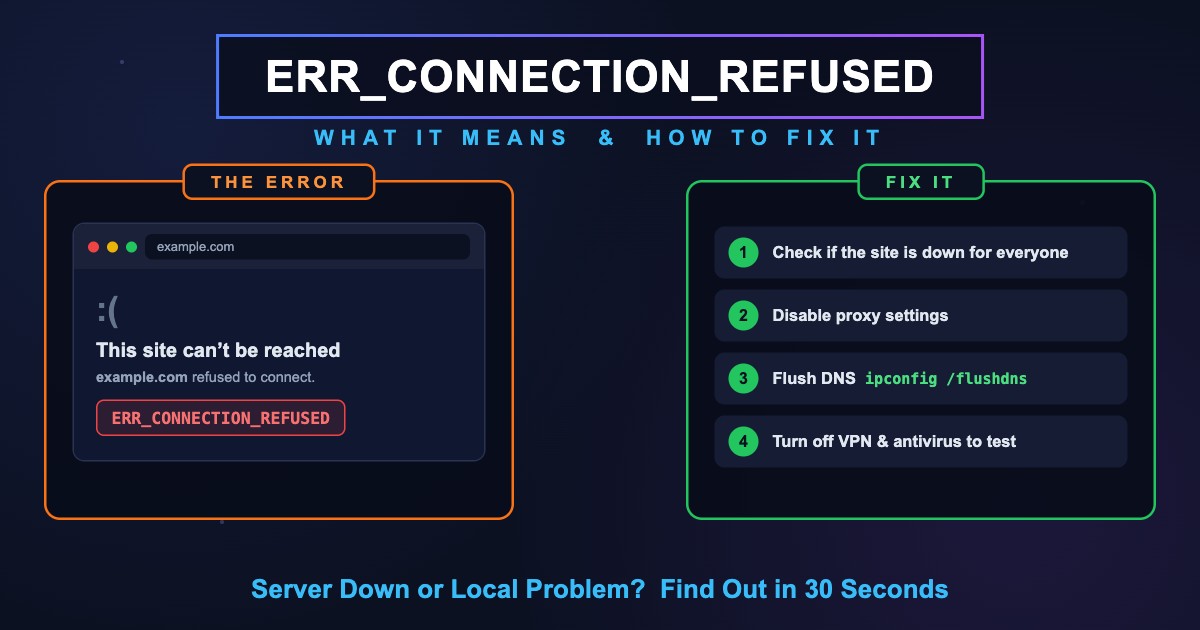
ERR_CONNECTION_REFUSEDとは?接続が拒否される原因と解決方法
ERR_CONNECTION_REFUSEDは、サーバーに届いたのに接続を拒否されたという意味のChromeのエラーです。原因の見分け方と、PC・スマホ・localhost・net::ERR_CONNECTION_REFUSEDの解決方法をまとめました。
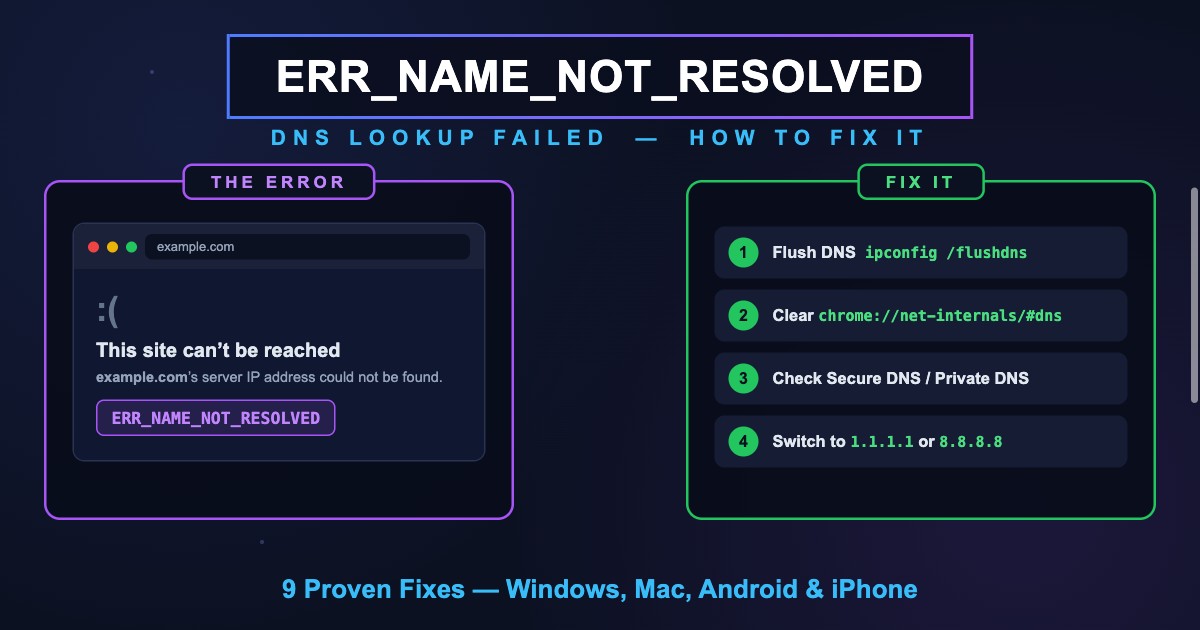
ERR_NAME_NOT_RESOLVED(-105)とは?意味とスマホ・Chromeでの解決方法
ERR_NAME_NOT_RESOLVED(-105)は、Chrome がサイトの IP アドレスを DNS で見つけられないエラーです。意味、DNS_PROBE との違い、スマホと PC での直し方を解説します。
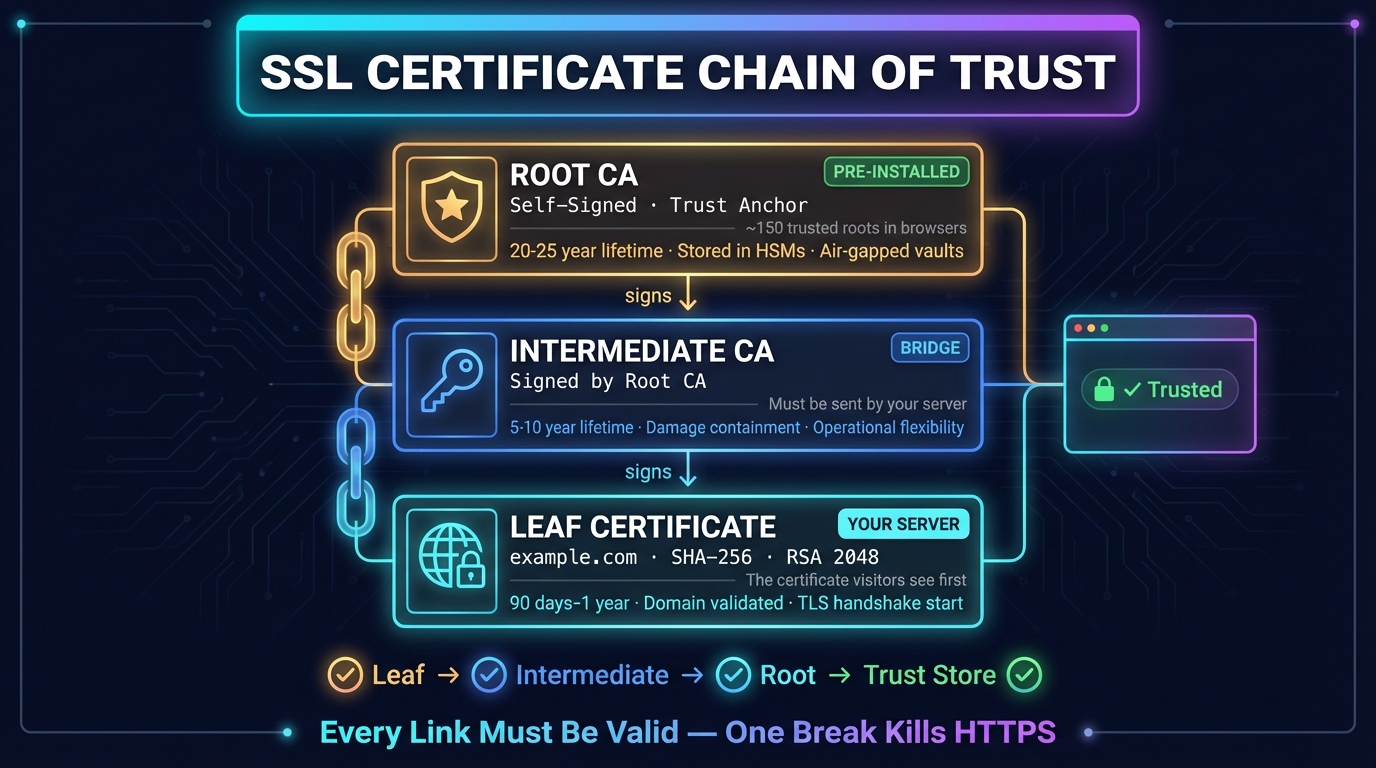
SSL証明書チェーンとは?仕組みを解説
SSL証明書チェーンは、サイトの証明書をブラウザが信頼するルートにつなぐ証明書の連なりです。仕組み、正しい順序、確認方法、中間証明書の不足などチェーンエラーの直し方を解説します。


