Best Website Builder in 2026: 10 Builders Compared by Job
Advertisement
What Is a Website Builder?
A website builder is a hosted service that lets you design, publish and maintain a website without writing code or managing a server. It bundles the editor, templates, hosting, HTTPS certificates, a custom domain connection and usually a blog, forms and basic e-commerce into one monthly subscription. You pick a template, replace the content, and the site is live on the builder's servers.
Builders now power a meaningful share of the web. W3Techs puts WordPress at about 40 percent of all websites in September 2026, with Shopify at about 5 percent, Wix about 4 percent and Squarespace about 2 percent. The AI builders that arrived in 2024 and 2025 added a new category: describe the site in a sentence and get a working draft in a minute.
This guide names the best website builder for each job, compares ten of them on the things that matter after the free trial ends, explains what you actually pay, and covers the step every builder makes you do yourself: connecting a domain and confirming it works.
How We Compared Website Builders
Each builder is judged against the three sites most people actually build: a five-page small business site with a contact form, a one-page portfolio with a project grid, and a small store with ten products. Six criteria decide the ranking.
Ease. How quickly a non-designer can publish the business site from a template.
Design freedom. Whether you can move anything anywhere, or only fill in slots.
SEO control. Editable titles, descriptions, URLs, redirects, image alt text, structured data and a clean sitemap.
Performance. How well published templates hold up on Core Web Vitals once real images go in.
Price to launch. The cheapest plan that removes builder branding and connects a custom domain.
Exit. Whether you can export pages, posts, products and images if you leave.
Advertisement
The Best Website Builder for Each Job
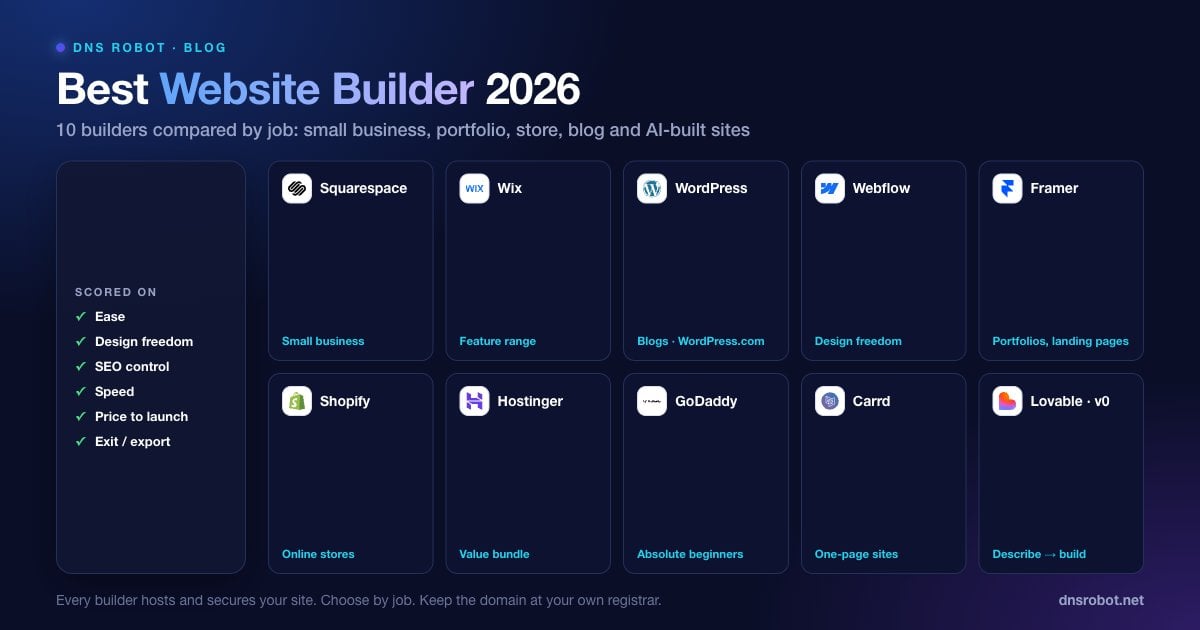
Start here if you already know what the site is for. The table gives a first pick and a runner-up for each common job, and the reviews below explain why.
| If you need | Pick | Runner-up |
|---|---|---|
| A small business site with booking or a menu | Squarespace | Wix |
| The most design freedom without code | Webflow | Framer |
| A portfolio or personal brand site | Framer | Squarespace |
| An online store as the main business | Shopify | Wix eCommerce |
| A blog or content site that will grow | WordPress.com | Squarespace |
| The cheapest good one-page site | Carrd | Hostinger Website Builder |
| A site generated from a description in minutes | Lovable or v0 | Hostinger AI Builder |
| Everything in one bill with hosting and email | Hostinger | GoDaddy |
The 10 Best Website Builders in 2026
Ordered roughly from most general-purpose to most specialised. Prices are described as tiers because every vendor here changed pricing in the last two years; check the current page before you commit.
Advertisement
1. Squarespace: Best for Most Small Businesses
Squarespace templates are the most consistently good-looking on the market, and the editor makes it hard to produce an ugly page. Booking, restaurant menus, member areas and a competent store are all available natively, some as paid add-ons. SEO basics are solid and the sitemap is clean. Design freedom is moderate: you work within the template's grid. Plans that connect a domain start in the mid-teens per month on annual billing.
2. Wix: Best Feature Range and App Market
Wix has the largest app market and the most built-in features of any builder, from restaurants to events to fitness scheduling, plus an AI site generator. The drag-anywhere editor is flexible but makes it easy to break responsive layouts. SEO tooling has improved a lot and now includes redirects, structured data and bulk editing. Plans that remove ads and connect a domain start in the mid-to-high teens per month on annual billing. In June 2025 Wix also bought Base44, a vibe-coding start-up that turns prompts into working apps and still runs as a separate product.
3. WordPress.com: Best for Blogs and Content Sites
WordPress.com is the hosted version of the software behind about two in five websites. It is the strongest choice for a site that will publish a lot of content, and its export takes your posts anywhere. The block editor has become a genuine builder. Plugins and custom themes need the higher plans, which pushes serious sites toward self-hosted WordPress with a host like Hostinger or Hosting.com instead.
4. Webflow: Best Design Freedom Without Code
Webflow exposes the full CSS box model in a visual editor, which means designers can build anything and beginners can build a mess. Its CMS collections and SEO controls are the best in the category, and paid Workspace plans can export clean HTML and CSS, with CMS content exported separately as CSV. It has a real learning curve. Site plans that connect a domain start around the mid-teens per month, and CMS plans cost more.
5. Framer: Best for Portfolios and Landing Pages
Framer combines a designer-grade canvas with easy animation and an AI generator that produces a usable first draft. It is the fastest route to a beautiful portfolio or marketing site. E-commerce is minimal and the CMS is simpler than Webflow's. Its cheapest plan with a custom domain costs less than the equivalent Webflow or Squarespace plan.
6. Shopify: Best for Online Stores
If selling is the business, Shopify is the builder. Checkout, payments, shipping, taxes, inventory and a huge app ecosystem are built for commerce first. The site builder around the store is adequate rather than inspiring. The Basic plan starts in the high twenties per month on annual billing, plus extra transaction fees unless you use Shopify Payments.
7. Hostinger Website Builder: Best Value With Hosting and Email
Hostinger bundles its AI website builder with hosting, a free domain for the first year on most plans and business email, at some of the lowest prices in the category. The AI generator produces a full multi-page site from a short description, and the editor is simple. Design freedom and the app ecosystem are limited compared with Wix. Best for a small business that wants one bill for everything.
8. GoDaddy Website Builder: Easiest for Absolute Beginners
GoDaddy's builder is the most guided of the ten: answer a few questions and a site with your business details, hours and a contact form appears. It is fine for a simple local business site and integrates with GoDaddy domains and email. Design control is the most limited on this list.
9. Carrd: Best Cheap One-Page Site
Carrd builds one-page sites and nothing else, and does that better and cheaper than anyone. Three sites are free on a carrd.co subdomain, and Pro Standard, the plan that adds custom domains and forms, costs less for a whole year than most builders charge for a month. Ideal for a landing page, a link-in-bio page or a one-page portfolio.
10. AI Website Builders (Lovable, v0, Durable): Best for Speed
The newest category. Lovable and v0 generate a complete, deployable site or web app from a paragraph and iterate in conversation; Durable and similar tools produce a conventional business site from a form in under a minute. They win on speed and on anything interactive, such as calculators, dashboards or member areas, and Lovable and v0 let you export the code and host it anywhere. They lose on the polished editing experience of Squarespace or Framer for routine content updates. The best vibe coding tools guide compares them in depth.
Website Builder Comparison Table
The same ten builders side by side on the six criteria, including the one most reviews skip: what you can take with you if you leave.
| Builder | Ease | Design freedom | SEO control | Store | Export if you leave | Best for |
|---|---|---|---|---|---|---|
| Squarespace | High | Medium | Good | Good | Pages and one blog as WordPress XML | Small business |
| Wix | High | High | Good | Good | No site export; products and CMS as CSV | Feature-rich business sites |
| WordPress.com | Medium | Medium to high | Excellent | Via WooCommerce on higher plans | Full export | Blogs, content sites |
| Webflow | Low | Very high | Excellent | Basic | HTML/CSS on paid plans; CMS as CSV | Design-led sites |
| Framer | Medium | High | Good | Minimal | Limited; no code export | Portfolios, landing pages |
| Shopify | High | Medium | Good | Excellent | Products as CSV | Online stores |
| Hostinger Builder | High | Low to medium | Basic | Basic | Pages and images to WordPress | Value bundle with hosting |
| GoDaddy Builder | Very high | Low | Basic | Basic | Limited | Absolute beginners |
| Carrd | Very high | Medium (one page) | Basic | None | HTML download on Pro Plus | One-page sites |
| AI builders | High | Very high (via prompts) | Depends on prompts | Via integrations | Code export (Lovable, v0) | Fast, interactive sites |
How Much Does a Website Builder Cost?
Every builder advertises a free plan or a low headline price. The number that matters is the monthly cost of the first plan that removes the builder's branding and lets you connect your own domain, billed annually. Across these ten builders that ranges from a few dollars a month for Carrd and Hostinger's introductory pricing to around $30 for Shopify's entry plan, with Squarespace, Wix, Webflow and Framer in between at roughly $10 to $20. Introductory prices, Hostinger's especially, renew higher, so compare the renewal rate as well.
Add the domain itself, typically $10 to $20 a year for a .com after any first-year promotion, and business email if the builder does not include it, usually a few dollars per mailbox per month. A realistic all-in cost for a small business site is roughly $200 to $400 in the first year.
Advertisement
Are Website Builders Good for SEO?
The old claim that builders are bad for SEO is out of date. Squarespace, Wix, Webflow and WordPress.com all let you edit page titles, meta descriptions, URLs and image alt text, generate a sitemap, set redirects and add structured data. What still varies is performance: heavy templates with large images can fail Core Web Vitals, and Google uses those as a ranking signal. After you publish, run the site through PageSpeed Insights and resize any image over 300 KB.
Two checks that every builder leaves to you: confirm the site's HTTP security headers and the certificate. The HTTP Headers Checker grades headers such as HSTS and Content Security Policy, and builders vary widely in what they send. Also confirm redirects behave: www should redirect to the bare domain or the reverse, and http to https, with a single 301 each. The Redirect Checker shows the chain, and the too many redirects fix explains the loop that appears when the builder and a proxy both try to redirect.
# Check that http and www redirect cleanly to the canonical https URL
curl -sI http://yoursite.com | grep -iE "^(HTTP|location)"
curl -sI https://www.yoursite.com | grep -iE "^(HTTP|location)"
# Expect one 301 each, ending at https://yoursite.com/How to Connect Your Domain to a Website Builder
The steps are the same on every builder. Buy the domain, ideally before you start building; the Domain Availability Checker tests a name across 100+ extensions at once. Add the domain in the builder's settings. Create the DNS records it gives you at your registrar: usually an A record for the bare domain pointing at the builder's IP and a CNAME for www pointing at the builder's hostname. Wait for the records to propagate, then the builder issues the HTTPS certificate automatically. A Squarespace connection, for example, looks like this:
; Squarespace custom domain records (your builder's dashboard shows its own values)
yoursite.com.        A      198.185.159.144
yoursite.com.        A      198.185.159.145
yoursite.com.        A      198.49.23.144
yoursite.com.        A      198.49.23.145
www.yoursite.com.    CNAME  ext-cust.squarespace.com.
; plus the one-off verification CNAME from your dashboard:
[unique-code].yoursite.com.  CNAME  verify.squarespace.com.

; Verify from the terminal
dig +short yoursite.com A
dig +short www.yoursite.com CNAMEDNS changes take minutes to 48 hours to reach every resolver worldwide, and the classic launch-day confusion is a site that works on your phone and not on your laptop. Check with the DNS Propagation Checker, which queries resolvers around the world, then confirm the certificate with the SSL Checker. If the browser shows a privacy warning after DNS has resolved, the certificate has not been issued yet or the records point at the wrong place; the connection is not private fix walks through it.
Advertisement
How to Tell Which Website Builder a Site Uses
The fastest way to shortlist a builder is to find sites you admire in your own field and see what they run on. The CMS Detector identifies Wix, Squarespace, Webflow, Framer, Shopify, WordPress and dozens of other platforms in a few seconds by reading a page's HTML and response headers, and the Hosting Checker shows where the site is hosted and which CDN it uses. If three competitors you respect all run Webflow, that is a stronger signal than any review.
Website Builder vs WordPress vs Custom Code
A builder is the right choice when the site is a brochure, a portfolio, a small store or a landing page, and when nobody on the team wants to manage software. Self-hosted WordPress is the right choice when the site is content-heavy, needs plugins the builders lack, or must be portable between hosts; it costs more time and less money. Custom code, increasingly written with an AI builder, is the right choice when the site is really an application with logins, dashboards or calculations.
The line has blurred. AI builders produce custom code without a developer, and Webflow can export clean code on paid plans. The practical rule in 2026: if you can describe the site as pages, use a builder; if you describe it as features, use an AI builder or a developer. If you are building the site for a specific purpose such as a business launch, the what is a landing page guide covers the page that most sites need first.
See which website builder any site uses
DNS Robot's free CMS Detector identifies the platform behind any URL, including Wix, Squarespace, Webflow, Framer, Shopify and WordPress, in seconds. Check the sites you admire in your field before you choose, then use the Domain Availability Checker to secure your name.
試す CMS DetectorAdvertisement
Best Website Builder FAQ
Squarespace for most small businesses, because its templates are consistently good and booking, menus and a store are built in. Wix if you need a specific feature from its app market. Hostinger if you want the lowest total cost with hosting and email in one bill.