What Is a DMARC Generator?
A DMARC generator is a free online tool that creates valid DMARC (Domain-based Message Authentication, Reporting, and Conformance) TXT records for your domain. DMARC is an email authentication protocol that builds on SPF and DKIM to protect your domain against email spoofing and phishing attacks. Without a DMARC record, receiving mail servers have no policy telling them how to handle emails that fail SPF and DKIM authentication.
Our free DMARC record generator walks you through every configuration option with an interactive wizard. Choose your enforcement policy, set alignment modes, configure reporting addresses, and generate a DMARC record that is syntactically valid and ready to deploy in your DNS. No manual editing of DMARC syntax required.
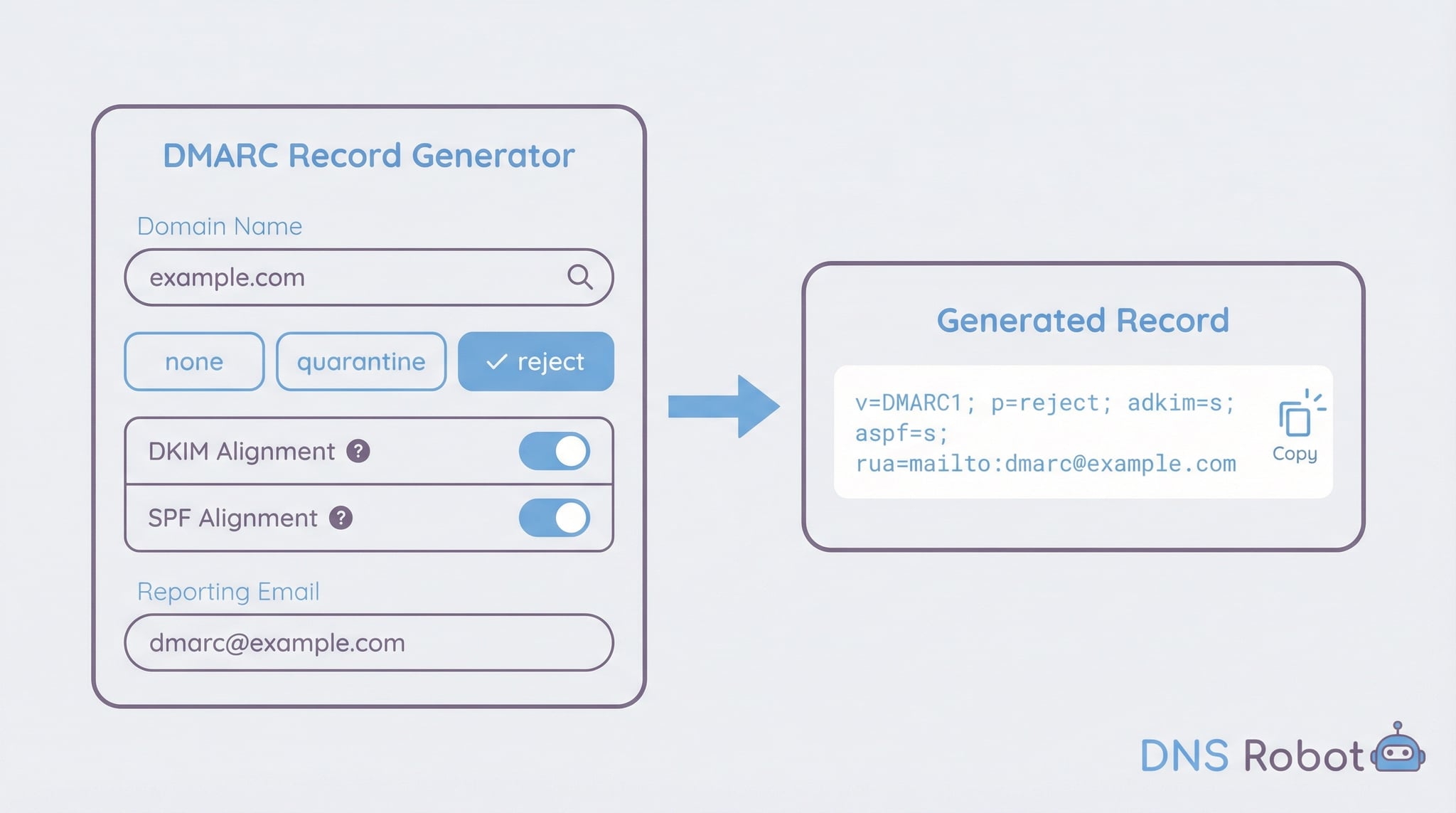
How to Generate a DMARC Record (Step by Step)
Follow these steps to create a DMARC record for your domain. Our DMARC generator automates the syntax, so you only need to make configuration decisions.
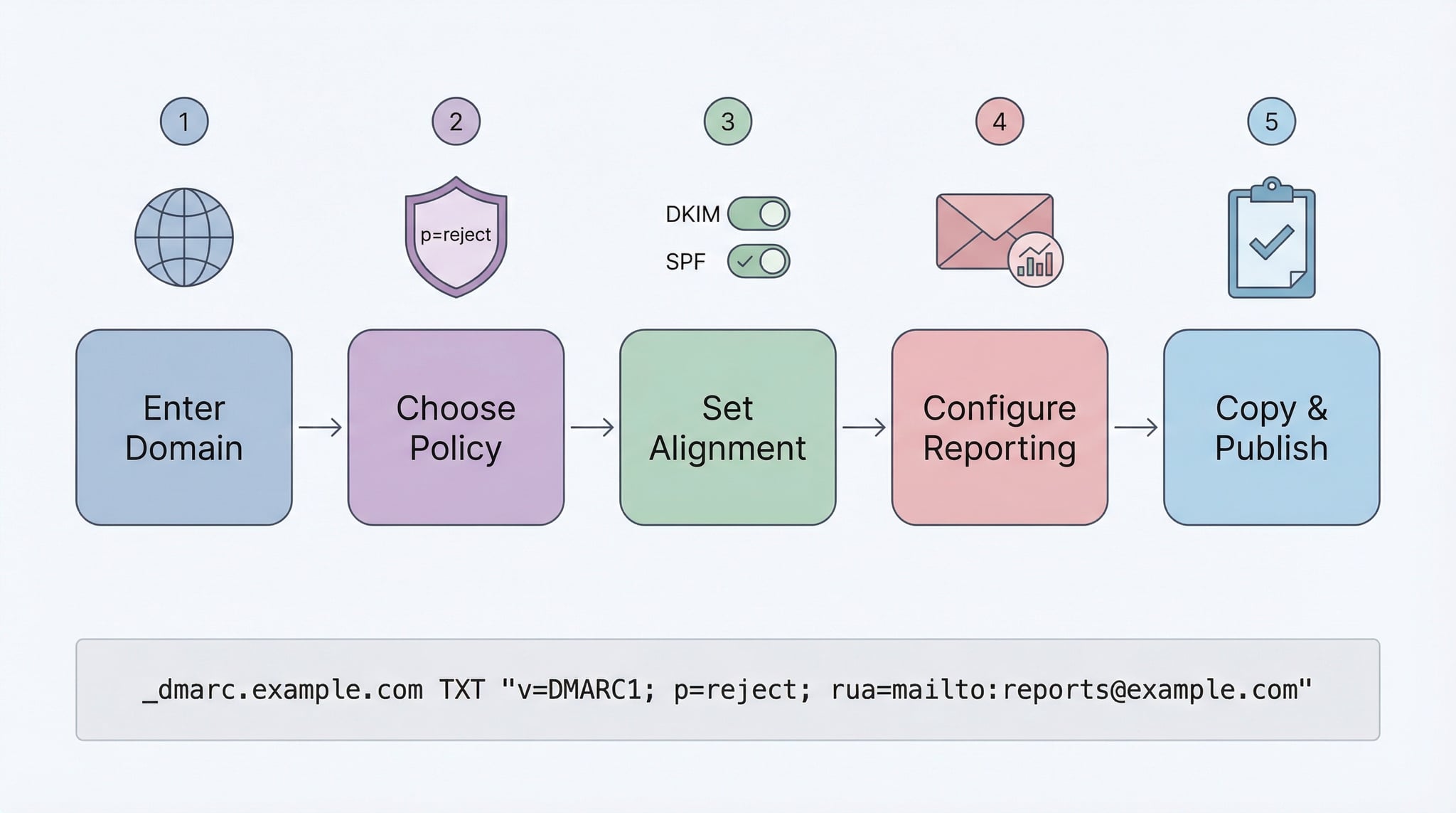
p=none to start monitoring without affecting delivery. Once you are confident all legitimate senders pass, upgrade to p=quarantine and eventually p=reject for full protection._dmarc.yourdomain.com in your DNS provider. Verify it is live using our DMARC Checker. Aggregate reports typically start within 24-48 hours.Advertisement
DMARC Record Tags — Complete Reference
A DMARC record consists of multiple tags that control how receiving mail servers handle unauthenticated emails from your domain. Our DMARC record generator supports all standard tags. Here is what each one does:
Always set to v=DMARC1. This must be the first tag in the record. It identifies the TXT record as a DMARC policy. Our generator adds this automatically.
The domain policy: none (monitor), quarantine (spam folder), or reject (block). Controls what happens to emails failing both SPF and DKIM alignment.
Overrides the main policy for subdomains. If not set, subdomains inherit the parent domain's policy (p tag). Use sp=reject to block spoofed emails from subdomains you don't use for email.
Email address to receive daily aggregate reports in XML format. Format: rua=mailto:dmarc@example.com. Reports show pass/fail stats, sending IPs, and authentication results. Highly recommended.
Email address for per-message failure reports. Format: ruf=mailto:forensic@example.com. Contains details of individual failing emails. Note: many large providers (Gmail, Yahoo) do not send forensic reports.
Controls DKIM domain matching: r (relaxed, default) allows subdomains to align, s (strict) requires exact match. Relaxed is recommended for most setups.
Controls SPF domain matching: r (relaxed, default) allows subdomain alignment, s (strict) requires exact match between envelope sender and From header domain.
Percentage of emails the policy applies to (1-100). Default is 100. Use lower values like pct=10 for gradual rollout when transitioning from quarantine to reject, allowing you to test the impact before full enforcement.
Requested interval between aggregate reports in seconds. Default is 86400 (24 hours). Most providers send reports daily regardless of this setting. Rarely needs to be changed from the default value.
Controls when forensic reports are generated: 0 (default: both SPF and DKIM fail), 1 (either fails), d (DKIM fails), s (SPF fails). Use fo=1 for maximum visibility.
DMARC Policies Explained
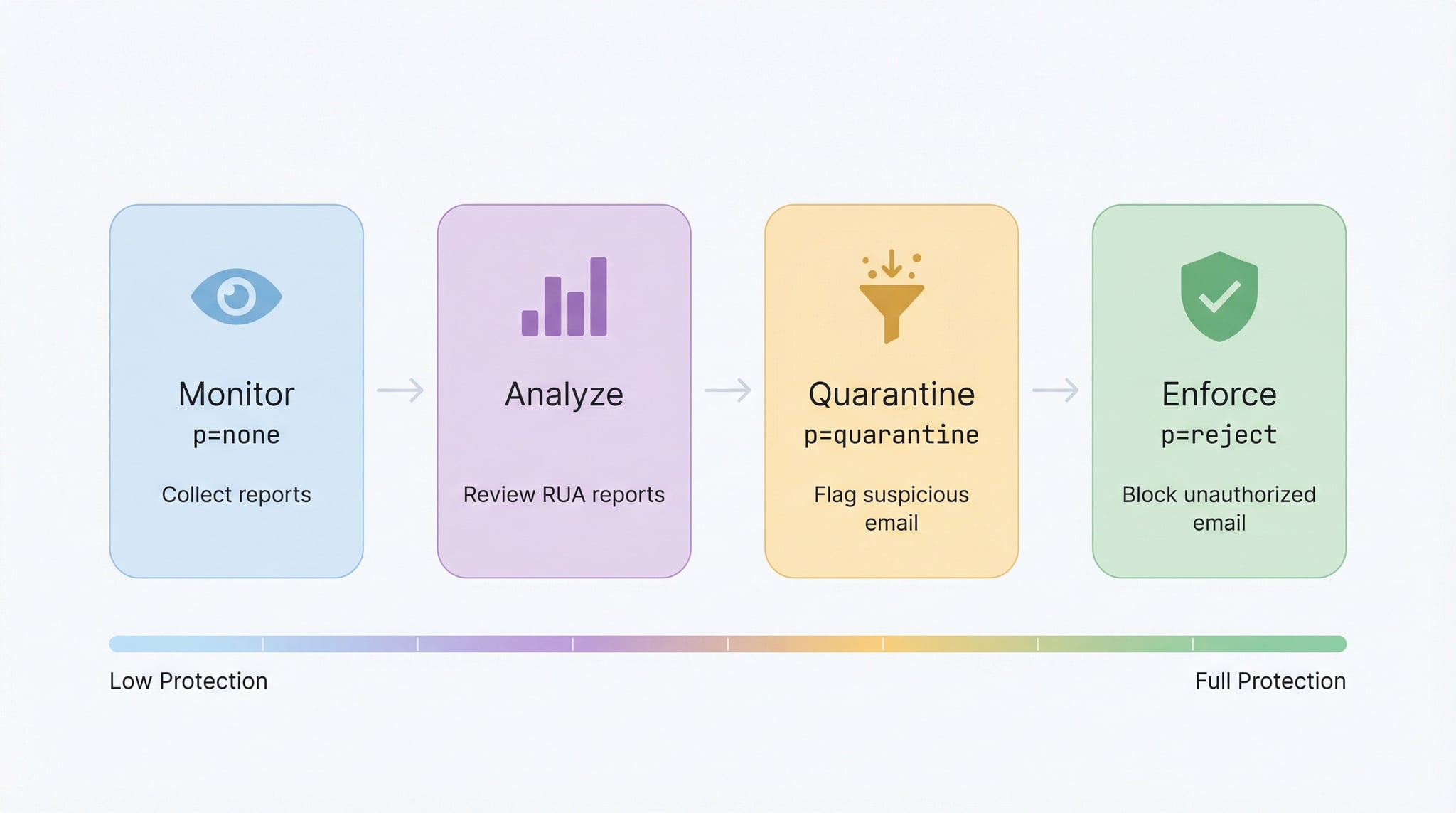
Takes no action on failing emails. Collects reports only. Start here to understand your email traffic before enforcing. Ideal for initial deployment to identify all legitimate senders.
Sends failing emails to the spam/junk folder. The intermediate enforcement level. Recipients can still see the email if they check spam. Use with pct for gradual rollout.
Completely blocks emails that fail authentication. The strongest enforcement level. Only enable after confirming all legitimate senders pass SPF and DKIM with proper alignment. The ultimate goal for domain protection.
DMARC Deployment Roadmap
p=none and rua reporting. Monitor aggregate reports for 2-4 weeks.pct=25, then gradually increase.p=reject; pct=100. Verify with our DMARC Checker.Advertisement
DMARC vs SPF vs DKIM — How They Work Together
DMARC, SPF, and DKIM are three email authentication protocols that work together to protect your domain. Understanding how they complement each other helps you generate a DMARC record with the right alignment settings.
What it checks: Whether the sending IP is authorized for the envelope sender domain.
Record location: TXT record at the root domain.
Limitation: Does not verify the From header domain that users see. Use our SPF Checker to validate.
What it checks: Cryptographic signature verifying email integrity and signing domain.
Record location: TXT record at selector._domainkey.domain.
Limitation: Does not tell receivers what to do when verification fails. Use our DKIM Checker to validate.
What it does: Defines policy for emails failing SPF/DKIM and requires domain alignment.
Record location: TXT record at _dmarc.domain.
Key benefit: Ties SPF and DKIM to the From header via alignment, closing the spoofing gap. Use our DMARC Checker to validate.
DMARC Record Examples
Here are common DMARC record configurations you can generate with our tool, from basic monitoring to full enforcement:
v=DMARC1; p=none; rua=mailto:dmarc@example.comCollects reports without affecting delivery. Best for initial deployment.
v=DMARC1; p=quarantine; pct=25; rua=mailto:dmarc@example.com; aspf=r; adkim=rQuarantines 25% of failing emails. Increase pct gradually as confidence grows.
v=DMARC1; p=reject; sp=reject; adkim=s; aspf=s; rua=mailto:dmarc@example.com; ruf=mailto:forensic@example.com; fo=1Maximum protection with strict alignment and full reporting. The ultimate goal for enterprise domains.
Advertisement
Why Your Domain Needs a DMARC Record
Without a DMARC record, anyone can send emails pretending to be from your domain. Phishing attackers exploit this to impersonate your brand, steal credentials, and distribute malware. A DMARC record tells receiving servers to check SPF and DKIM authentication and take action (quarantine or reject) when emails fail. Major email providers like Gmail, Microsoft 365, and Yahoo now require DMARC for bulk senders.
Our DMARC generator makes it easy to create a record that protects your domain and meets these requirements. Combined with the right SPF and DKIM setup, DMARC provides comprehensive email authentication. After deploying your record, verify it with our DMARC Checker and monitor your email infrastructure using the Email Header Analyzer.
Advertisement
Related Email Authentication Tools
Validate your existing DMARC record with 11 health checks and get a policy score.
Check your SPF record with 13 validation checks and DNS lookup counting.
Verify DKIM records with auto-detection of 65+ selectors and key analysis.
Test SMTP server connectivity, STARTTLS, and TLS encryption on ports 25/465/587.
Analyze email headers to trace delivery path and check SPF/DKIM/DMARC results.
Check MX records and email provider detection for your domain.