What Are DNS & Network Tools?
DNS and network tools are essential utilities for diagnosing, monitoring, and troubleshooting internet infrastructure. Whether you're a system administrator managing servers, a developer debugging connectivity issues, or a security professional auditing email authentication, these IT tools provide the visibility you need into how the internet works under the hood.
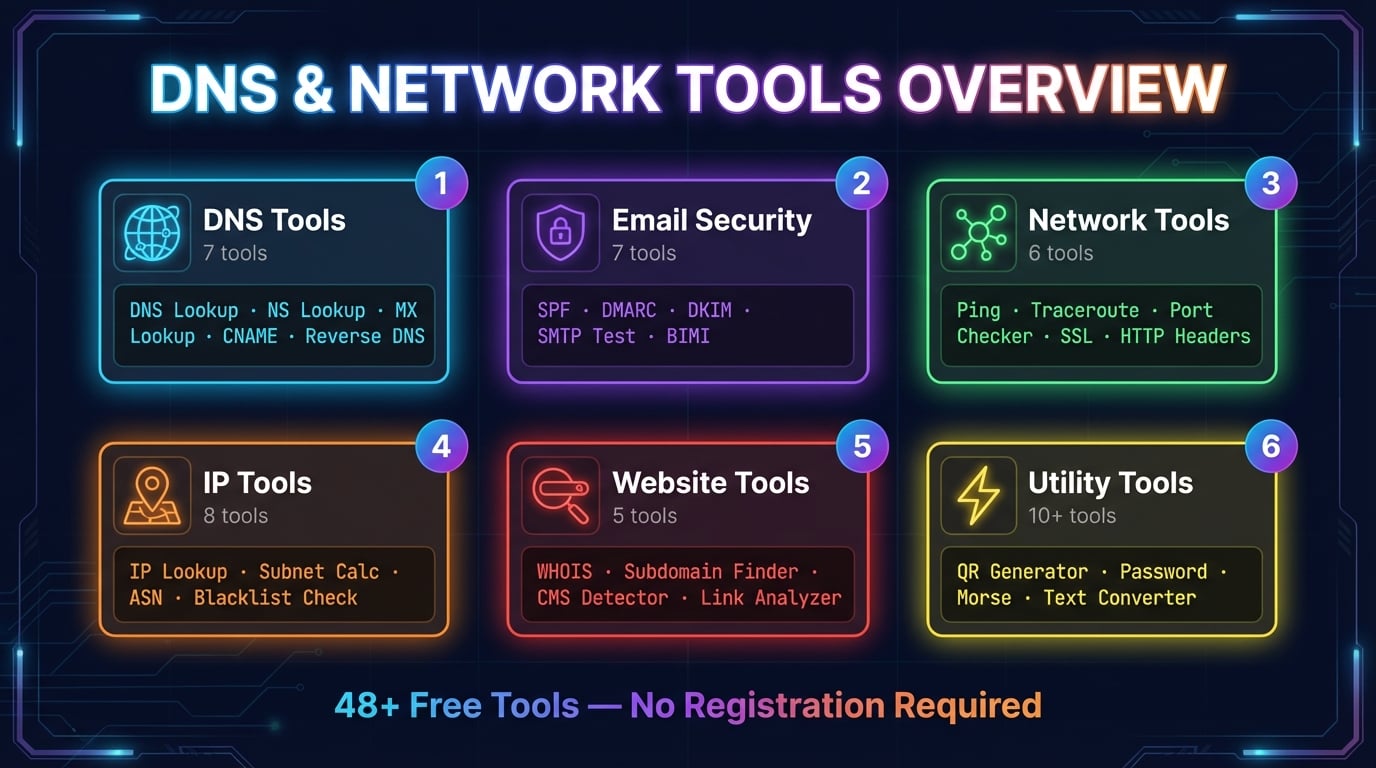
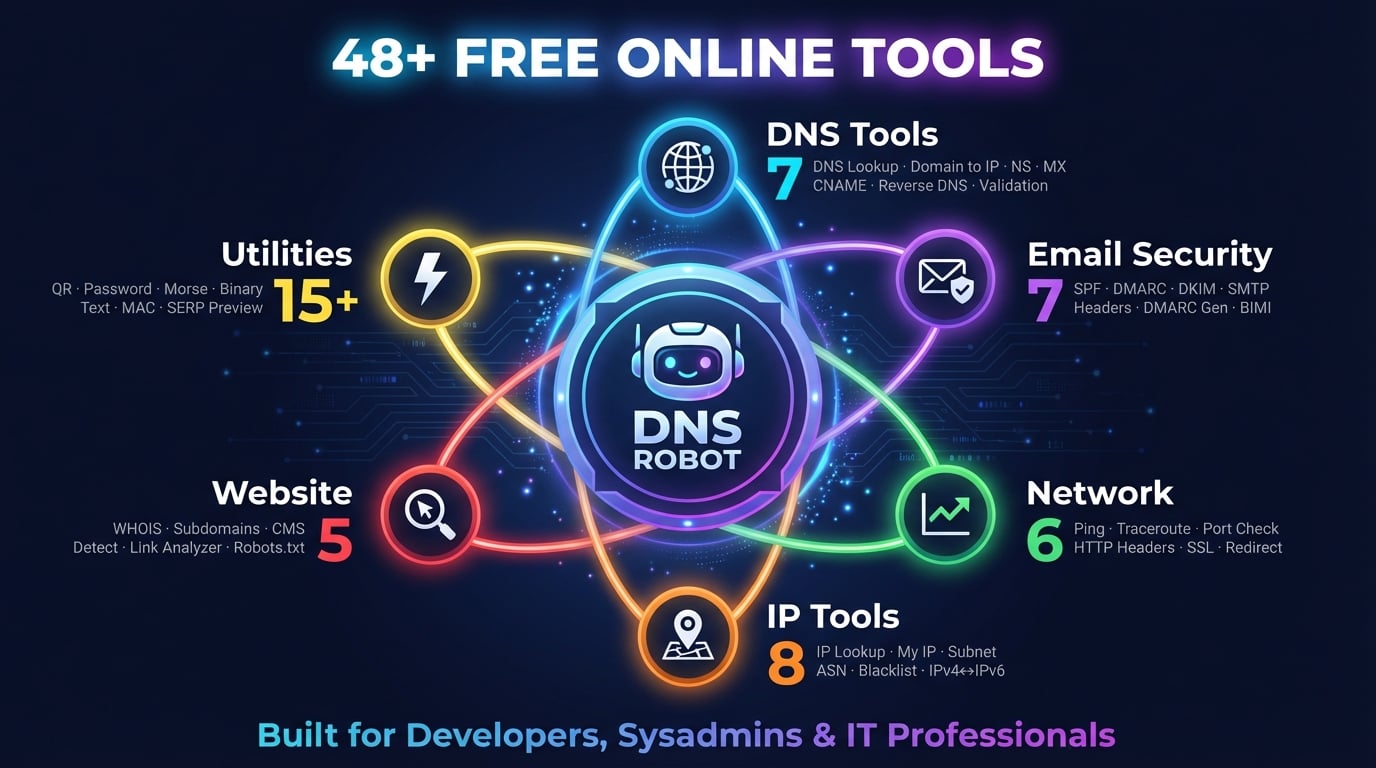
DNS Robot offers a comprehensive network toolkit of 77+ free online tools organized into six categories: DNS Tools for domain name resolution and record analysis, Email Tools for SPF/DMARC/DKIM authentication verification, Website Tools for domain analysis and SEO diagnostics, Network Tools for connectivity testing and path tracing, IP Tools for address lookup and subnet calculation, and Utility Tools for everyday tasks like QR code generation and password creation.
Unlike command-line tools such as nslookup, dig, or traceroute that require terminal access, these free web tools run directly in your browser. Results are formatted for easy reading with export and copy-to-clipboard functionality — perfect for sysadmin tools used in daily operations.
Network Troubleshooting Tools
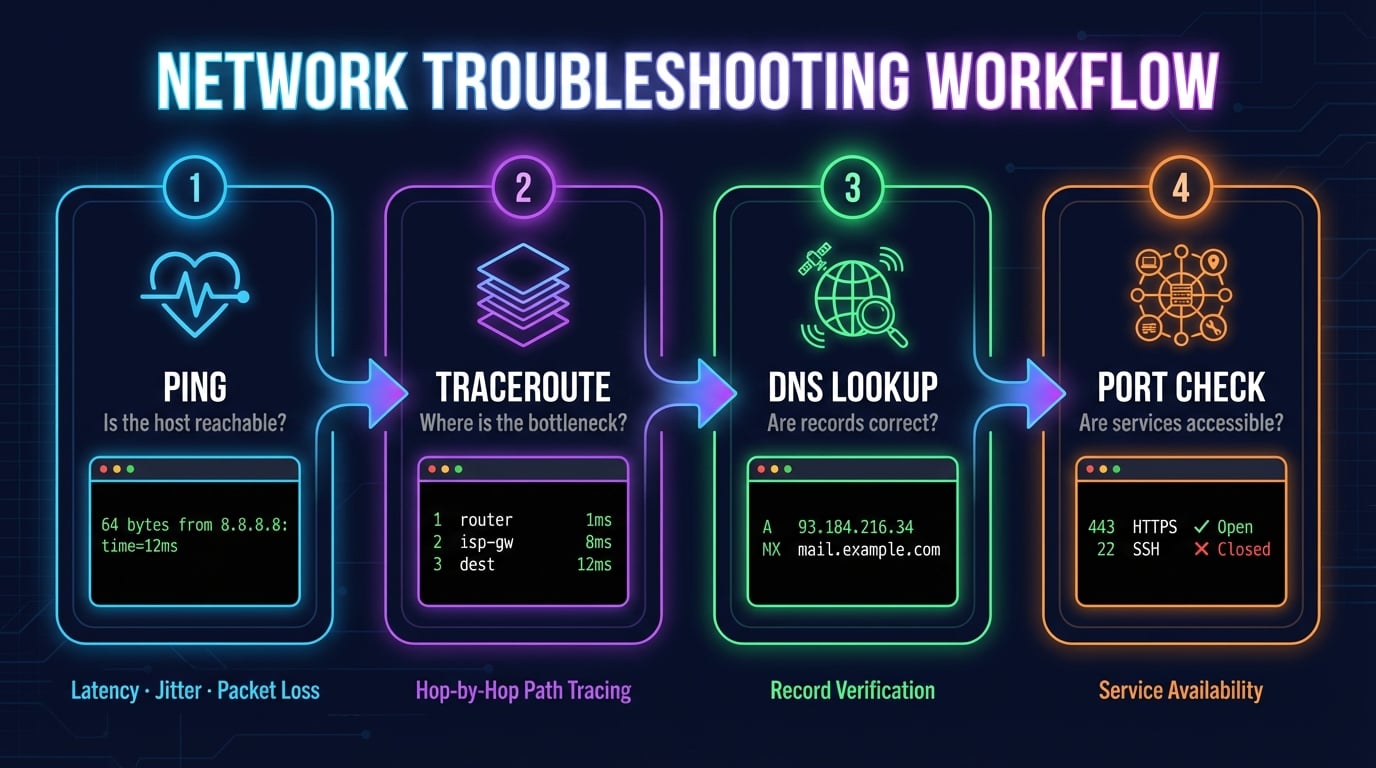
When a website is down, an email isn't delivering, or a server isn't responding, you need the right network troubleshooting tools to diagnose the problem fast. DNS Robot provides six essential tools for identifying and resolving connectivity issues:
Ping Tool
Test basic connectivity and measure latency (round-trip time), jitter, and packet loss to any host. The first step in any network troubleshooting workflow — if ping fails, the host is unreachable.
Traceroute
Trace the network path hop-by-hop between your location and any destination. Identifies exactly where packets slow down or get dropped — essential for diagnosing routing issues and high-latency paths.
Port Checker
Test if specific TCP ports are open or closed on any server. Verify that firewall rules are correct and services (HTTP, HTTPS, SMTP, SSH, RDP) are accessible from the internet.
DNS Lookup
Query DNS records (A, AAAA, CNAME, MX, NS, TXT) for any domain. When a website isn't loading, DNS misconfiguration is often the cause — check records to verify correct resolution.
HTTP Headers
Analyze HTTP response headers and security configuration. Identify missing security headers (HSTS, CSP, X-Frame-Options), check cache policies, and diagnose redirect chains.
SSL Checker
Verify SSL/TLS certificate validity, expiration dates, and certificate chain completeness. Expired or misconfigured certificates cause browser security warnings that block users.
A typical network diagnostic workflow starts with Ping (is the host reachable?), then Traceroute (where is the bottleneck?), then DNS Lookup (are records correct?), and finally Port Checker (are services accessible?). These network testing tools cover the most common connectivity issues encountered by IT professionals.
Advertisement
Network Diagnostic & Testing Tools
Beyond basic troubleshooting, network diagnostic tools help IT professionals understand the full picture of their network infrastructure. DNS Robot's diagnostic toolkit includes tools for ISP identification, IP analysis, and connection verification.
The What Is My ISP tool auto-detects your Internet Service Provider, ASN, and connection details — useful for verifying VPN connections or identifying network paths. What Is My IP detects your public IPv4 and IPv6 addresses with geolocation. The Port Checker scans multiple ports simultaneously to verify service availability, while Traceroute maps the complete network path to any destination.
For server tools and infrastructure monitoring, use SSL Checker to monitor certificate expiration, HTTP Headers to audit security configuration, and Ping to measure baseline latency. These free IT tools provide the same functionality as paid monitoring services for on-demand diagnostics.
DNS & Domain Management Tools
DNS (Domain Name System) is the backbone of the internet, translating domain names to IP addresses. DNS Robot offers seven specialized DNS tools for inspecting and validating domain name configurations:
Query all DNS record types (A, AAAA, CNAME, MX, NS, TXT, SOA) for any domain with global server selection.
Look up domain registration details, registrar, nameservers, and expiration dates via RDAP protocol.
Convert domain names to IPv4 and IPv6 addresses with CDN detection, ASN, and geolocation.
Discover authoritative nameservers for any domain with hosting provider detection and response times.
Find mail exchange records with priority levels, mail server IPs, and email provider detection.
Trace CNAME record chains, detect circular references, and find the final canonical destination.
Look up PTR records for any IP address to find associated hostnames — essential for email deliverability.
Run 8 DNS health checks with graded reports: nameservers, SOA, DNSSEC, MX, SPF, and more.
Advertisement
Email Security & Authentication Tools
Email authentication prevents phishing, spoofing, and spam by verifying that emails actually come from the domain they claim to be from. DNS Robot provides seven tools for checking and generating email authentication records — the three pillars of email security: SPF (who can send), DKIM (message integrity), and DMARC (policy enforcement).
Validate SPF records, check DNS lookup count (RFC 7208 max 10), and identify configuration errors.
Verify DMARC policy strength, alignment modes, reporting URIs, and subdomain policies.
Check DKIM records with automatic selector detection from 65+ common selectors, key size validation.
Test mail server connectivity on ports 25, 465, 587, 2525 with STARTTLS check and banner grab.
Parse raw email headers, trace the email journey hop-by-hop, and check authentication results.
Create DMARC records with a visual wizard — set policies, reporting URIs, and alignment options.
Verify BIMI records and brand logo configuration for email — check both record and logo URL validity.
IP Address & Subnet Tools
IP addresses are the numerical identifiers that route traffic across the internet. DNS Robot offers eight IP tools for looking up, converting, and analyzing IP addresses — from geolocation and blacklist checking to subnet calculation and format conversion.
Look up geolocation, ISP, ASN, and network details for any IPv4 or IPv6 address.
Detect your public IPv4 and IPv6 addresses with ISP, location, and VPN detection.
Calculate network ranges, broadcast addresses, usable hosts, and subnet masks from CIDR notation.
Look up Autonomous System Number details, IP ranges, and network peering information.
Convert between IPv4 and IPv6 formats including mapped, compressed, expanded, and 6to4 addresses.
Check if an IP address is listed on major spam and malware DNS blacklists (DNSBL).
Advertisement
How to Choose the Right Network Tool
With 77+ tools available, here's a quick guide to help you pick the right one for your situation:
"My website isn't loading"
Start with Ping to check if the server responds. Then DNS Lookup to verify records are correct. Then SSL Checker if it's an HTTPS error.
"Emails are going to spam"
Check SPF Checker for valid sender policy, DMARC Checker for enforcement policy, and DKIM Checker for message signing. Run SMTP Test to verify server connectivity.
"I changed DNS but it's not working"
Use the DNS Propagation Checker (homepage) to see if the change has reached global DNS servers. Check NS Lookup to verify nameservers, then DNS Lookup for the specific record.
"Is this server/port accessible?"
Use Port Checker to test specific ports. For multiple ports, use the Port Scanner tab. Check HTTP Headers if it's a web server to verify response codes and security headers.
"Who owns this domain/IP?"
Use WHOIS Lookup for domain registration details (registrar, dates, nameservers). Use IP Lookup for IP address geolocation and ISP information. Use Domain to IP to find a website's server.
Frequently Asked Questions
What DNS and network tools does DNS Robot offer?
DNS Robot offers 77+ free online tools in six categories: DNS Tools (DNS Lookup, Domain to IP, NS Lookup, MX Lookup, CNAME Lookup, Reverse DNS, Domain Validation), Email Tools (SPF, DMARC, DKIM checkers, SMTP Test, Email Header Analyzer, BIMI Checker), Website Tools (WHOIS, Subdomain Finder, CMS Detector), Network Tools (Ping, Traceroute, Port Checker), IP Tools (IP Lookup, Subnet Calculator, ASN Lookup), and Utility Tools (QR codes, passwords, converters).
Are these online tools free to use?
Yes, all 77+ tools are completely free with no registration, no account, and no usage limits. Every tool runs in your browser or via our API — no installation needed.
What network troubleshooting tools are available?
DNS Robot provides Ping (latency and packet loss), Traceroute (hop-by-hop path tracing), Port Checker (service accessibility), DNS Lookup (record verification), HTTP Headers (security analysis), and SSL Checker (certificate validation). Together they cover the most common network troubleshooting scenarios.
How do I check DNS records for a domain?
Use DNS Lookup to check all record types (A, AAAA, CNAME, MX, NS, TXT) for any domain. For specific records, use NS Lookup (nameservers), MX Lookup (mail servers), or CNAME Lookup (canonical names). For propagation monitoring, use the DNS Propagation Checker on the homepage.
What email security tools can I use?
Seven email tools: SPF Checker (sender policy), DMARC Checker (policy enforcement), DKIM Checker (message signing), SMTP Test (server connectivity), Email Header Analyzer (email tracing), DMARC Generator (record creation), and BIMI Checker (brand logo verification).
How do I test network connectivity?
Start with Ping to test if a host is reachable and measure latency. Use Traceroute to find where packets slow down. Use Port Checker to verify services are accessible. Use DNS Lookup to confirm DNS records resolve correctly.
What IP lookup tools are available?
Eight IP tools: IP Lookup (geolocation and ISP), What Is My IP (your own IP), IP Blacklist Check (spam lists), IP to Hostname (reverse DNS), ASN Lookup (network info), Subnet Calculator (CIDR math), IPv4 to IPv6 Converter, and IPv6 Compression.
Can I use these tools for network diagnostics?
Yes. System administrators, DevOps engineers, and IT professionals use DNS Robot daily to diagnose DNS issues, test email authentication, verify SSL certificates, trace routing paths, check port accessibility, and analyze security headers.
Do I need to install anything?
No. All 77+ tools run in your browser. Unlike command-line tools (nslookup, dig, ping, traceroute) that need terminal access, DNS Robot works from any device — desktop, tablet, or mobile — with formatted output and copy-to-clipboard.
What is the difference between DNS lookup and DNS propagation?
DNS Lookup queries one DNS server for records. DNS Propagation checks the same records across multiple global servers to see if a change has spread worldwide. After DNS changes, use propagation checking on our homepage to monitor global rollout.