What Is a Random Password Generator?
A password generator is a tool that creates random, unpredictable passwords using a cryptographic random number generator. Unlike passwords chosen by humans — which tend to follow predictable patterns like dictionary words, birthdays, or keyboard sequences — a random password generator produces strings with maximum entropy, making them virtually impossible to guess or crack through brute-force attacks.
Our secure password generator uses the Web Crypto API (crypto.getRandomValues), the same cryptographically secure random number generator used by browsers for TLS/SSL connections, digital signatures, and other security-critical operations. Unlike Math.random(), which uses a deterministic pseudo-random algorithm, the Web Crypto API draws from the operating system's entropy pool — making generated passwords truly unpredictable.
All password generation happens entirely in your browser. No passwords are ever transmitted over the network, stored on any server, or logged in any way. You can verify this by opening your browser's developer tools (Network tab) and confirming that no requests are made during generation. Whether you need a single strong password, a PIN generator for numeric codes, or a bulk password generator for provisioning multiple accounts, this tool has you covered.
How to Use the Password Generator
Set Password Length
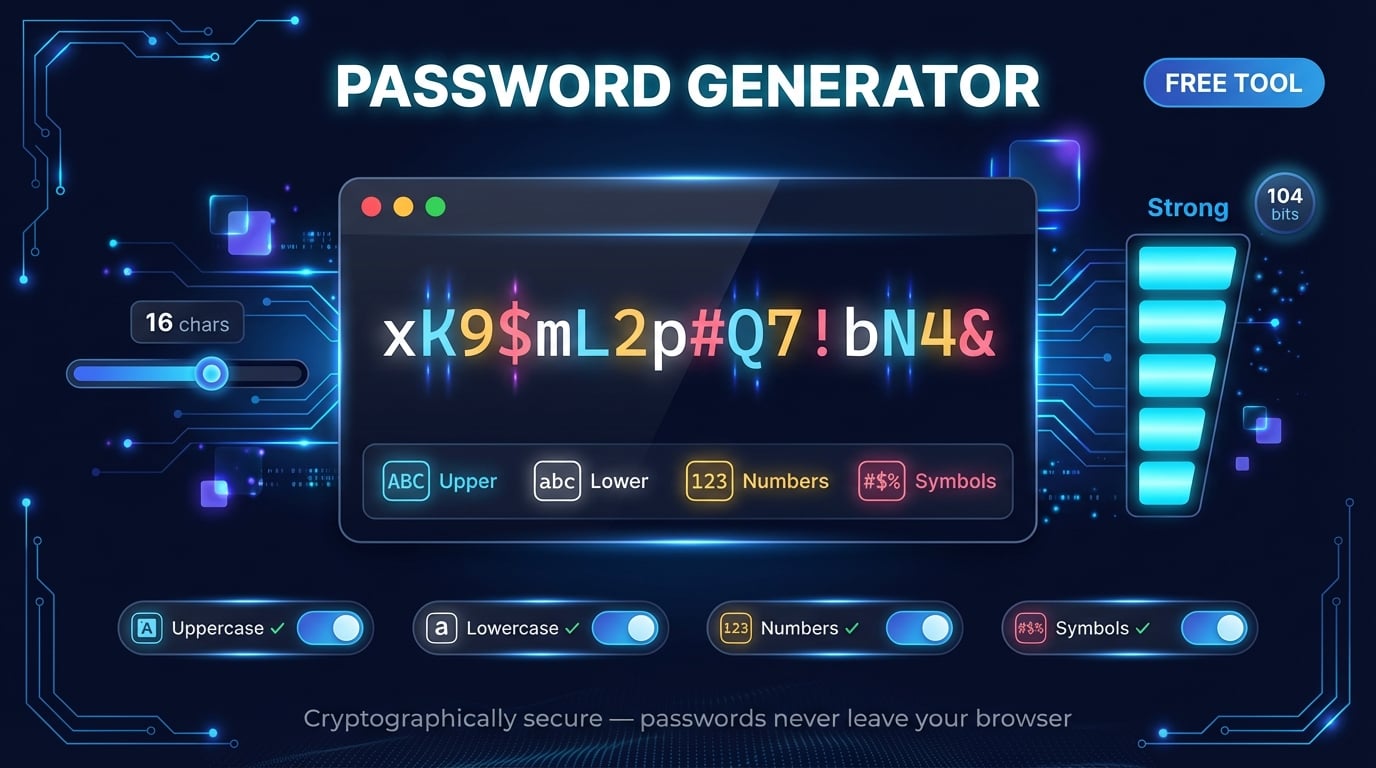
Use the slider to choose your password length from 8 to 128 characters. For most accounts, 16-20 characters provides excellent security.
Choose Character Types
Select which character types to include: uppercase (A-Z), lowercase (a-z), numbers (0-9), and symbols (!@#$%...). Enable all four for maximum entropy.
Generate & Copy
Click 'Generate Password' for a single password, or use Bulk Generate for up to 100 passwords at once. Copy with one click.
Check Entropy & Strength
Review the entropy (in bits) and strength rating. Aim for 80+ bits (Strong) for standard accounts and 128+ bits (Very Strong) for critical accounts.
Advertisement
Understanding Password Entropy & Strength
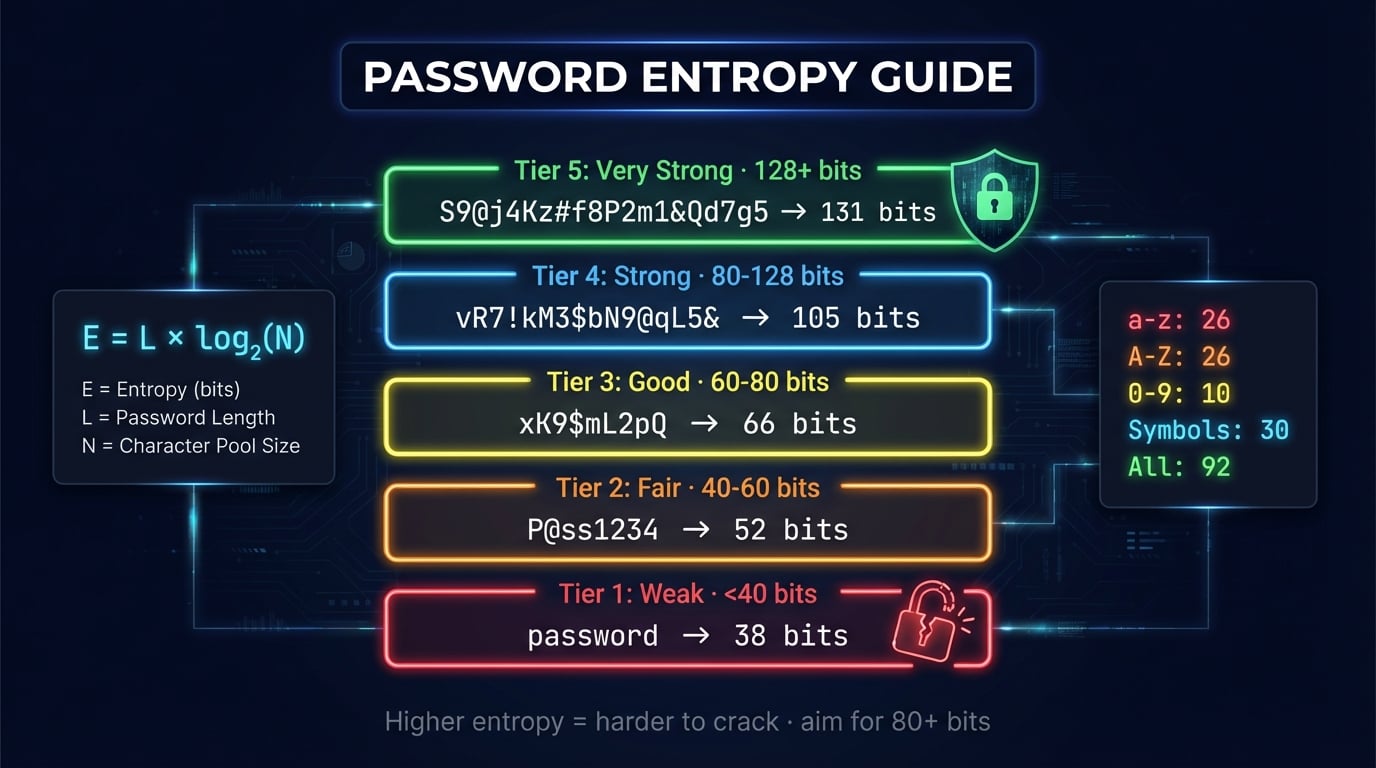
Password entropy measures the unpredictability of a password in bits. It is calculated using the formula: E = L × log2(N), where L is the password length and N is the size of the character pool. A higher entropy value means an exponentially larger number of possible combinations an attacker would need to try.
The character pool size depends on which character types you enable: lowercase letters add 26 characters, uppercase adds another 26, numbers add 10, and symbols add approximately 30 — for a combined pool of about 92 characters. Each additional character type significantly increases the entropy per character.
| Strength | Entropy (bits) | Example | Crack Time* |
|---|---|---|---|
| Weak | < 40 bits | password1 | Seconds to minutes |
| Fair | 40 - 60 bits | P@ss1234 | Hours to days |
| Good | 60 - 80 bits | xK9$mL2p#Q | Years to centuries |
| Strong | 80 - 128 bits | vR7!kM3$bN9@qL5& | Millions of years |
| Very Strong | 128+ bits | Tz!9kW#mP$7vR@cN3bQ&xJ | Beyond heat death of universe |
*Estimated crack time assumes 10 billion guesses per second (modern GPU cluster).
Strong Password Examples
Here are examples of strong passwords at different lengths — all generated using our cryptographic random generator with all character types enabled. Never use these exact examples; generate your own unique passwords using the tool above.
kM3$vR7@nP9!Tz!9kW#mP$7vR@cNbQ&xJ5#Lz!9pW$mR7@kNTz!9kW#mP$7vR@cNbQ&xJ5#LPassword Length Recommendations
How long should a password be? The answer depends on the security context. Modern password length recommendations from NIST (SP 800-63B) suggest a minimum of 8 characters, but security experts widely recommend 16 or more characters with mixed character types for online accounts. Each additional character exponentially increases the number of possible combinations.
| Length | Entropy (all types) | Recommended Use |
|---|---|---|
| 8 chars | ~52 bits | Absolute minimum. Only for low-risk accounts with rate limiting. |
| 12 chars | ~78 bits | Standard online accounts (social media, forums, shopping). |
| 16 chars | ~105 bits | Email, banking, cloud storage — recommended default. |
| 20 chars | ~131 bits | Password manager master password, cryptocurrency wallets. |
| 32+ chars | ~209+ bits | Wi-Fi passwords, API keys, encryption keys, server credentials. |
Advertisement
Password Security Best Practices
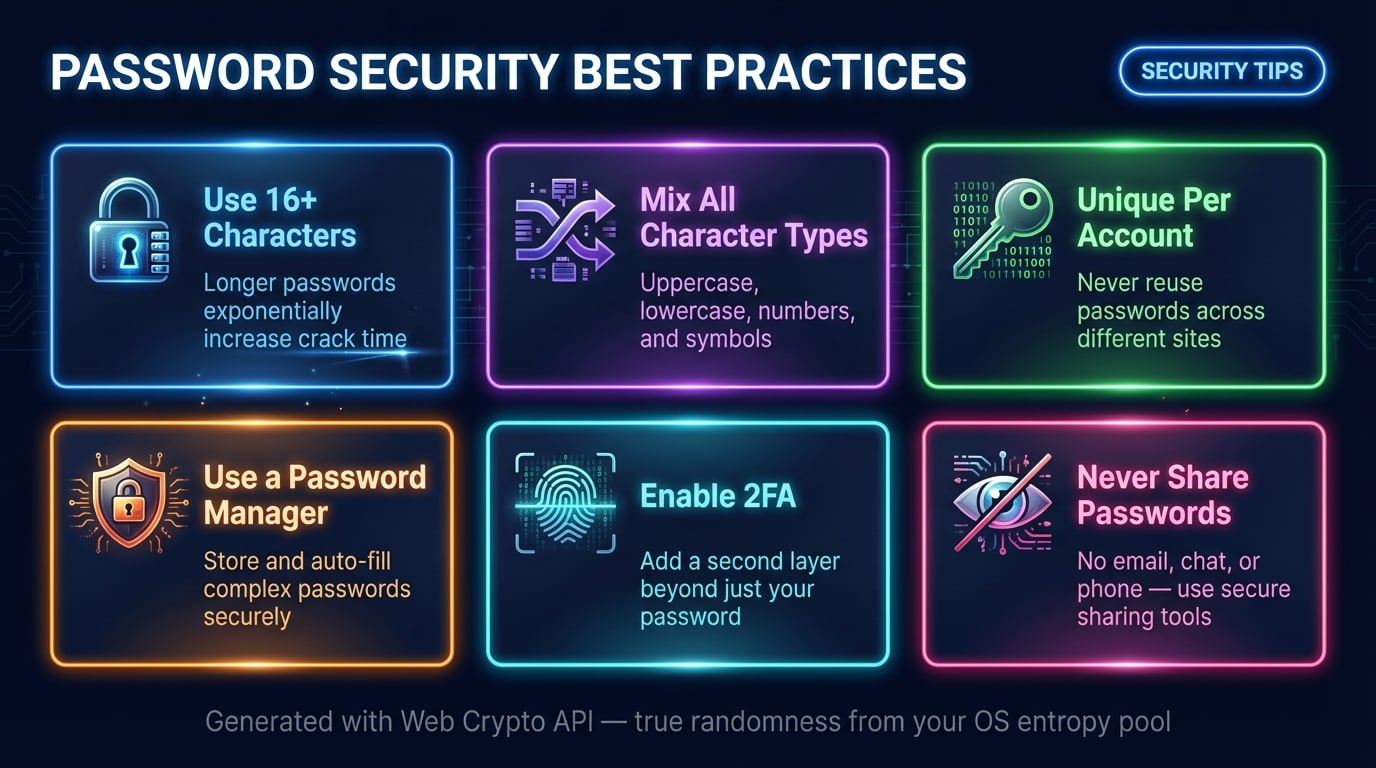
Use 16+ Characters
Longer passwords are exponentially harder to crack. A 16-character password with all types has about 105 bits of entropy.
Mix All Character Types
Enable uppercase, lowercase, numbers, and symbols to maximize the character pool (92 characters) and entropy per character.
Unique Per Account
Never reuse passwords across sites. If one site is breached, attackers use credential stuffing to try your password on other sites.
Use a Password Manager
Store generated passwords in a reputable password manager (Bitwarden, 1Password, KeePass). Memorize only the master password.
Enable Two-Factor Auth
Add 2FA (TOTP, hardware keys, or push notifications) to all important accounts as a second layer of defense beyond passwords.
Never Share Passwords
Don't share passwords via email, chat, or phone. Use your password manager's secure sharing feature if collaboration is needed.
How Our Generator Ensures Security
Our password generator relies on the Web Crypto API (crypto.getRandomValues), which is fundamentally different from standard pseudo-random number generators. Here's why it matters:
Web Crypto API (Our Tool)
- Draws from OS entropy pool (hardware noise, timing)
- Cryptographically secure — unpredictable output
- Used for TLS, digital signatures, key generation
- Passes NIST randomness test suites
Math.random() (Insecure)
- Uses deterministic algorithm (xorshift128+)
- Output is predictable if seed is known
- Not suitable for security-critical applications
- Fails cryptographic randomness tests
100% Client-Side — No Server Transmission
Every password is generated entirely in your browser. No data leaves your device during generation. You can verify this by opening DevTools → Network tab and confirming zero requests are made when you click “Generate Password”. For maximum security, copy your password and close this tab when done.
Advertisement
Common Password Mistakes to Avoid
Even with awareness of password security, many people still make mistakes that leave their accounts vulnerable. According to breach analysis reports, the most common passwords remain “123456”, “password”, and “qwerty” — all of which can be cracked in under a second. Here are the most critical mistakes to avoid:
Related Security & Generator Tools
Explore more free tools from DNS Robot to strengthen your security posture and handle common conversion tasks.
Test password strength with entropy analysis, crack time, and data breach check.
Check SSL/TLS certificates for any website — expiry, chain, and security details.
Generate QR codes for URLs, text, Wi-Fi credentials, and more.
Convert text to 30+ Unicode styles including superscript, subscript, and tiny text.
Convert text to binary code and decode binary back to readable text.
Encode and decode Morse code with audio playback support.
Generate random MAC addresses for testing and development.
Create DMARC records with an interactive wizard for email authentication.
Advertisement
Frequently Asked Questions About Password Generation
How does this password generator work?
Our generator uses the Web Crypto API (crypto.getRandomValues) to produce cryptographically secure random numbers, which are mapped to your selected character set. This is the same randomness source used by browsers for security-critical operations like TLS connections. All generation happens locally in your browser.
What is password entropy?
Password entropy measures unpredictability in bits. The formula is: entropy = length × log₂(character pool size). With all character types enabled (92 chars), a 16-character password has about 105 bits of entropy — considered strong. Above 128 bits is very strong.
Is it safe to use an online password generator?
Yes, our generator runs entirely in your browser with no server communication. No passwords are stored, logged, or transmitted. You can verify this with browser developer tools (Network tab). For extra security, copy your password and close this tab when finished.
How long should my password be?
At least 16 characters with all character types for standard accounts (about 105 bits of entropy). For high-security accounts (banking, email, crypto), use 20+ characters. A 20-character password with all types has about 131 bits of entropy — billions of years to brute-force.
What makes a strong password?
Four properties: sufficient length (16+ characters), character diversity (uppercase, lowercase, numbers, symbols), true randomness (cryptographic generator, not human-chosen), and uniqueness (never reused across accounts).
Should I use a passphrase instead of a password?
Passphrases (4-6 random words) are easier to remember and can be very secure. However, random passwords provide more entropy per character. Best approach: use a password manager for random passwords and memorize a strong passphrase only for the manager itself.
How often should I change my passwords?
NIST no longer recommends routine password changes. Change passwords only when: the account was in a breach, you suspect unauthorized access, you shared it with someone, or you reused it across sites. Focus on using unique, strong passwords rather than rotating them.
Can this generator create PINs?
Yes — enable only 'Numbers (0-9)' and set the length to 4, 6, or 8 digits. Note: a 4-digit PIN has only ~13 bits of entropy, so PINs should only be used where attempt limits are enforced (phone locks, ATMs), never as primary online account passwords.
What is the difference between random and pseudo-random?
Pseudo-random generators (Math.random) use deterministic algorithms — output is predictable if the seed is known. Cryptographic generators (crypto.getRandomValues, used by our tool) draw entropy from hardware sources via the OS, producing truly unpredictable output suitable for security.
How many passwords can I generate at once?
Our bulk password generator creates up to 100 passwords at once with identical settings. Each is independently generated with cryptographic randomness. You can copy all at once or individually — useful for provisioning accounts or generating test credentials.