What Is an SPF Record?
An SPF record (Sender Policy Framework) is a DNS TXT record that specifies which mail servers are authorized to send email on behalf of your domain. When a receiving mail server gets an email claiming to be from your domain, it performs an SPF checkby querying your DNS for the SPF record and comparing the sending server's IP address against the authorized list. If the IP matches, the email passes SPF authentication.
Our free SPF checker goes beyond basic SPF record lookup. It recursively resolves all include chains, counts DNS lookups against the RFC 7208 limit of 10, parses every mechanism with qualifier analysis, flattens all authorized IP addresses, and runs 12 validation checks to give you a comprehensive SPF health score. Whether you're troubleshooting email deliverability, auditing security, or configuring a new mail service, this tool provides complete SPF record validation in seconds.
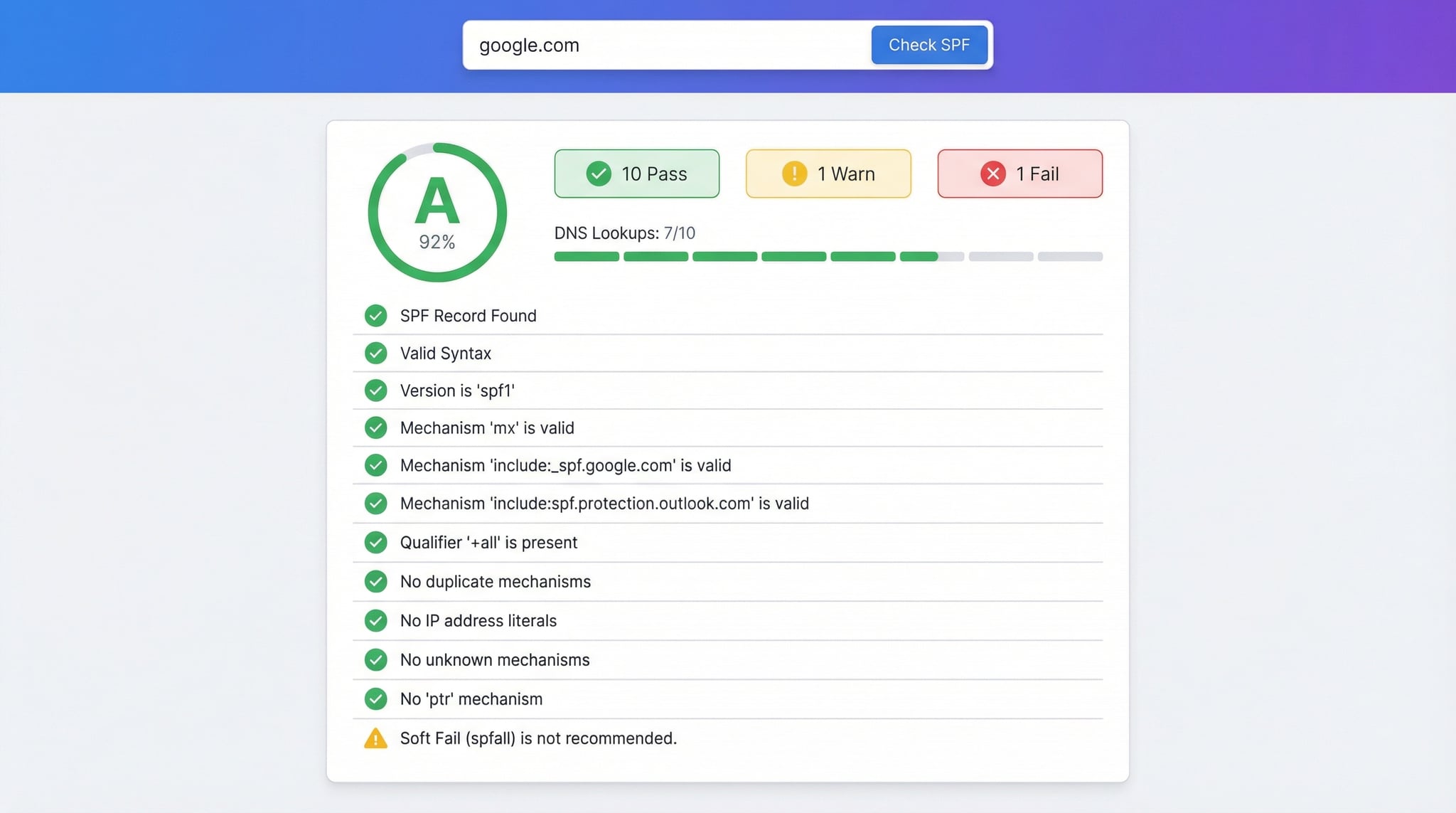
How to Check SPF Record (3 Methods)
There are several ways to check SPF records for any domain. Our online SPF checker is the fastest and most thorough method, but command-line tools also work for quick lookups.
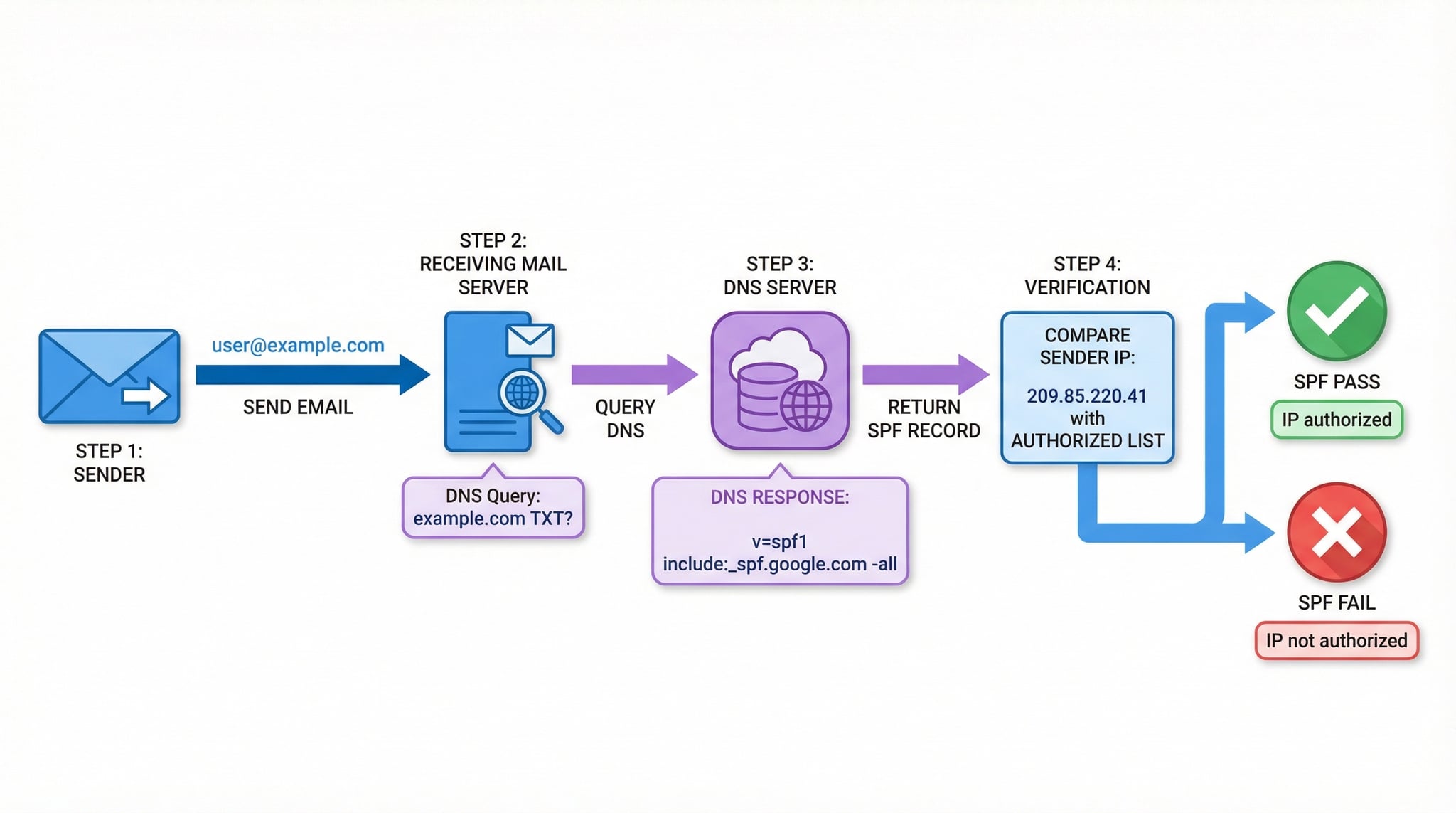
nslookup -type=txt example.com. Look for the TXT record starting with v=spf1. This shows the raw SPF record but doesn't count lookups or resolve includes.dig example.com TXT +short for a quick SPF lookup. Filter for SPF with dig example.com TXT +short | grep spf. For all DNS record types, use our DNS Lookup tool.Advertisement
SPF Record Mechanisms — Complete Guide
SPF records use mechanisms to define which servers can send email for your domain. Each mechanism can have a qualifier (+ Pass, - Fail, ~ SoftFail, ? Neutral) that determines how receiving servers handle matching senders.
Authorize specific IPv4 or IPv6 addresses and CIDR ranges. No DNS lookup required. Example: ip4:192.0.2.0/24
Reference another domain's SPF record. Counts as 1 DNS lookup. Used for third-party services like Google Workspace or Microsoft 365.
Authorize the domain's A/AAAA records or MX servers. Each counts as 1 DNS lookup. Example: mx authorizes all MX servers.
Default rule for unmatched senders. -all (reject) is recommended. ~all (soft fail) is more lenient. Must be last mechanism.
Replace the current SPF with another domain's SPF entirely. Counts as 1 lookup. Used when multiple domains share the same SPF policy.
Reverse DNS check. Deprecated by RFC 7208 due to performance and reliability issues. Our SPF checker flags PTR usage as a warning.
Our 12 SPF Validation Checks
SPF Record Best Practices
-all (hard fail) for maximum protection against spoofingAdvertisement
SPF vs DKIM vs DMARC — Email Authentication Explained
SPF is one pillar of email authentication. Together with DKIM and DMARC, it forms a complete defense against email spoofing and phishing. Here's how they work together:
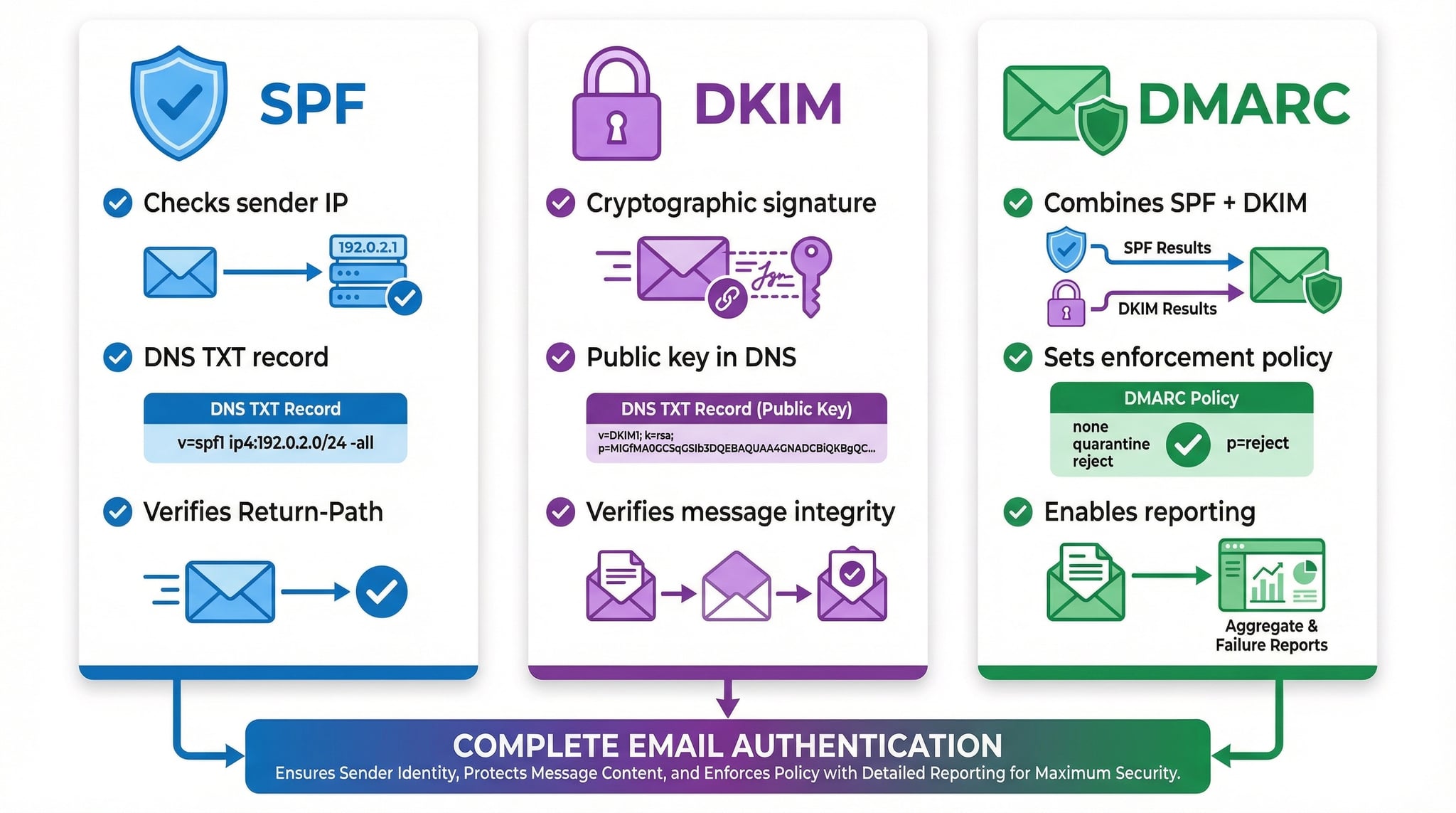
What: Verifies the sending server's IP is authorized
How: DNS TXT record listing allowed IPs
Checks: Envelope sender (Return-Path)
What: Verifies the message wasn't tampered with
How: Cryptographic signature in email headers
Checks: Message integrity + signing domain
What: Ties SPF + DKIM together with a policy
How: DNS TXT record with enforcement rules
Checks: From header alignment with SPF/DKIM
Related Email & DNS Tools
Build a new SPF record for your mail providers with a live lookup count.
Check DMARC policy, reporting settings, and alignment mode.
Verify DKIM signatures and public key DNS records.
Check MX records and detect email providers for any domain.
Check all DNS record types (A, AAAA, CNAME, MX, TXT, and more).
Run 17 DNS health checks including SPF and DMARC validation.
Check if your mail server IP is blacklisted on major RBLs.