WHOIS Lookup
Free WHOIS and RDAP lookup for any domain name or IP address: registrar, creation and expiry dates, status codes, nameservers, DNSSEC and owner details. Queries run straight from your browser to the registry, so results are fast and never rate-limited by a shared server.
Free WHOIS ToolDomain & IP LookupRDAP ProtocolShareable Links
WHOIS & RDAP Lookup
Look up any domain name or IP address: registrar, registration and expiry dates, status codes, nameservers, owner details and abuse contacts
Advertisement
What Is a WHOIS Lookup?
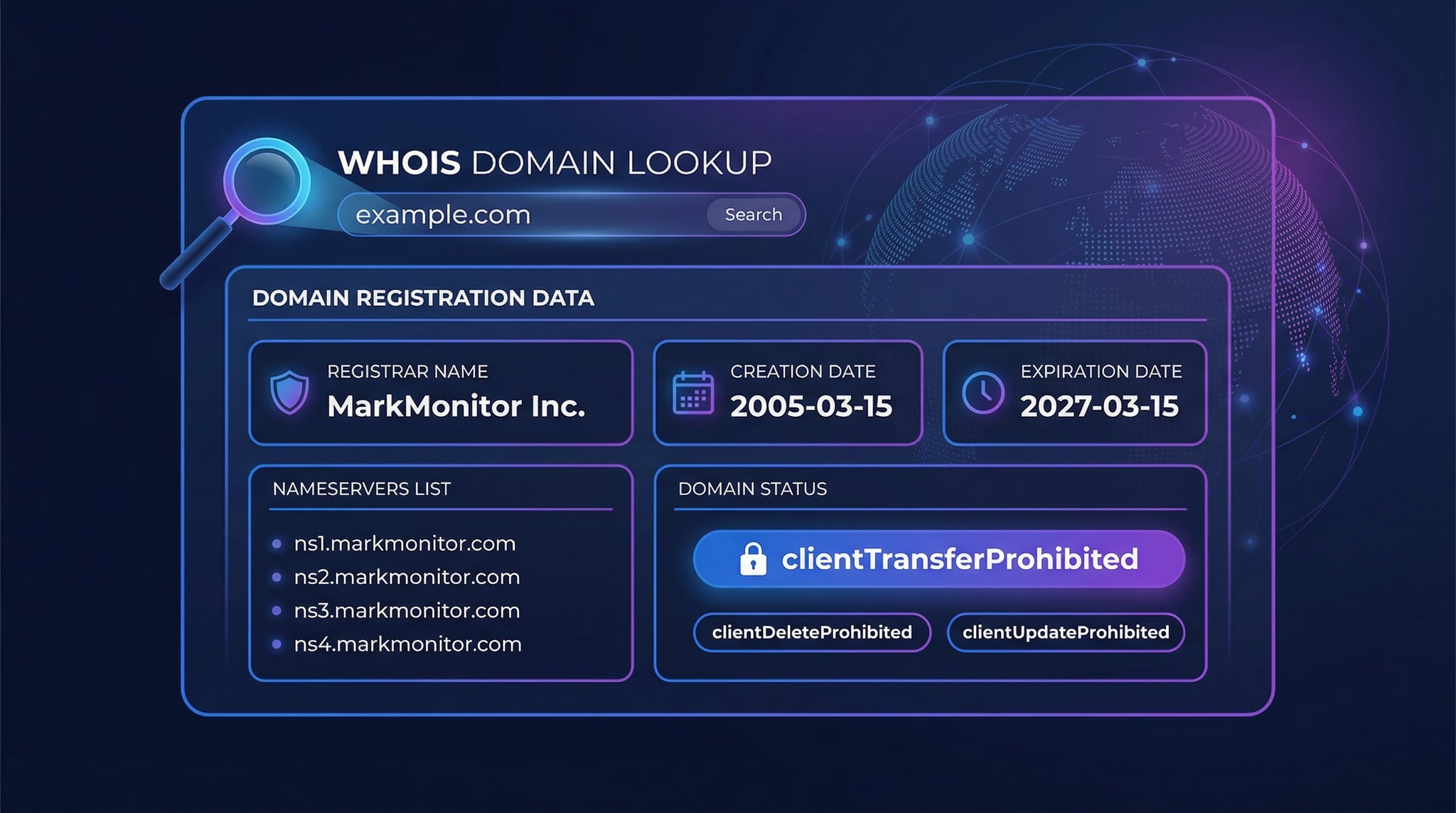
A WHOIS lookupqueries public registration databases to retrieve detailed information about a domain name. Every domain registered on the internet has associated WHOIS records maintained by the domain registry and registrar. These records include the domain's registrar, registration and expiration dates, nameserver configuration, domain status codes, and — when not privacy-protected — the registrant's contact information.
The WHOIS system was created in the 1980s as part of ARPANET and has been the standard protocol for querying domain registration data ever since. DNS Robot's WHOIS lookup tool uses the modern RDAP (Registration Data Access Protocol) as its primary data source, with traditional WHOIS as a fallback for maximum TLD coverage. RDAP delivers structured JSON responses over encrypted HTTPS connections, replacing the legacy plain-text WHOIS format.
How to Do a WHOIS Lookup
Performing a WHOIS domain lookup with DNS Robot is straightforward. Our tool handles the complexity of querying the correct registry server for any TLD automatically.
1
Enter Domain
Type any domain name (e.g., example.com) — URLs are automatically cleaned
2
RDAP Query
Our tool queries the RDAP server for the domain's TLD and retrieves structured JSON data
3
View Results
See registrar, dates, nameservers, status codes, DNSSEC, and contact details instantly
What Does a WHOIS Lookup Reveal?
A comprehensive WHOIS domain lookup returns several categories of registration data. Understanding each field helps you assess domain ownership, security, and configuration.
Registrar Information
The company where the domain was registered (e.g., GoDaddy, Namecheap, Cloudflare). Includes registrar name, IANA ID, abuse contact email and phone, and the registrar's WHOIS server URL.
Registration Dates
Three critical dates: when the domain was first registered (creation date), when it expires, and when the WHOIS record was last updated. The creation date is used to calculate domain age.
Nameservers
The DNS servers that resolve the domain to its IP address. Common nameservers include Cloudflare (*.ns.cloudflare.com), AWS Route 53 (*.awsdns-*.com), and Google Cloud DNS (ns-cloud-*.googledomains.com).
Domain Status & DNSSEC
EPP status codes that control what actions can be performed on the domain (transfers, updates, deletions). DNSSEC status indicates whether DNS responses are cryptographically signed for security.
Domain Name Lookup: Is It Taken, Who Owns It, and When Does It Expire?
Most people run a domain name lookup to answer one of three questions, and each answer sits in a different part of the record. Here is where to look, and what the field actually means.
Is the domain taken?
If a record comes back at all, yes: every registered domain has a creation date. No record usually means the name is free, but registries reserve short and dictionary names, so confirm with the domain availability checker before buying.
Who owns it?
To lookup a domain owner, read the registrant organisation, state and country first; they often survive redaction. The registrar name and its abuse contact are always public. If the name itself is hidden, the redacted-owner method in our guide still works.
When does it expire?
The registry expiry date is the one that controls whether a name drops, and the tool shows the days remaining next to it. Read it with the status codes: autoRenewPeriod and redemptionPeriod mean the owner can still renew; only pendingDelete means the name is about to be released.
Every lookup updates the address bar with ?domain=, so you can bookmark a whois domain search or send the exact result to a colleague. The same box accepts a full URL, an internationalised name, or an IP address.
RDAP vs Traditional WHOIS Protocol
DNS Robot uses the RDAP protocol (Registration Data Access Protocol) as its primary data source, which is the official ICANN-endorsed replacement for the legacy WHOIS protocol. Here's why RDAP is superior for modern WHOIS lookups.
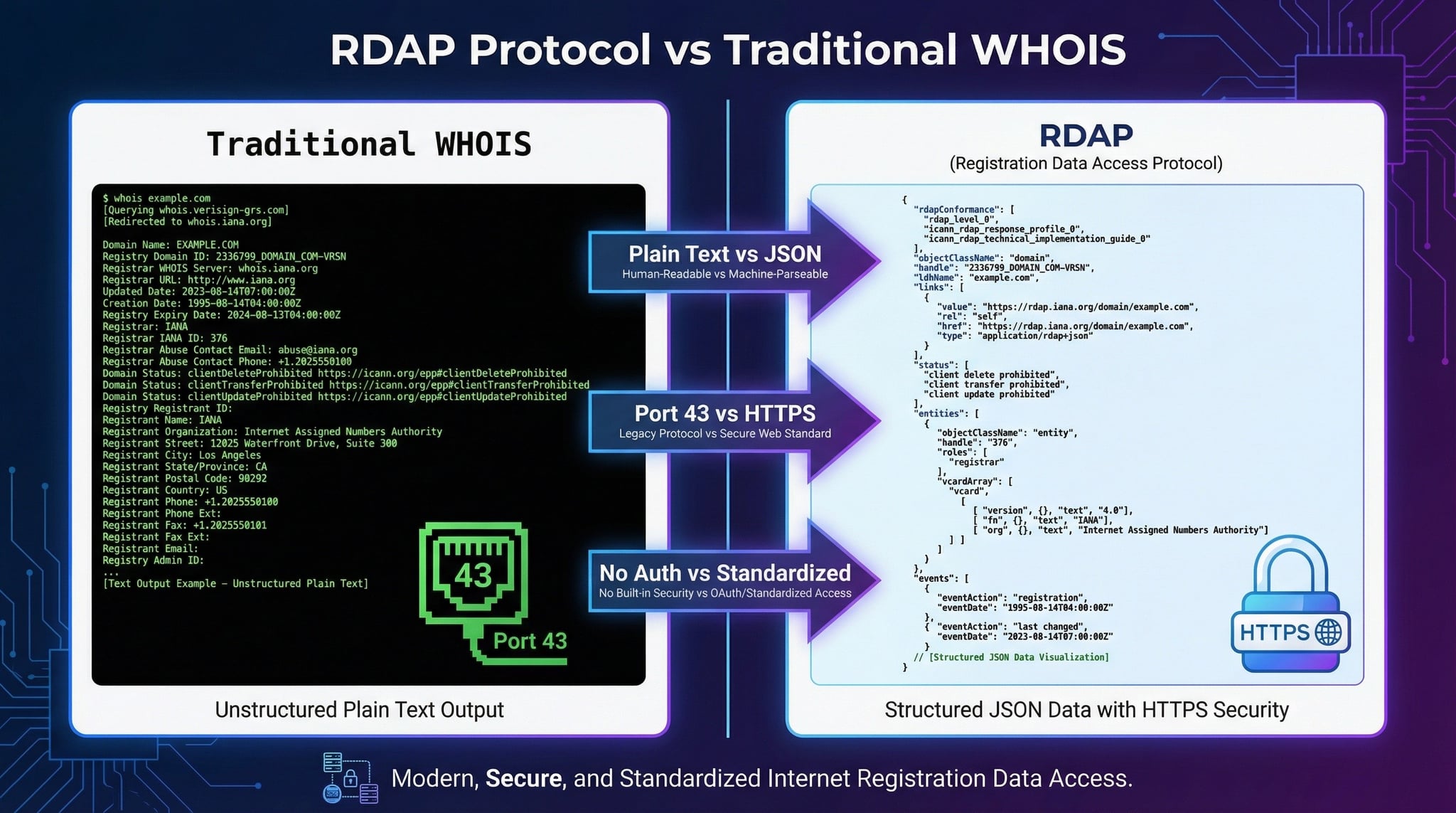
| Feature | RDAP (Modern) | WHOIS (Legacy) |
|---|---|---|
| Data Format | Structured JSON | Unstructured plain text |
| Transport | HTTPS (encrypted) | Port 43 (unencrypted) |
| Standardization | IETF RFC 7480-7484 | No consistent standard |
| Internationalization | Full Unicode/IDN support | Limited ASCII |
| Authentication | HTTP auth, API keys | None |
IP WHOIS Lookup: Who Owns an IP Address?
Type an IPv4 or IPv6 address into the same box and the tool runs an IP WHOIS lookup instead. Domain names are managed by registries and registrars; IP address blocks are allocated by the five Regional Internet Registries, and each one publishes its own RDAP database. The tool reads the IANA bootstrap file to find which registry holds the block, then asks that registry directly.
| Registry | Region | RDAP server |
|---|---|---|
| ARIN | North America | rdap.arin.net |
| RIPE NCC | Europe, Middle East, Central Asia | rdap.db.ripe.net |
| APNIC | Asia-Pacific | rdap.apnic.net |
| LACNIC | Latin America and the Caribbean | rdap.lacnic.net |
| AFRINIC | Africa | rdap.afrinic.net |
An IP record tells you the network name, the exact address range and CIDR, the organisation that holds it, the country of assignment, and the abuse contact to use when an address is attacking your server or sending spam. It does not tell you which websites are hosted on the address, and it does not give a street-level location. For geolocation and ISP details use IP Lookup, for the announcing network use ASN Lookup, to map an address back to a hostname use Reverse DNS, and to see whether it is listed on spam blocklists use the IP blacklist checker.
WHOIS Lookup Use Cases
A WHOIS search serves many purposes across security, business, and technical operations. Here are the most common reasons professionals perform WHOIS lookups.
Cybersecurity & Fraud Investigation
Investigate phishing domains, identify the registrar used by threat actors, and check when suspicious domains were registered. Newly registered domains are often used for phishing.
Trademark & Brand Protection
Monitor domain registrations that infringe on your brand. WHOIS data helps identify the registrant behind cybersquatting or typosquatting domains for legal action.
Competitor Research
Discover which registrar and DNS provider competitors use, when their domains were registered, and how their nameserver infrastructure is configured.
Domain Acquisition
Check if a domain is available, when it expires, and find owner contact information for making purchase offers on registered domains.
Network Troubleshooting
Verify nameserver configuration, check DNSSEC status, and identify the authoritative DNS provider to diagnose domain resolution problems.
Due Diligence
Verify domain legitimacy before business transactions. Check domain age, registration history, and registrant details to assess trustworthiness of online businesses.
Understanding Domain Status Codes
When you perform a WHOIS lookup, the results include EPP (Extensible Provisioning Protocol) status codes. These codes control what actions can be performed on a domain and provide insight into its current state.
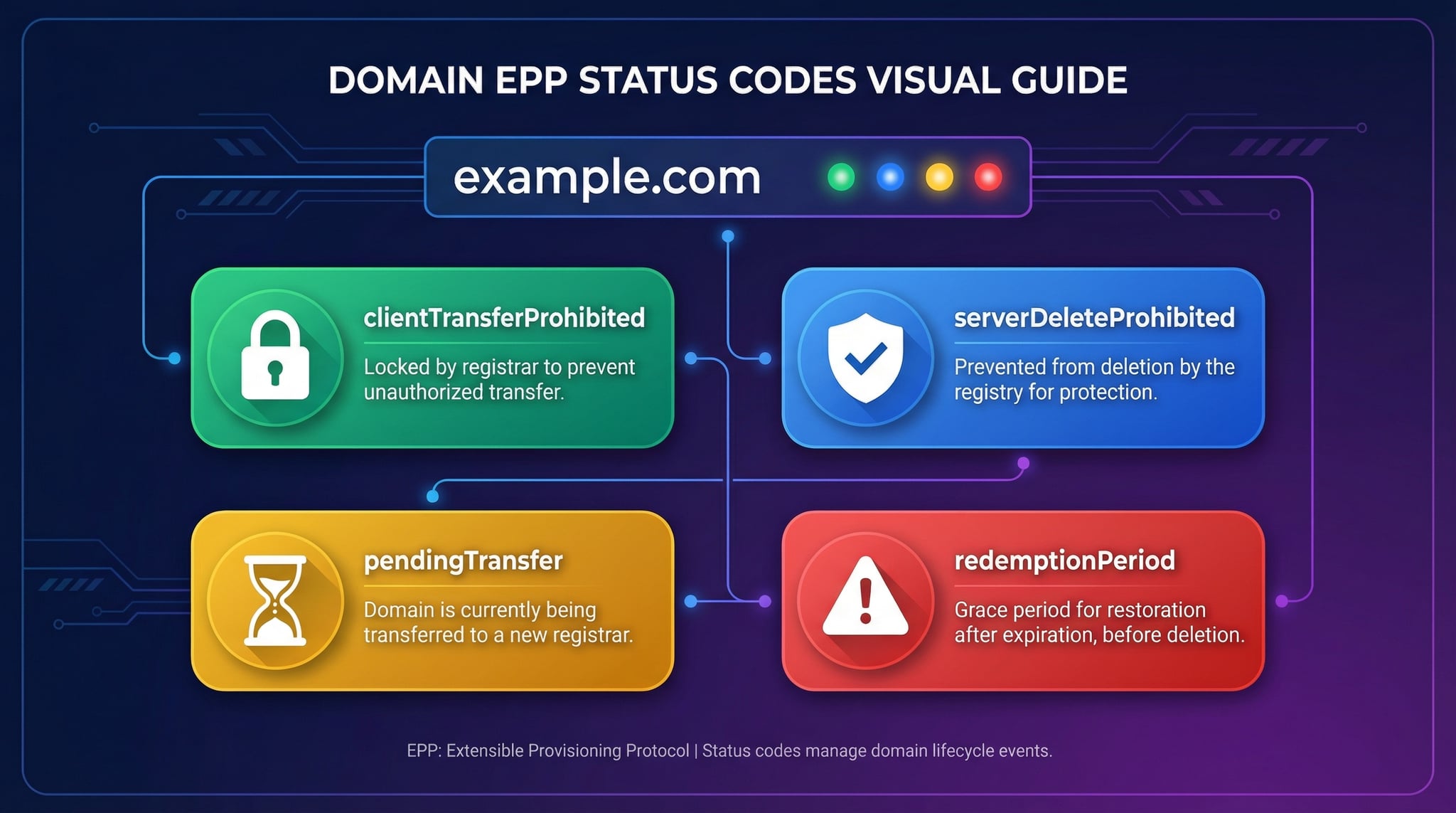
A code beginning with client was set by the registrar, usually at the owner's request. A code beginning with server was set by the registry and only the registry can remove it. The tool shows every code as a chip; hover one for its meaning.
| Status code | Set by | What it means for you |
|---|---|---|
| ok / active | Registry | No locks, no pending operations. Normal for many ccTLDs; slightly unusual for a gTLD, where registrars apply locks by default. |
| clientTransferProhibited | Registrar | Registrar lock. The domain cannot move to another registrar until the owner unlocks it. The healthy default. |
| clientUpdateProhibited / clientDeleteProhibited | Registrar | Nameservers and contacts cannot be changed and the domain cannot be deleted. With the transfer lock, this is standard protection. |
| serverTransferProhibited / serverUpdateProhibited / serverDeleteProhibited | Registry | Registry lock: paid protection for high-value names, or a court order or dispute hold. |
| clientHold / serverHold | Registrar / Registry | Removed from DNS, so the site stops resolving. clientHold usually means an unpaid renewal or unverified contact email; serverHold is often a compliance action. |
| inactive | Registry | Registered but with no nameservers, so it does not resolve. Common right after purchase. |
| pendingTransfer | Registry | A transfer to a new registrar is in progress; it completes within 5 days unless rejected. |
| autoRenewPeriod | Registry | Passed its expiry date and was auto-renewed; the registrar has up to 45 days to pay or delete it. |
| redemptionPeriod | Registry | Deleted by the registrar. For 30 days the former owner can restore it for a fee. Nobody else can register it. |
| pendingDelete | Registry | Redemption is over. The name will be purged and released in about 5 days. The only status that means it is about to drop. |
A site that suddenly fails with DNS_PROBE_FINISHED_NXDOMAIN for every visitor is a WHOIS problem more often than a DNS problem: check for clientHold, serverHold or an expired date before touching DNS records. The full diagnosis is in DNS_PROBE_FINISHED_NXDOMAIN explained, and every code is covered in the WHOIS lookup guide.
WHOIS Privacy and GDPR
Since the EU's General Data Protection Regulation (GDPR) took effect in May 2018, most WHOIS records now show redacted personal information. Registrars are required to protect registrant data by default, replacing names, emails, phone numbers, and addresses with privacy-protected placeholders.
Even with WHOIS privacy enabled, a WHOIS search still reveals valuable data: the registrar name, registration and expiration dates, nameservers, domain status codes, and DNSSEC configuration. For legitimate purposes like trademark enforcement, registrars provide WHOIS disclosure request processes to contact domain owners through anonymized email forwarding.
For a field-by-field walkthrough of a redacted record, every EPP status code, the 2025 switch from port-43 WHOIS to RDAP, and seven ways to reach a domain owner when the contact fields are hidden, read our WHOIS lookup guide.
When WHOIS Is Redacted: How to Find the Domain Owner Anyway
Redaction removed the name and email, but a domain leaves other fingerprints. Work through these in order; most owners are identified by the third step.
- Read what is not redacted. Organisation, state and country often remain, and the registrar itself narrows things: MarkMonitor or CSC means a large corporation, Cloudflare Registrar usually means a developer or startup.
- Use the registrar relay. Every registrar must give you a way to reach the registrant, either an anonymised forwarding address or a web form linked from the record. Offers to buy get answered far more often than questions.
- Check the SSL certificate. Organisation-validated certificates carry the legal company name. Run the domain through the SSL checker and read the subject field.
- Look at DNS. The SOA record names the zone administrator, and TXT records reveal the mail provider and verification tokens for Google, Microsoft and Facebook.
- File a request. For a legal need such as fraud or trademark abuse, ICANN's Registration Data Request Service routes a disclosure request to the registrar for any gTLD.
The SSL checker, DNS lookup and subdomain finder cover the technical steps; the WHOIS lookup guide walks through all seven with examples.
WHOIS Lookup Best Practices
Verify nameservers
Confirm your domain points to the correct DNS provider after making changes
Monitor expiration dates
Set reminders before domain expiration to avoid losing your domain
Enable transfer lock
Keep clientTransferProhibited active to prevent unauthorized domain transfers
Use WHOIS privacy
Enable domain privacy to protect personal information from public WHOIS queries
Enable DNSSEC
Sign your DNS zone to protect visitors from DNS spoofing and cache poisoning
Audit regularly
Check your WHOIS records periodically to ensure contact information is accurate
WHOIS Lookup by Country: What ccTLD Registries Publish
ICANN's rules bind generic extensions such as .com and .org. Country-code registries set their own policy, and a whois by domainquery on a ccTLD can return anything from a validated company identity to almost nothing. The tool queries each registry's RDAP server where one exists and falls back to the registry's port-43 WHOIS where it does not.
| Extension | Registry | What a public lookup returns |
|---|---|---|
| .uk | Nominet | Registrar, dates, nameservers, and the registrant name for companies, validated against third-party data. |
| .de | DENIC | Nameservers and last change only; holder data is behind a web form with a stated legitimate interest. |
| .br | registro.br | Registrant legal name, creation and expiry dates, nameservers with health checks, DNSSEC status. |
| .jp | JPRS | Registrant organisation and admin handle for organisational names such as .co.jp; dates and nameservers. |
| .fr | AFNIC | Registrar, dates, status and nameservers; contacts redacted for individuals, published for legal entities. |
| .au | auDA | Registrant name and ABN or ACN for businesses, registrar, status and nameservers; no expiry date. |
| .io / .co / .me | Commercial operators | gTLD-style RDAP with redaction, because the back-end operators also run gTLDs under ICANN contract. |
Related DNS & Domain Tools
DNS Lookup
Check all DNS records (A, AAAA, MX, CNAME, TXT, NS) for any domain
SSL Checker
Verify SSL certificate validity, chain, and expiration for any website
Domain Age Checker
Calculate exact domain age and check registration history
Reverse DNS Lookup
Find the hostname associated with any IP address
IP Lookup
Find geolocation, ISP, and network details for any IP address
Hosting Checker
Find out which company hosts a website, plus its CDN and email provider
DNS Propagation Checker
Check DNS propagation status across global servers
Frequently Asked Questions About WHOIS Lookup
A WHOIS lookup is a query to a public database that stores registration information for domain names. It reveals the domain registrar, registration and expiration dates, nameservers, domain status, and sometimes the registrant's contact information. DNS Robot's WHOIS lookup tool uses the modern RDAP protocol (Registration Data Access Protocol) for faster, more structured results compared to traditional WHOIS.