

DNS propagation checker Check DNS propagation worldwide
Ask 33 public resolvers on six continents at once and see which ones already return your new records.
- 33 resolvers in 28 countries
- Select a dot for details
Your connection
IP detailsResults worldwide
33 resolversYour device
From your browser

United States
Google
United States
Cloudflare
United States
OpenDNS
United States
Hurricane Electric

Canada
CIRA Canadian Shield

Mexico
Uninet

Brazil
Claro

Ireland
Namecheap

United Kingdom
IONOS

France
OVH

Netherlands
Odido

Germany
Telekom Deutschland

Switzerland
Swisscom
Switzerland
Quad9

Spain
Priority Telecom

Italy
UltraDNS

Cyprus
AdGuard

Türkiye
Teknet

Russia
SafeDNS
Russia
Yandex

Saudi Arabia
Mobily

South Africa
Liquid Telecom

Pakistan
CMPak

India
Bharat Public DNS

Philippines
PLDT

Malaysia
Exabytes

Singapore
Microsoft

Indonesia
IDNIC

China
114DNS

South Korea
LG Uplus

Taiwan
HiNet

Japan
IIJ

Australia
Telstra







A DNS checker that asks the whole world at once
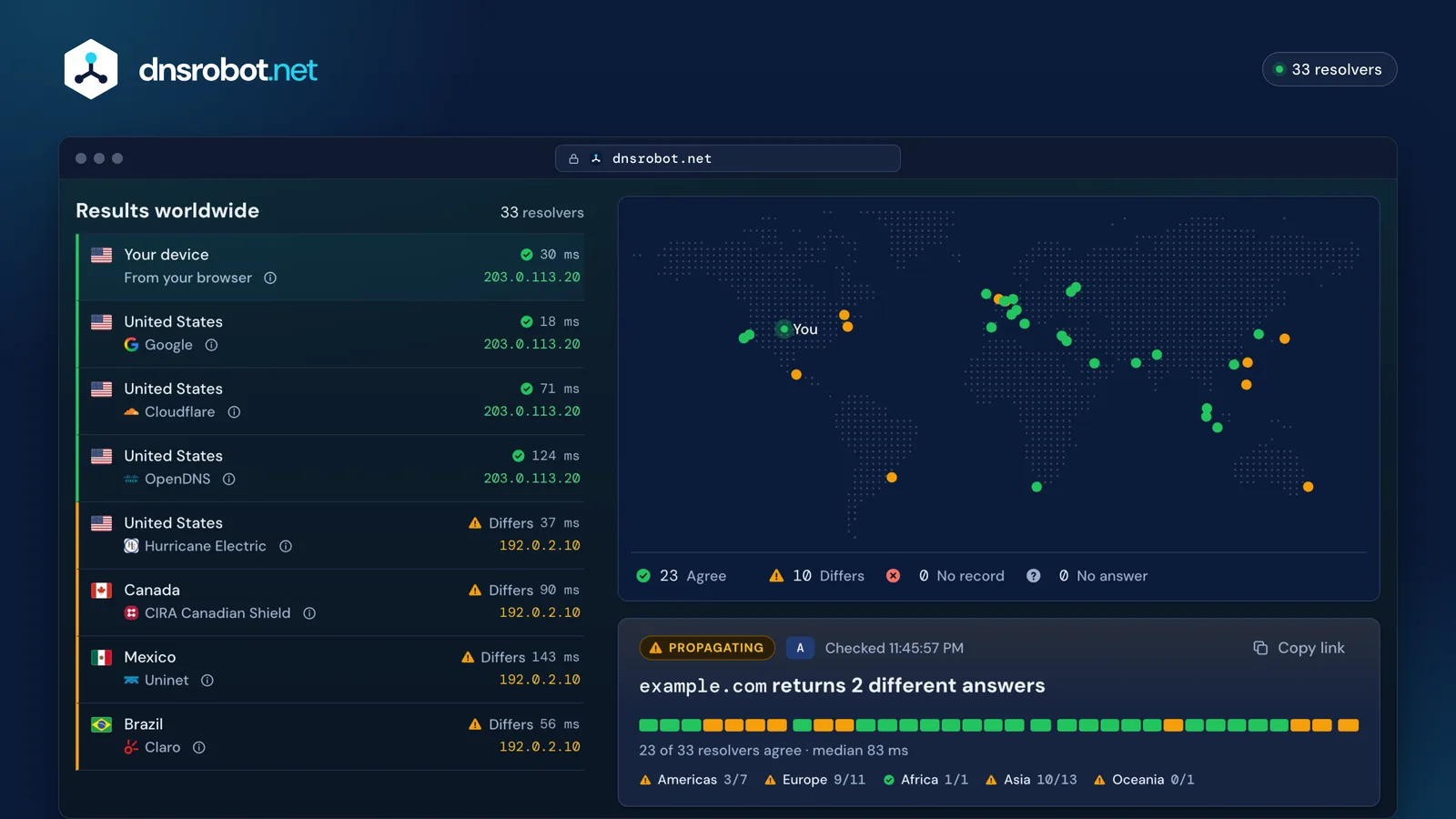
When you change a DNS record, the new value does not reach everyone at the same moment. Resolvers around the world keep the old answer in their cache until it expires. This DNS propagation checker asks 33 public resolvers in 28 countries at the same moment (Google, Cloudflare, Quad9, OpenDNS and the DNS of large ISPs), and asks from your own browser too, so you see exactly who already returns your new record.
Run this DNS propagation test after you point a domain at a new server, move email to a new provider, add a verification TXT record or change nameservers. For one resolver's complete answer, use DNS Lookup.
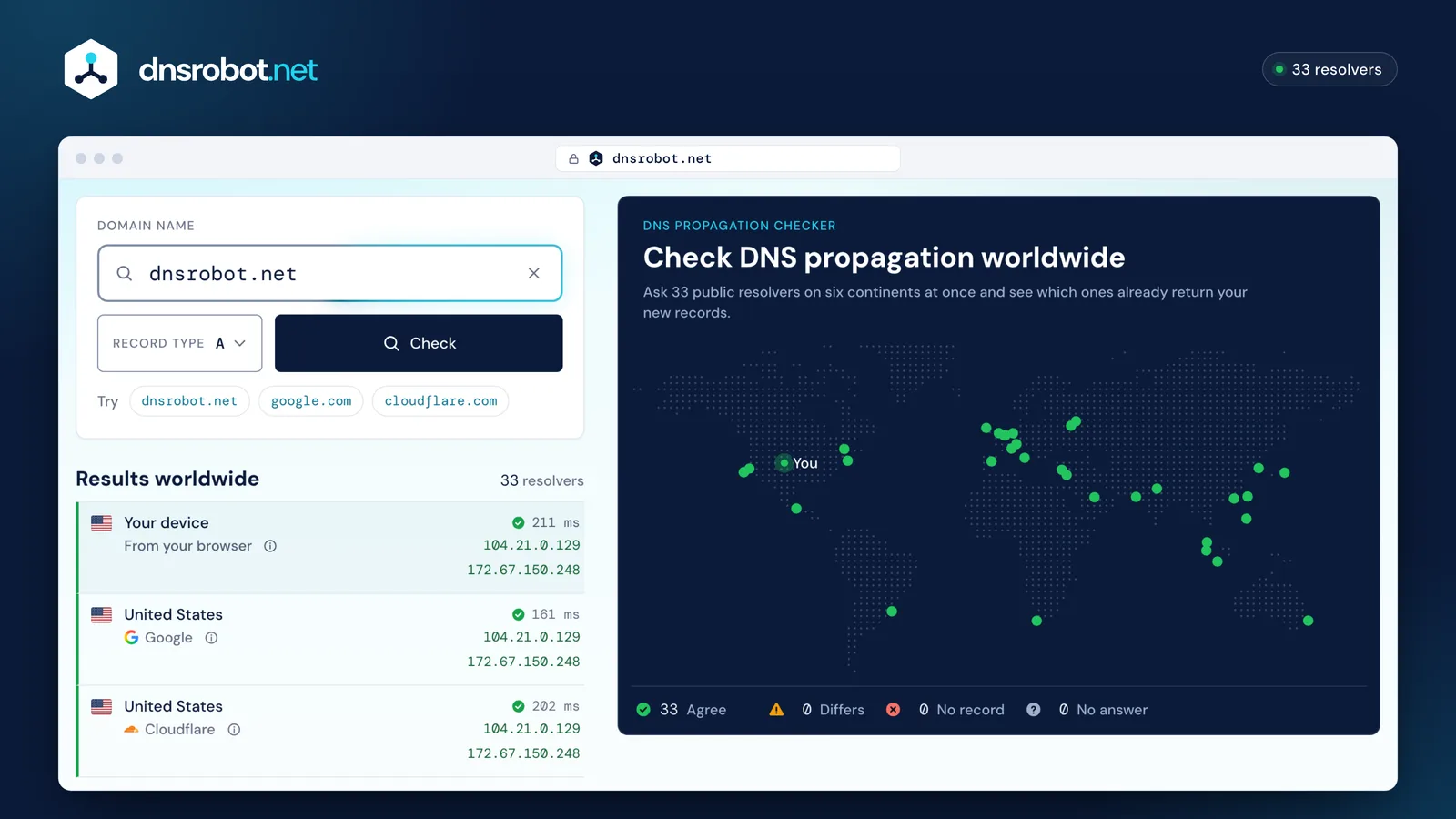
 Domain and record typeType a domain or paste a URL, pick the record you changed and press Check. An IP address switches the check to its PTR record.The world mapOne dot per resolver, where it answers from. Green agrees with most others, amber differs, red has no record. Hover or tap a dot for its answer.Your deviceThe same lookup from your own browser, over your own network, so you see what your location gets right now.The tallyHow many resolvers agree, differ, have no record or did not answer. Propagation is complete when every resolver agrees on your new value.
How to check DNS propagation
- 1
Enter a domain
Type a domain or paste a URL. Enter an IP address to check its reverse DNS (PTR) record instead.
- 2
Pick the record type
A for a website's IPv4 address, AAAA for IPv6, MX for email, TXT for SPF, DKIM and verification codes, NS for nameservers, and seven more.
- 3
Read the map and the list
Green resolvers return the same answer as most others, amber ones differ, red ones have no record. Your device shows what your own network gets.
What is DNS propagation?
DNS propagation is the time it takes for a change to your DNS records to replace the old version in every resolver's cache. Nothing is pushed out: your DNS host has the new record the moment you save it, and each resolver picks it up only when its cached copy expires.
How long a resolver may keep a record is set by the record's TTL (time to live), in seconds, as defined in RFC 1035. With a TTL of 3600, a resolver that fetched the old record a minute before your change can serve it for almost an hour. That is why two people in the same city can see different versions of a site for a while.
- Your DNS host
- Has the new record the moment you save it
- Resolvers worldwide
- Keep their cached copy until its TTL runs out
- Visitors
- Get whatever their resolver has cached
How long does DNS propagation take?
Most record changes reach every resolver within minutes to a few hours. A nameserver change can take up to 48 hours.
The old record's TTL sets the pace: a resolver that cached it keeps serving it until the TTL runs out. A record with a 3600 second TTL leaves every cache that follows the rules within an hour. The ranges below assume common TTLs, from 300 seconds to 24 hours; nameserver changes and new domains also wait on the registry.
Planning a change? Lower the TTL to 300 a day before, wait for the old TTL to pass, then make the change.
- TXT record (SPF, DKIM, DMARC): 5 minutes – 4 hours
- A or AAAA record: 5 minutes – 24 hours
- CNAME record: 5 minutes – 24 hours
- MX record: 5 minutes – 24 hours
- New domain: 15 minutes – 48 hours
- Nameserver change: 24 hours – 48 hours
- A
A and AAAA records
5 min – 24 hWhen you move a site to a new server, the old address stays in caches for the old TTL. Keep the old server running until every resolver shows the new IP.
Domain to IP - MX
MX records
5 min – 24 hWhile an MX change spreads, some senders still deliver to the old mail server. Keep it accepting mail until every resolver shows the new MX.
MX Lookup - TXT
TXT records (SPF, DKIM, DMARC)
5 min – 4 hEmail authentication records usually carry short TTLs. Check them here before you tighten DMARC to
SPF Checkerp=reject. - CNAME
CNAME records
5 min – 24 hAliases follow the same TTL rule. A CNAME cannot sit at the root of a domain (
CNAME Lookupexample.com): use an A record there, or your DNS host's CNAME flattening. - NS
Nameservers
24 – 48 hChanging nameservers moves the whole zone to a new DNS host. Resolvers keep the old delegation for the registry's TTL, which is two days for .com and .net.
NS Lookup - .com
A new domain
15 min – 48 hMost new .com and .net domains resolve within an hour of registration. Some country-code registries publish their zone only a few times a day.
WHOIS Lookup
DNS propagation time by provider
A record change reaches every resolver within about one TTL, so your DNS host's default TTL is the number to know. These are the defaults each provider sets on new records; you can lower most of them.
Nameserver changes take up to 48 hours at every provider for .com and .net domains: that is the registry's delegation TTL, not your provider's. Defaults checked in October 2026 in each provider's documentation: Cloudflare, Route 53, Porkbun, Namecheap, Network Solutions and Hostinger.
| DNS host | Default TTL | A record change reaches every resolver in about |
|---|---|---|
| Cloudflare | 300 s (Auto) | 5 minutes |
| Amazon Route 53 | 300 s | 5 minutes |
| Porkbun | 600 s | 10 minutes |
| Namecheap | 1,800 s (Automatic) | 30 minutes |
| GoDaddy | 3,600 s | 1 hour |
| Network Solutions | 7,200 s | 2 hours |
| Hostinger | 14,400 s | 4 hours |




How to speed up DNS propagation
No one can make every resolver in the world drop a cached answer early. You can plan the change so caches expire fast, and you can refresh the resolvers that serve the most people.
- 1
Lower the TTL first
A day or two before the change, set the record's TTL to
300seconds. Resolvers will then keep the record for five minutes at most. - 2
Wait out the old TTL
Resolvers that cached the record before you lowered the TTL keep it for the old TTL: a full day if it was
86400. - 3
Make the change where it counts
Edit the record at the DNS host your nameservers point to. Not sure which one that is? Check with NS Lookup.
- 4
Ask Google and Cloudflare to refresh
Both let anyone drop a cached record: Google Public DNS Flush Cache and Cloudflare 1.1.1.1 Purge Cache. Together they answer for a large share of the internet.
- 5
Clear your own caches
Your computer, browser and router keep their own copies. The commands are just below.
- 6
Check, then raise the TTL
When every resolver above shows the new value, set the TTL back to
3600or higher so your DNS host answers fewer queries.
Still seeing the old site?
When every resolver above already returns the new record but your own browser does not, the old answer is cached on your side. Clear it where it lives:
ipconfig /flushdnsRun it in Command Prompt as administrator. It answers “Successfully flushed the DNS Resolver Cache.”
Where an old answer can hide
Your browser
Keeps its own DNS cache and the old page. A hard refresh (
Ctrl+Shift+R, orCmd+Shift+Ron a Mac) reloads the page.Your computer
The system DNS cache answers every app. Flush it with the command for your system.
Your router
Caches answers for every device on your network. Restarting it clears them.
Your ISP's resolver
You cannot flush it. Wait out the TTL, or switch your device to 1.1.1.1 or 8.8.8.8 for a while.
A CDN or page cache
If DNS is right everywhere but the page is old, purge your CDN or your site's caching plugin.
Why is my DNS not propagating?
If resolvers still show the old record long after the TTL has passed, one of these is usually the cause:
What a check looks like mid-change, and once it is done
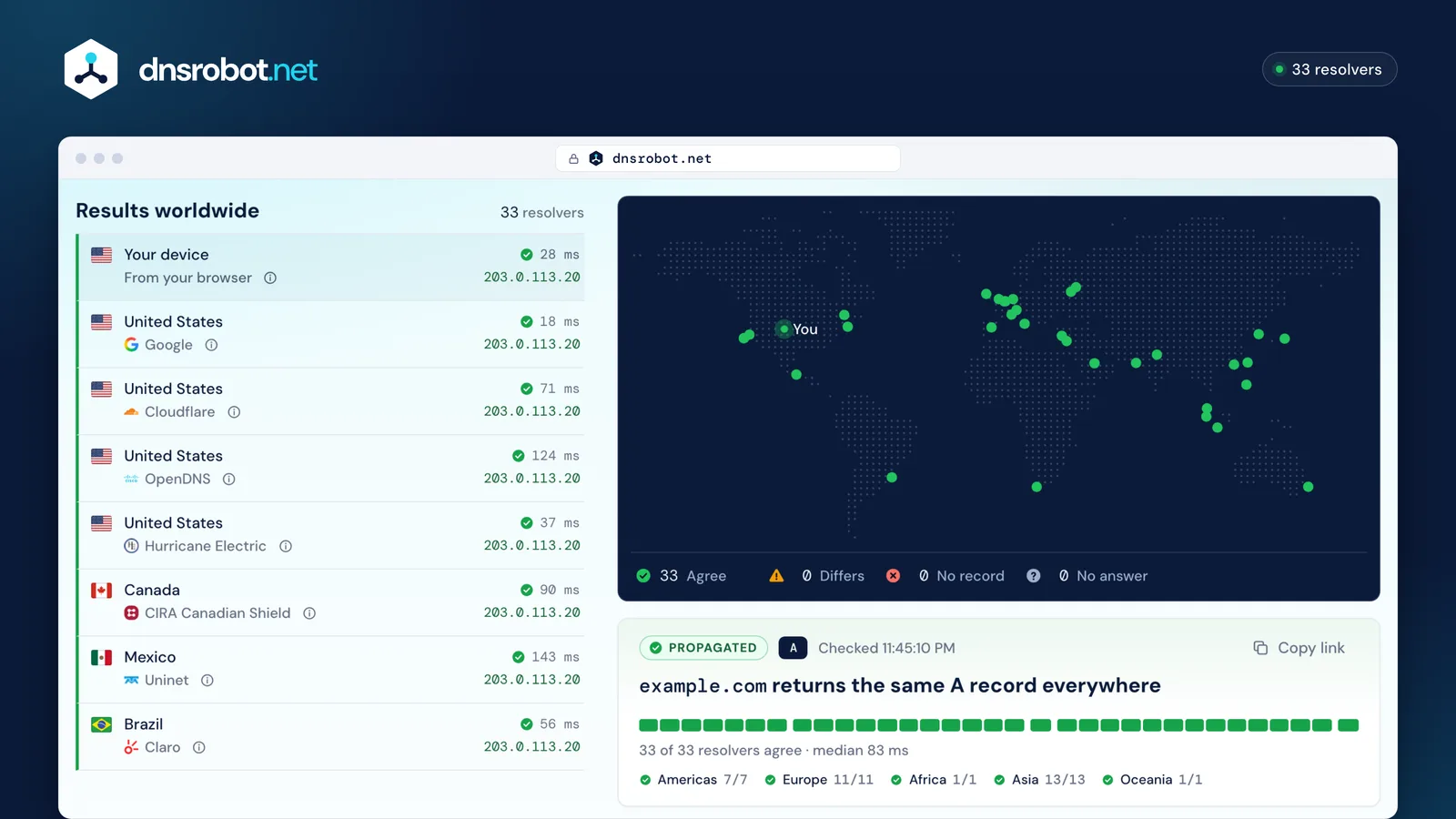
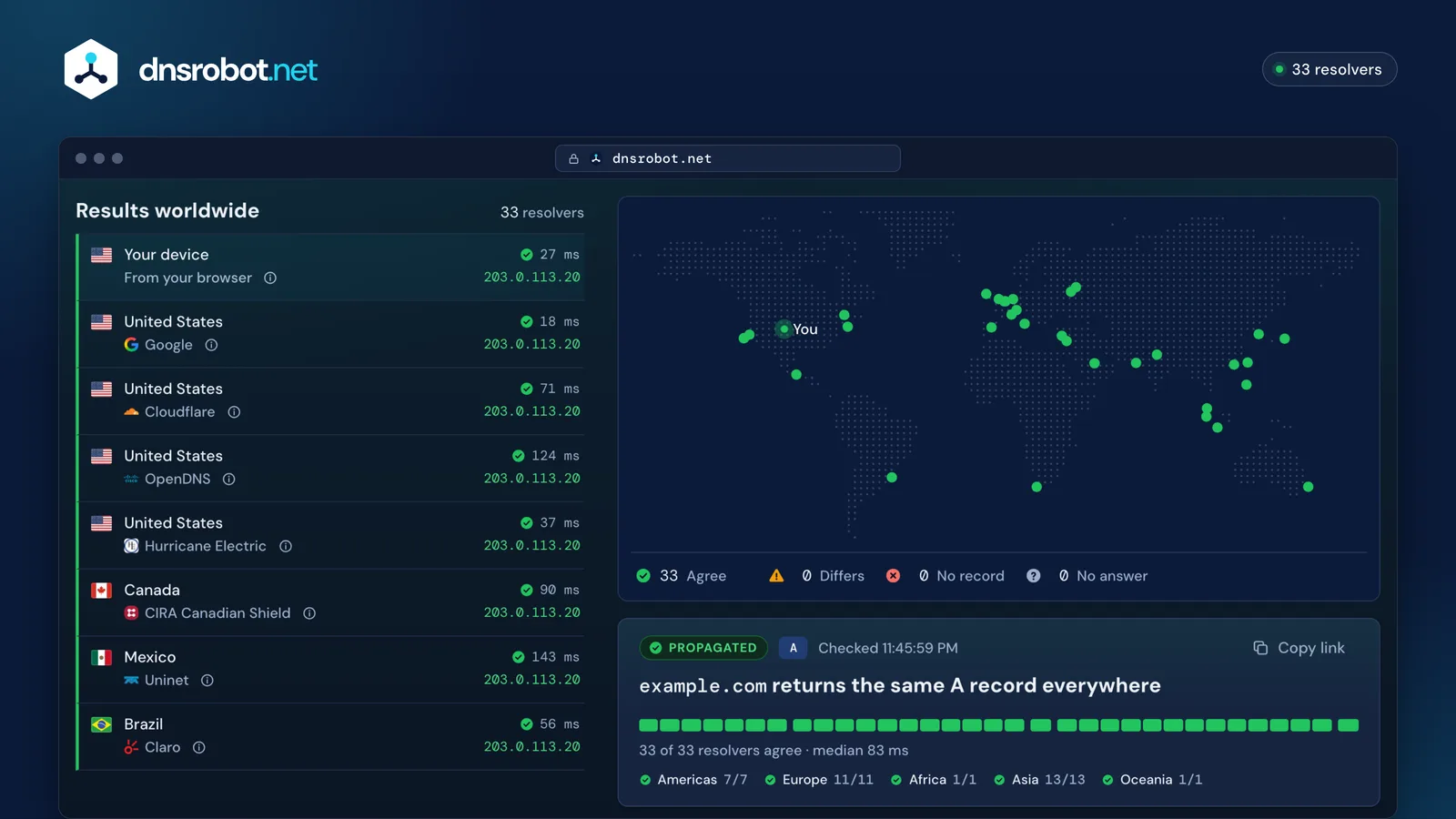
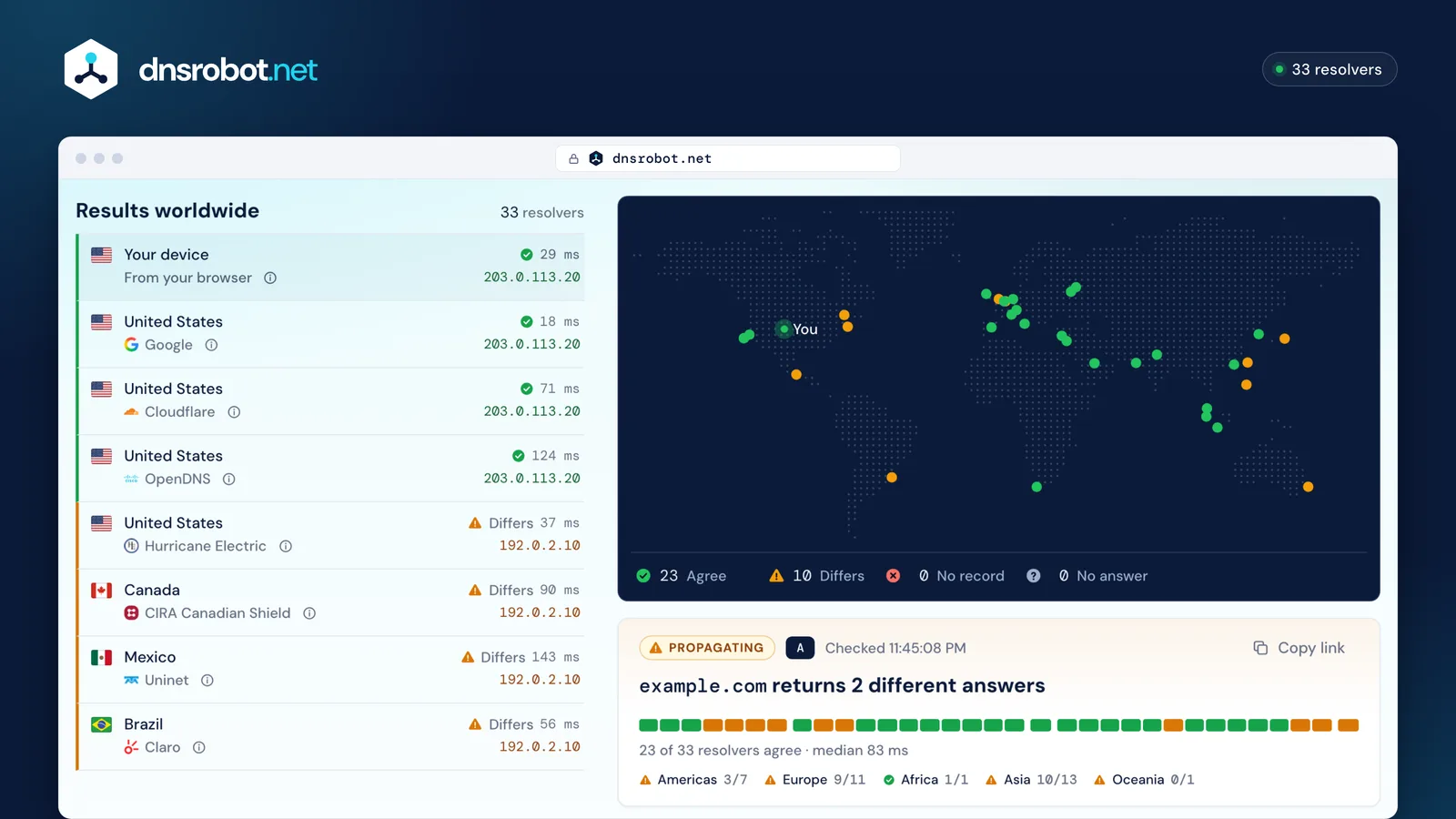
What do you see?
Nothing changes, however long you wait
Likely cause
The change was made at the wrong DNS host
Records only count at the DNS host your nameservers point to. If your domain uses Cloudflare's nameservers, edits at your registrar change nothing.
Check your nameserversSome resolvers still return the old value
Likely cause
The old TTL has not run out
Resolvers may keep the old answer for the TTL it had before your change. Each resolver's TTL counts down, so the highest one among those still on the old value is the longest you have left to wait.
Look up the record's TTLResolvers answer “no record” for a name you just added
Likely cause
Resolvers still say the name does not exist
A resolver that asked before the record existed remembers “no such name” for the zone's negative-caching time, often 5 minutes to an hour. RFC 2308 sets it: the lower of the SOA record's TTL and its minimum field.
Run a DNS lookupNo resolver answers since you moved to a new DNS host
Likely cause
Every resolver fails after moving nameservers
Usually DNSSEC: a DS record at your registrar still points to the old DNS host's keys. Remove it or replace it with the new host's. Check the DS record type above.
Check the registrarDifferent addresses by region, and they never settle
Likely cause
Answers differ by region and never match
Sites on a CDN or geo-DNS answer each region with a nearby server. That is expected; the checker marks it as regional answers.
Find the CDN or hostMail bounces or still lands at the old server
Likely cause
Email bounces after an MX change
Some senders still use the old MX until it expires. Keep the old mail server running, and check SPF, DKIM and DMARC for the new provider.
Check MX records50+ free DNS, network and security tools
Every tool runs in your browser or on our servers in seconds, without an account.