ERR_HTTP2_PROTOCOL_ERROR: What It Means & How to Fix It
Advertisement
What Is ERR_HTTP2_PROTOCOL_ERROR?
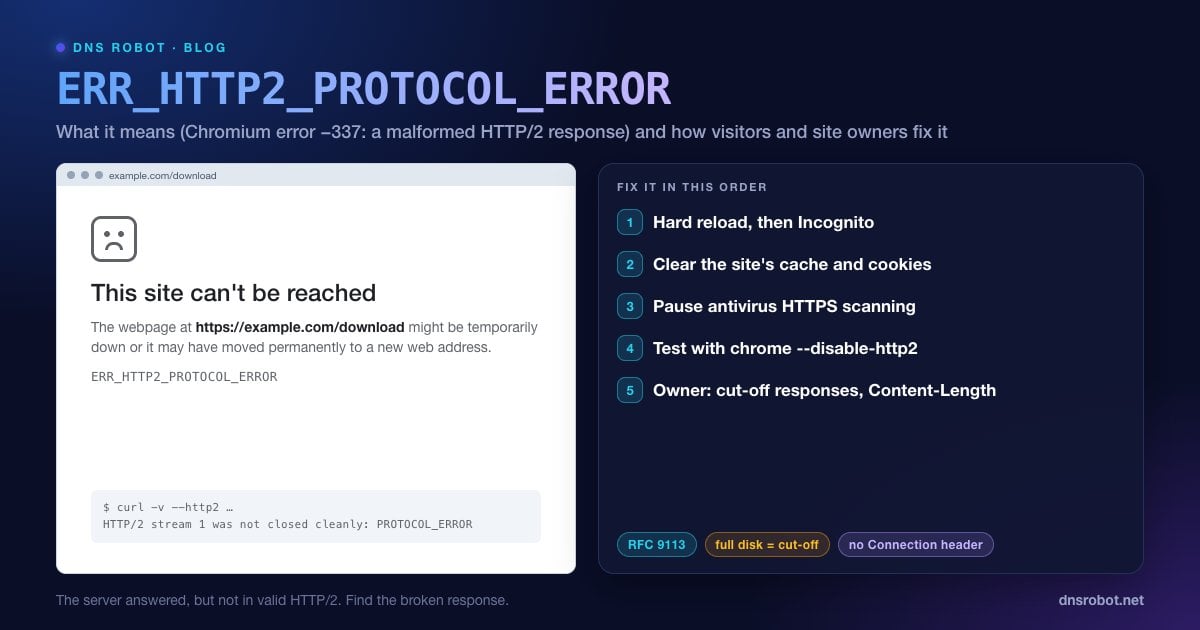
ERR_HTTP2_PROTOCOL_ERROR is a Chrome and Edge error meaning the browser received an HTTP/2 response that broke the rules of the protocol. In Chromium it is net error -337: "there is an HTTP/2 protocol error." Chrome has no dedicated error page for it, so you see the generic one: "This site can't be reached. The webpage at … might be temporarily down or it may have moved permanently to a new web address," with ERR_HTTP2_PROTOCOL_ERROR underneath.
HTTP/2 is the faster version of HTTP that most HTTPS sites now use. It's stricter than HTTP/1.1: responses are split into binary frames, headers follow precise rules, and the declared size of a response must match what actually arrives. When Chrome sees a response that breaks those rules, for example one that stops mid-stream or has a forbidden header, it treats the whole response as malformed and discards it.
Developers often see it in the DevTools console as net::ERR_HTTP2_PROTOCOL_ERROR 200 (OK). That combination is a strong clue: the server answered 200, but the response body never arrived intact.
What HTTP/2 Treats as Malformed
The HTTP/2 standard (RFC 9113) lists the mistakes that make a response malformed, and a stream that is reset before it finishes fails too. These are the problems behind most real-world errors:
| Rule | What breaks it |
|---|---|
| Content-Length must equal the body size | A server or plugin declares one size and sends another, for example when the output is compressed after the length was set |
| The response must end cleanly | The server, proxy or app stops sending partway through |
| No connection-specific headers | Connection, Keep-Alive, Proxy-Connection, Transfer-Encoding or Upgrade sent in an HTTP/2 response |
| Field names must be lowercase | Header names with capital letters passed straight through to HTTP/2 |
| Valid header values | Newlines or other forbidden characters inside a header value |
| A valid :status line | A missing or unreadable status code |
Advertisement
What Causes ERR_HTTP2_PROTOCOL_ERROR?
Most cases come from the server side, but a few things on your own computer can damage a response on its way in:
On the server: responses cut off mid-stream (a proxy that runs out of disk space or can't write its temp files, an app that crashes while streaming, a timeout), wrong Content-Length values, forbidden or invalid headers, and buggy HTTP/2 support in an older server or CDN configuration.
On your side: antivirus or firewall software that inspects HTTPS and rewrites responses, browser extensions that modify requests or responses, a corrupted cached copy of the page, and occasionally an outdated Chrome build.
Fix 1: Hard Reload and Try Incognito
Press Ctrl + Shift + R (Mac: Cmd + Shift + R) to reload without the cache. A response that was cut off once may come through fine on the next try.
Then open the page in an Incognito window (Ctrl + Shift + N, Mac Cmd + Shift + N). Incognito has no cookies, no cache from your normal profile, and extensions are off by default. If the page loads there, Fix 2 or Fix 3 will solve it in your normal window.
Advertisement
Fix 2: Clear That Site's Cache and Cookies
A corrupted cached copy or a bloated cookie can trigger the error repeatedly on one site. Clear just that site's data: click the icon at the left of the address bar → Cookies and site data (or Site settings) → delete the data, then reload. For a broader clean, press Ctrl + Shift + Delete and clear Cached images and files for the last few days.
Fix 3: Pause Antivirus HTTPS Scanning and Extensions
Security software that decrypts and inspects HTTPS sits in the middle of every HTTP/2 connection. If its HTTP/2 handling is buggy or out of date, it can pass on responses Chrome considers malformed. Turn off only the HTTPS-scanning feature (often called HTTPS scanning, Web Shield, SSL/TLS protocol filtering or Scan encrypted connections) and reload. If that fixes it, update the antivirus and add an exclusion for the site.
Next, disable all extensions at chrome://extensions, reload, then turn them back on one at a time. Ad blockers, privacy tools and anything that edits headers are the usual suspects.
Advertisement
Fix 4: Update Chrome and Check Other Browsers
Open chrome://settings/help to install any pending update, then restart the browser. Then open the same page in Firefox or Safari. If it fails everywhere, the site is broken and only its owner can fix it. If only Chrome or Edge fails, it's still usually the site, because Chrome rejects malformed HTTP/2 most strictly, but Fixes 2 and 3 are worth repeating.
Fix 5: Test the Page Without HTTP/2
Chrome can be started with HTTP/2 switched off, which tells you for certain whether HTTP/2 is the problem. Close every Chrome window first, then start it from a terminal:
# Windows (Command Prompt)
"C:\Program Files\Google\Chrome\Application\chrome.exe" --disable-http2

# macOS (Terminal)
open -a "Google Chrome" --args --disable-http2If the page loads in that window, the site's HTTP/2 responses are malformed and the owner needs to fix them. Close Chrome and reopen it normally afterwards. The flag only applies to that one launch.
Advertisement
For Website Owners: Fixing HTTP/2 Protocol Errors
If visitors on different networks and browsers report the error, the problem is in your stack. These three checks find almost all of them.
1. Reproduce It With curl
# HTTP/2: watch the end of the output
curl -sv --http2 https://example.com/broken-page -o /dev/null
# A broken stream ends with something like:
# HTTP/2 stream 1 was not closed cleanly: PROTOCOL_ERROR (err 1)
# (curl 8.19+: HTTP/2 stream 1 reset by server (error 0x1 PROTOCOL_ERROR))

# Same URL over HTTP/1.1 for comparison
curl -sv --http1.1 https://example.com/broken-page -o /dev/nullIf HTTP/1.1 works and HTTP/2 fails, you've confirmed the error. Compare the response headers between the two, and note how many bytes arrive before the stream breaks. The HTTP Headers tool also shows the headers your site sends from outside your network.
2. Check for Responses Cut Off Mid-Stream
The most common server-side cause is a response that starts (status 200, headers sent) and then stops early. nginx buffers larger responses from your app into temporary files, and if the disk is full or nginx can't write to its temp folder, the response ends early and the browser reports a protocol error. Check:
df -h                                   # is any disk full?
sudo grep -E "No space left|Permission denied" /var/log/nginx/error.log | tail
ls -ld /var/lib/nginx/proxy /var/lib/nginx/fastcgi   # Debian/Ubuntu temp dirs; owner must match the nginx user
Also check the app itself: a PHP or Node process that crashes, times out or hits a memory limit while streaming a large page or download produces the same result. App logs around the time of the error usually show it.
3. Fix Content-Length and Forbidden Headers
Content-Length: let the server calculate it. Don't set it by hand in app code if a plugin, middleware or the web server also compresses or modifies the output, because the declared length then no longer matches the bytes sent. A length set in PHP code while a plugin or PHP setting also compresses the output is one way this happens on WordPress sites.
Connection-specific headers: remove code that sets
Connection,Keep-Alive,Transfer-EncodingorUpgradeon responses. HTTP/2 forbids them, and while nginx strips most of them for you, some app servers and proxies don't.Header values: make sure no header contains a line break or a control character. This often comes from user input placed in a header, such as a filename in
Content-Disposition.CDN in front: if you use Cloudflare or another CDN, test the origin directly (with curl
--resolveor a hosts entry) to tell whether the error comes from the origin or from the CDN.
ERR_HTTP2_PROTOCOL_ERROR vs Similar Errors
| Error | Code | What happened |
|---|---|---|
| ERR_HTTP2_PROTOCOL_ERROR | -337 | An HTTP/2 response broke the protocol rules |
| ERR_QUIC_PROTOCOL_ERROR | -356 | The same kind of failure over HTTP/3 (QUIC) |
| ERR_SSL_PROTOCOL_ERROR | -107 | The HTTPS (TLS) handshake failed before HTTP/2 started |
| ERR_CONNECTION_CLOSED | -100 | The connection was closed before a page arrived |
| ERR_EMPTY_RESPONSE | -324 | The server sent nothing at all |
Detailed guides: ERR_QUIC_PROTOCOL_ERROR, ERR_SSL_PROTOCOL_ERROR, ERR_CONNECTION_CLOSED and ERR_EMPTY_RESPONSE. To check a site's certificate and HTTPS setup from outside, use the SSL Checker.
See the headers your site really sends
DNS Robot's HTTP Headers checker fetches any URL from our servers and lists the status code and every response header, which makes forbidden or malformed headers easy to spot.
Try HTTP Headers CheckerAdvertisement
Frequently Asked Questions
It means Chrome received an HTTP/2 response that broke the protocol's rules, for example one that ended early, declared the wrong size, or contained forbidden headers, so it discarded the response. In Chromium it is net error -337.