What Is a MAC Address? How to Find It on Any Device
Advertisement
What Is a MAC Address?
A MAC address (Media Access Control address) is a unique identifier assigned to a network adapter — the Wi-Fi chip in your phone, the Ethernet port on your PC, the wireless card in a smart TV. It's sometimes called a physical address or hardware address, because the manufacturer writes it into the adapter at the factory.
Every network adapter has its own MAC address, so one laptop can have two: one for Wi-Fi and one for Ethernet. Devices on the same local network use MAC addresses to deliver data to each other — your router knows which device should get which packet by its MAC address. That happens at layer 2 (the data link layer) of the networking model, below IP addresses.
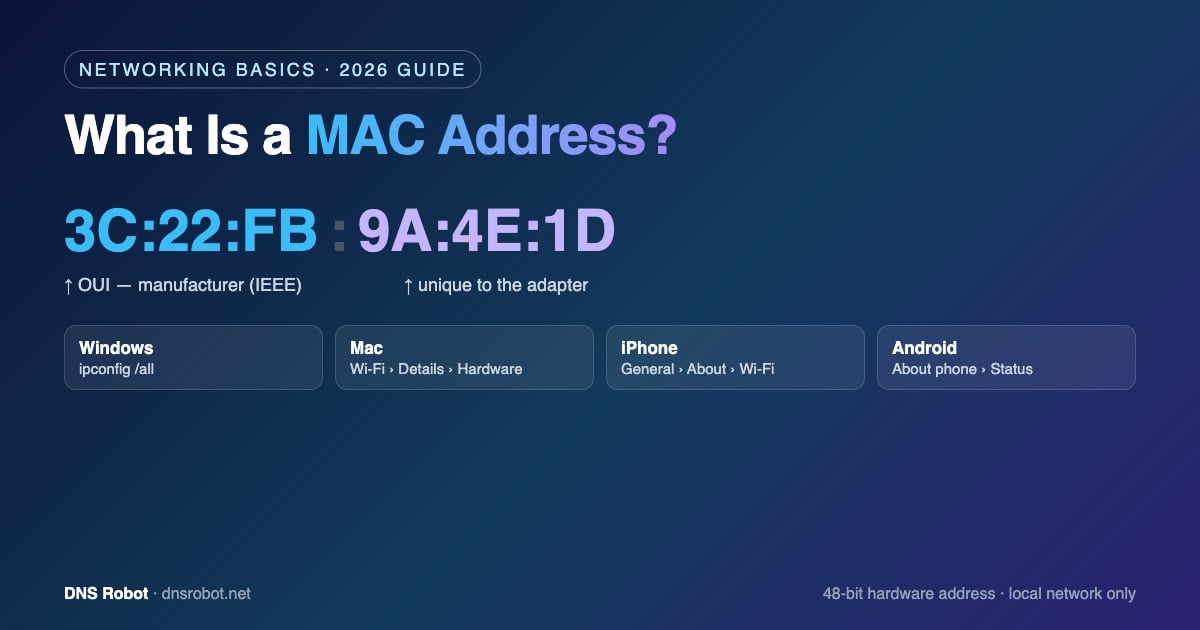
A MAC address looks like this: 3C:22:FB:9A:4E:1D — six pairs of hexadecimal digits.
MAC Address Format
A MAC address is 48 bits (6 bytes) long, written as 12 hexadecimal characters (0–9 and A–F). The digits are the same everywhere; only the separators change by operating system:
| Style | Example | Used by |
|---|---|---|
| Colons | 3c:22:fb:9a:4e:1d | macOS, Linux, iOS, Android |
| Hyphens | 3C-22-FB-9A-4E-1D | Windows (ipconfig, getmac) |
| Dots (groups of four) | 3c22.fb9a.4e1d | Cisco network equipment |
| No separators | 3C22FB9A4E1D | Some routers and databases |
Upper and lower case mean the same thing, so 3C:22:FB and 3c:22:fb are identical. The special address FF:FF:FF:FF:FF:FF is the broadcast address: a frame sent to it reaches every device on the local network.
Advertisement
What the Numbers Mean: OUI and Device ID
A MAC address has two halves:
First 3 bytes — the OUI (Organizationally Unique Identifier). Assigned by the IEEE to a manufacturer.
3C:22:FBbelongs to Apple, for example, which is why a MAC address lookup can tell you who made a device.Last 3 bytes — the device-specific part. Chosen by the manufacturer so that every adapter it makes is unique.
Two special bits in the first byte. The lowest bit says whether the address is unicast (0) or multicast (1). The second-lowest bit says whether it is universally administered (0, set by the manufacturer) or locally administered (1, set by software).
A quick way to spot a software-assigned address: if the second character is 2, 6, A or E (as in x2:, x6:, xA:, xE:), the address is locally administered — typically a randomized private MAC or a manually changed one, and it won't match any manufacturer.
How to Find Your MAC Address on Any Device
Here's exactly where to look on each system. If a device has both Wi-Fi and Ethernet, make sure you read the adapter you're actually using.
| Device | Where to find it | Command |
|---|---|---|
| Windows 11 / 10 | Settings › Network & internet › Wi-Fi (or Ethernet) › Hardware properties › Physical address (MAC) | ipconfig /all or getmac /v |
| Mac (macOS) | System Settings › Wi-Fi › Details next to your network › Hardware › MAC address | ifconfig en0 | grep ether |
| Linux | Network settings › your connection › details | ip link show (look for link/ether) |
| iPhone / iPad | Settings › General › About › Wi-Fi Address | — |
| Android | Settings › About phone › Status (or Hardware information) › Wi-Fi MAC address — names vary by manufacturer | — |
| Router | The admin page's connected-devices or DHCP client list shows every device's MAC address | — |
C:\> getmac /v

Connection Name  Network Adapter        Physical Address    Transport Name
===============  =====================  ==================  ================
Wi-Fi            Intel(R) Wi-Fi 6 AX201  A0-A4-C5-9A-4E-1D   \Device\Tcpip_{...}
Ethernet         Realtek PCIe GbE       Disconnected        Media disconnected
On Windows, ipconfig /all lists a Physical Address under each adapter. On a Mac, en0 is usually the Wi-Fi adapter on laptops; run ifconfig alone to see all of them. On phones, remember that the address shown in About is the hardware address — the address your phone actually uses on a given Wi-Fi network may be a private one (see below).
Advertisement
MAC Address vs IP Address
People often confuse the two. Both identify a device, but at different levels:
| MAC address | IP address | |
|---|---|---|
| Identifies | A network adapter (hardware) | A device's location on a network |
| Assigned by | The manufacturer (or software, if randomized) | The network — your router or ISP |
| Scope | Local network only | Local network and the internet |
| Changes | Rarely (unless randomized) | Often — new network, new address |
| Format | 48 bits, e.g. 3C:22:FB:9A:4E:1D | 32 bits (IPv4) or 128 bits (IPv6), e.g. 203.0.113.7 |
| Network layer | Layer 2 (data link) | Layer 3 (network) |
Your router connects the two with ARP (Address Resolution Protocol), which maps each local IP address to a MAC address. To see your public IP address, use What Is My IP.
Private and Randomized MAC Addresses
Because a fixed MAC address could be used to track a device from one Wi-Fi network to another, modern systems hide it. iPhones and iPads (iOS 14 and later) use a "Private Wi-Fi Address" for each network, Android 10 and later randomizes the MAC address by default, and Windows 10 and 11 offer "Random hardware addresses" in Wi-Fi settings.
A randomized address is locally administered, so a vendor lookup returns no manufacturer. It can also break things that depend on a fixed MAC address — a DHCP reservation, MAC filtering on the router, or a hotel Wi-Fi login that suddenly asks you to sign in again. If that happens, turn off the private address for that one network: on iPhone tap the (i) next to the network, on Android open the network's settings and choose the device MAC under Privacy.
Advertisement
What MAC Addresses Are Used For
Delivering data on a local network — switches and routers forward frames to the right device by MAC address.
DHCP reservations — tell your router to always give a device (a printer, a game console) the same IP address.
MAC filtering — allow or block devices on Wi-Fi. It's easy to bypass, so don't rely on it for security; use WPA2/WPA3 instead.
Identifying unknown devices — a vendor lookup on an unfamiliar MAC in your router's device list tells you what it probably is.
Wake-on-LAN — the "magic packet" that powers on a sleeping computer is addressed to its MAC address.
Can a MAC Address Be Changed or Tracked?
The address burned into the hardware can't be changed, but the address a device uses can be changed in software — that's how randomization works, and it's also called MAC spoofing. Changing the address your own device uses is a normal, supported setting — for example, to replace an old router without re-registering with your ISP.
Your MAC address does not travel across the internet. Each router rewrites the layer-2 header at every hop, so websites, apps on remote servers and your ISP's distant servers never see it — only devices on your local network (and the Wi-Fi access point you connect to) do.
Advertisement
Look Up Who Made a Device from Its MAC Address
Paste any MAC address into our MAC address lookup to see the manufacturer from the IEEE OUI database, whether the address is locally administered (randomized or spoofed), and whether it's unicast or multicast. Need sample addresses for testing or documentation? The MAC address generator creates valid random MACs in any format.
Who made that device?
Enter any MAC address to find the manufacturer, whether it's randomized, and its format — free and instant.
Coba MAC Address LookupAdvertisement
MAC Address FAQ
A MAC (Media Access Control) address is the 48-bit hardware identifier of a network adapter, written as 12 hexadecimal digits such as 3C:22:FB:9A:4E:1D. Devices on a local network use it to deliver data to each other.