





Invisible Character
Blank space copy and paste in one tap, for blank names, empty messages and gaps.
One tap copies Hangul Filler. Paste it where the name or message goes.










Checked in this browser as you type. The text never leaves the page.
Paste text to see every hidden character
- Blank characters–
- Zero width–
- Special spaces–
- Bidi controls–
- Tags–
- Selectors–
- Controls–
- Format–
- аLook-alikes–
All 26 invisible characters
Every blank character, zero-width character and space worth copying, with what trim() does to it in 6 programming languages: measured, not assumed.
Blank characters
5Not spaces to an app: the ones that work as names- Hangul FillerU+3164 · RecommendedfontNode.js: trim() keeps itPython: trim() keeps itGo: trim() keeps it.NET: trim() keeps itSwift: trim() keeps itPHP: trim() keeps it
- Braille BlankU+2800fontNode.js: trim() keeps itPython: trim() keeps itGo: trim() keeps it.NET: trim() keeps itSwift: trim() keeps itPHP: trim() keeps it
- Halfwidth Hangul FillerU+FFA0fontNode.js: trim() keeps itPython: trim() keeps itGo: trim() keeps it.NET: trim() keeps itSwift: trim() keeps itPHP: trim() keeps it
- Hangul Choseong FillerU+115FfontNode.js: trim() keeps itPython: trim() keeps itGo: trim() keeps it.NET: trim() keeps itSwift: trim() keeps itPHP: trim() keeps it
- Hangul Jungseong FillerU+1160fontNode.js: trim() keeps itPython: trim() keeps itGo: trim() keeps it.NET: trim() keeps itSwift: trim() keeps itPHP: trim() keeps it
Zero width
8No width at all: they hide inside words- Zero Width SpaceU+200B0Node.js: trim() keeps itPython: trim() keeps itGo: trim() keeps it.NET: trim() keeps itSwift: removedPHP: trim() keeps it
- Zero Width Non-JoinerU+200C0Node.js: trim() keeps itPython: trim() keeps itGo: trim() keeps it.NET: trim() keeps itSwift: trim() keeps itPHP: trim() keeps it
- Zero Width JoinerU+200D0Node.js: trim() keeps itPython: trim() keeps itGo: trim() keeps it.NET: trim() keeps itSwift: trim() keeps itPHP: trim() keeps it
- Word JoinerU+20600Node.js: trim() keeps itPython: trim() keeps itGo: trim() keeps it.NET: trim() keeps itSwift: trim() keeps itPHP: trim() keeps it
- Invisible SeparatorU+20630Node.js: trim() keeps itPython: trim() keeps itGo: trim() keeps it.NET: trim() keeps itSwift: trim() keeps itPHP: trim() keeps it
- Combining Grapheme JoinerU+034F0Node.js: trim() keeps itPython: trim() keeps itGo: trim() keeps it.NET: trim() keeps itSwift: trim() keeps itPHP: trim() keeps it
- Mongolian Vowel SeparatorU+180E0Node.js: trim() keeps itPython: trim() keeps itGo: trim() keeps it.NET: trim() keeps itSwift: trim() keeps itPHP: trim() keeps it
- Zero Width No-Break SpaceU+FEFF0Node.js: removedPython: trim() keeps itGo: trim() keeps it.NET: trim() keeps itSwift: trim() keeps itPHP: trim() keeps it
Spaces
13Real spaces: most apps trim them away- No-Break SpaceU+00A0fontNode.js: removedPython: removedGo: removed.NET: removedSwift: removedPHP: trim() keeps it
- En SpaceU+2002½ emNode.js: removedPython: removedGo: removed.NET: removedSwift: removedPHP: trim() keeps it
- Em SpaceU+20031 emNode.js: removedPython: removedGo: removed.NET: removedSwift: removedPHP: trim() keeps it
- Figure SpaceU+2007digitNode.js: removedPython: removedGo: removed.NET: removedSwift: removedPHP: trim() keeps it
- Thin SpaceU+2009fontNode.js: removedPython: removedGo: removed.NET: removedSwift: removedPHP: trim() keeps it
- Hair SpaceU+200AfontNode.js: removedPython: removedGo: removed.NET: removedSwift: removedPHP: trim() keeps it
- Three-per-em SpaceU+2004⅓ emNode.js: removedPython: removedGo: removed.NET: removedSwift: removedPHP: trim() keeps it
- Four-per-em SpaceU+2005¼ emNode.js: removedPython: removedGo: removed.NET: removedSwift: removedPHP: trim() keeps it
- Six-per-em SpaceU+2006⅙ emNode.js: removedPython: removedGo: removed.NET: removedSwift: removedPHP: trim() keeps it
- Punctuation SpaceU+2008periodNode.js: removedPython: removedGo: removed.NET: removedSwift: removedPHP: trim() keeps it
- Narrow No-Break SpaceU+202FfontNode.js: removedPython: removedGo: removed.NET: removedSwift: removedPHP: trim() keeps it
- Medium Math SpaceU+205FfontNode.js: removedPython: removedGo: removed.NET: removedSwift: removedPHP: trim() keeps it
- Ideographic SpaceU+3000ideographNode.js: removedPython: removedGo: removed.NET: removedSwift: removedPHP: trim() keeps it
What is an invisible character?
An invisible character (also called invisible text, blank text, an empty character or an invisible letter) is a real Unicode character that draws nothing: a blank character such as ㅤ (U+3164 Hangul Filler), a special space, or a zero-width mark. Apps store and count it like any letter, so a name or a message made of it isn't empty.
Each one still takes its place in the text. Some take width, the room a letter would; zero-width ones take none and sit between two letters without moving them. Unicode fixes a few widths by name (an em space is one em, an en space half of that); for blank characters the font decides, which is why the same ㅤ can look wider on one phone than on another.
- SpaceU+0020 · set by the font
- No-Break SpaceU+00A0 · set by the font
- Em SpaceU+2003 · fixed by its name
- En SpaceU+2002 · fixed by its name
- Thin SpaceU+2009 · set by the font
- Hair SpaceU+200A · set by the font
- Zero Width SpaceU+200B · zero by definition
- Hangul FillerU+3164 · set by the font
- Braille BlankU+2800 · set by the font
- advance width, measured live in this page's font
- zero width
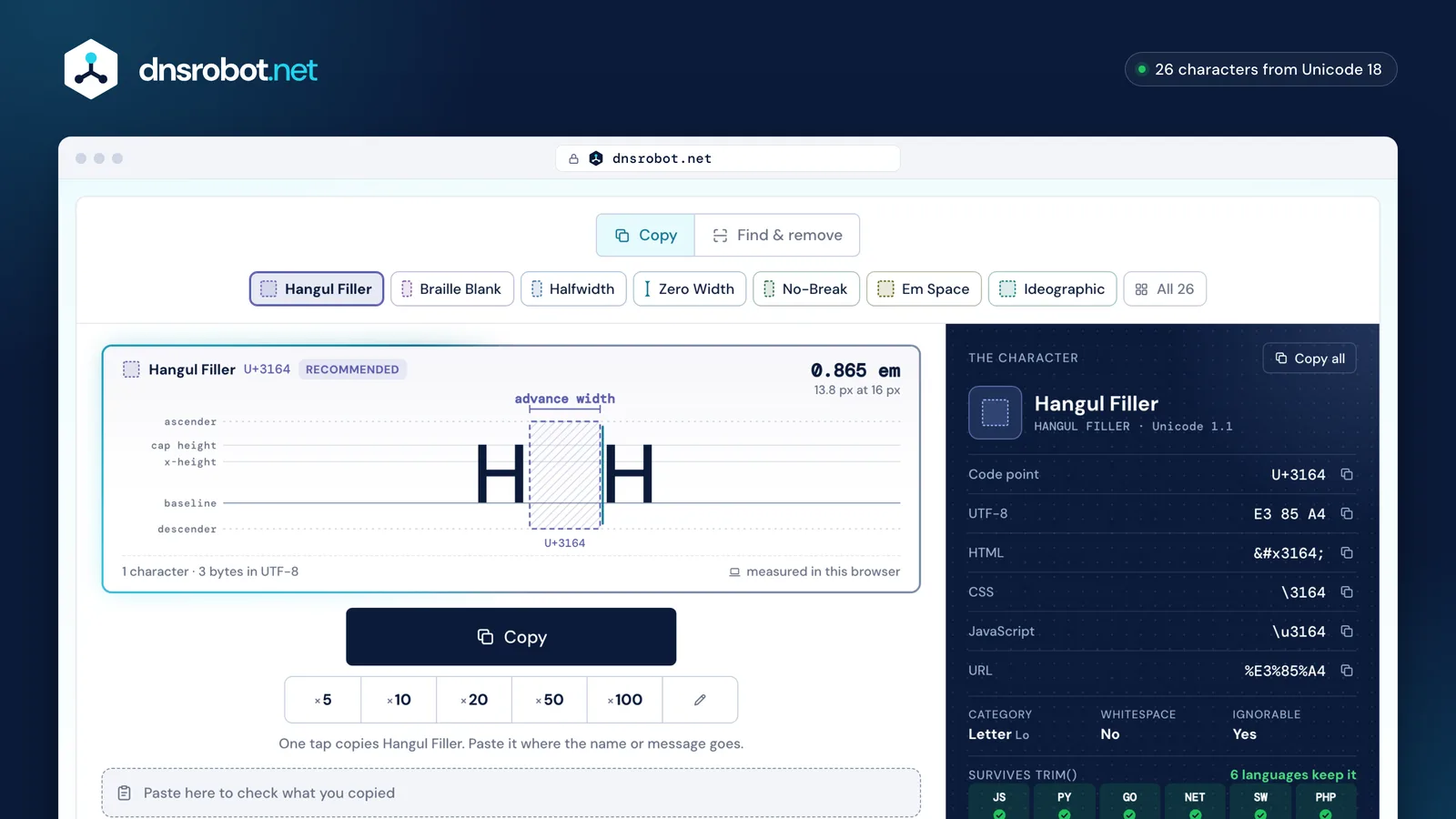
 The specimenThe character between two letters, its box as wide as it really is, measured in your browser.One-tap copyCopy one, or 5 to 100 at once; any count up to 100,000.Seven blanksPick the character: each has its own colour, and all 26 are in the list below the tool.The codeIts code point, UTF-8 bytes and escapes, and what trim() does to it in 6 languages.
Invisible names: which character works in games and apps?
Start with ㅤ (U+3164 Hangul Filler): players report it works for nicknames and display names where a plain space is refused. No platform's rules allow blank names, though: every “works” below is what users report, and usernames that allow only a–z, digits and a few symbols (Discord and X usernames) refuse every invisible character.
Roblox refuses them too: we tested its own display-name check on 2026-10-23 and it rejected every blank character, the Hangul Filler and the Braille Blank included. Rules and checks change without notice, so look at the name preview before you pay for a name change.
| Platform and field | Try first | Status |
|---|---|---|
| Free FireNickname | Hangul FillerU+3164 | Users report |
| PUBG MobileNickname | Hangul FillerU+3164 | Users report |
| DiscordDisplay name | Hangul FillerU+3164 | Users reportRule |
| DiscordUsername | None works | BlockedRule |
| WhatsAppBlank message | Braille BlankU+2800 | Users report |
| KakaoTalkProfile name | Hangul FillerU+3164 | Reports disagreeRule |
| FortniteDisplay name | Hangul FillerU+3164 | Users reportRule |
| InstagramName | Hangul FillerU+3164 | Users reportRule |
| TikTokName | Hangul FillerU+3164 | Users reportRule |
| LINEDisplay name | Hangul FillerU+3164 | Users reportRule |
| TelegramFirst name | Hangul FillerU+3164 | Users reportRule |
| SnapchatDisplay name | Braille BlankU+2800 | Users reportRule |
| Arena of ValorNickname | Hangul FillerU+3164 | Users report |
| Clash of ClansName | Hangul FillerU+3164 | Users reportRule |
| Mobile LegendsNickname | None works | Reports disagree |
| Call of Duty: MobileName | None works | Reports disagree |
| Among UsName | None works | Reports disagree |
| XDisplay name | None works | Reports disagreeRule |
| SteamProfile name | None works | Reports disagreeRule |
| RobloxDisplay name | None works | BlockedRule |
| VALORANTRiot ID | None works | Reports disagreeRule |
| YouTubeHandle | None works | Not verifiedRule |
| XUsername | None works | BlockedRule |








- Users reportusers say it works; no rule allows or bans it
- Reports disagreereports disagree, or say it was patched
- Not verifiedno rule or report either way that we could find
- Blockedthe platform's rule or its own check refuses every invisible character
Why does ㅤ work when a normal space doesn't?
Because apps trim a name before they check it. trim() removes spaces at both ends, so a name of spaces becomes empty and is refused; ㅤ is a letter to Unicode, not a space, so trim() keeps it and the name passes.
We ran each language's standard trim on each character. Every kind of space is removed, even the exotic ones, except by PHP, whose trim() only knows ASCII. Blank characters survive in all 6. Two surprises: JavaScript removes U+FEFF, and Swift removes the zero-width space.
U+0020a spacename.trim()After trim"" · 0 charsempty?Refused“Please enter a name”U+3164Hangul Fillername.trim()After trim1 charempty?AcceptedThe name is ㅤ| Character | Node.jsJSs.trim() | PythonPYs.strip() | GoGOstrings.TrimSpace | .NETNETs.Trim() | SwiftSWtrimmingCharacters | PHPPHPtrim($s) |
|---|---|---|---|---|---|---|
| SpaceU+0020 | removed | removed | removed | removed | removed | removed |
| No-Break SpaceU+00A0 | removed | removed | removed | removed | removed | kept |
| Ideographic SpaceU+3000 | removed | removed | removed | removed | removed | kept |
| Zero Width SpaceU+200B | kept | kept | kept | kept | removed | kept |
| Zero Width No-Break SpaceU+FEFF | removed | kept | kept | kept | kept | kept |
| Hangul FillerU+3164 | kept | kept | kept | kept | kept | kept |
| Braille BlankU+2800 | kept | kept | kept | kept | kept | kept |
How do I type an invisible character on a phone, Windows or Mac?
On a phone, copy it here and paste it. On an English or Western European Windows PC, Alt + 0160 on the number pad types a no-break space, which apps trim like any space; for ㅤ itself, type 3164 then Alt + X in Word, or pick it in Character Map.
Alt + 12644 doesn't work: Windows wraps Alt codes above 255. On a Mac, open the Character Viewer (Fn or Globe + E) and search for Hangul Filler. On Linux with GNOME, press Ctrl + Shift + U, type 3164 and press Space.
- iPhone and AndroidCopy hereLong-pressPasteHangul FillerU+3164Long-press the name or message field and tap Paste.
 Word for Windows3164Alt+XHangul FillerU+3164Type the code, then Alt+X turns it into the character.
 Windows (any app)Alt+0160No-Break SpaceU+00A0Number-pad digits. On English Windows Alt+160 gives á; Alt+12644 doesn't work.
- MacFn / Globe+ESearch “Hangul Filler”Hangul FillerU+3164Edit › Emoji & Symbols opens the same viewer.
- Linux (GNOME)Ctrl+Shift+U3164SpaceHangul FillerU+3164Any code point by its hex number.
Invisible characters in HTML, CSS and code
Write them as escapes so they stay visible in your source: ㅤ in HTML, \3164 in CSS, \u3164 in JavaScript, JSON and Python, %E3%85%A4 in a URL.
A literal invisible character in source code is a bug nobody can see in review. Escapes make it reviewable, and linters can flag the literal ones.
| Character | HTML | CSS | JS · JSON | Python | URL |
|---|---|---|---|---|---|
| Hangul FillerU+3164 | |||||
| Braille BlankU+2800 | |||||
| Zero Width SpaceU+200B | |||||
| No-Break SpaceU+00A0 | |||||
| Em SpaceU+2003 | |||||
| Ideographic SpaceU+3000 | |||||
| Zero Width No-Break SpaceU+FEFF |
Invisible character: questions and answers
How do I copy a blank space?
Is invisible text really empty?
Why doesn't my invisible name work in a game?
Can I send an empty message?
Which invisible character is best for game nicknames?
What is U+3164, the Hangul Filler?
What is the difference between a blank character and a zero width space?
Can invisible characters be detected?
Is it safe to use invisible characters?
How do I get an invisible name on Discord?
How do I remove invisible characters from text?
Do AI tools add invisible characters to text?
Missing something?Suggest a feature or a new tool
Related tools
Punycode Converter
Convert international domain names to xn-- and back, checked under IDNA2008, UTS #46 and browsers' rules, with look-alike warnings
Username Checker
Check a username on 50+ platforms at once, with the reason for every answer
Password Generator
Strong random passwords, passphrases and PINs made in your browser, each with its exact bits and crack time
Email Header Analyzer
Parse raw email headers and trace the email journey
Password Strength Tester
How long a password takes to crack by 8 named attacks, the patterns that weaken it, and a private breach check
QR Code Generator
Make QR codes for links, Wi-Fi, contacts, WhatsApp and UPI or Pix payments, with your logo and colours, read back before you download SVG, PNG or PDF