What Is Base64?
Base64 is a way to write any data, whether text, images or whole files, using only 64 safe characters: A–Z, a–z, 0–9, + and /, with = as padding at the end (defined in RFC 4648). It exists so binary data can travel through systems built for plain text, such as email, JSON, HTML and HTTP headers.
Every 3 bytes of input become 4 Base64 characters, so encoded data is about 33% larger than the original. For example, the text Hi becomes SGk=. You meet Base64 in email attachments, data: image URIs in HTML and CSS, API responses that carry files, JSON Web Tokens and HTTP Basic authentication headers.
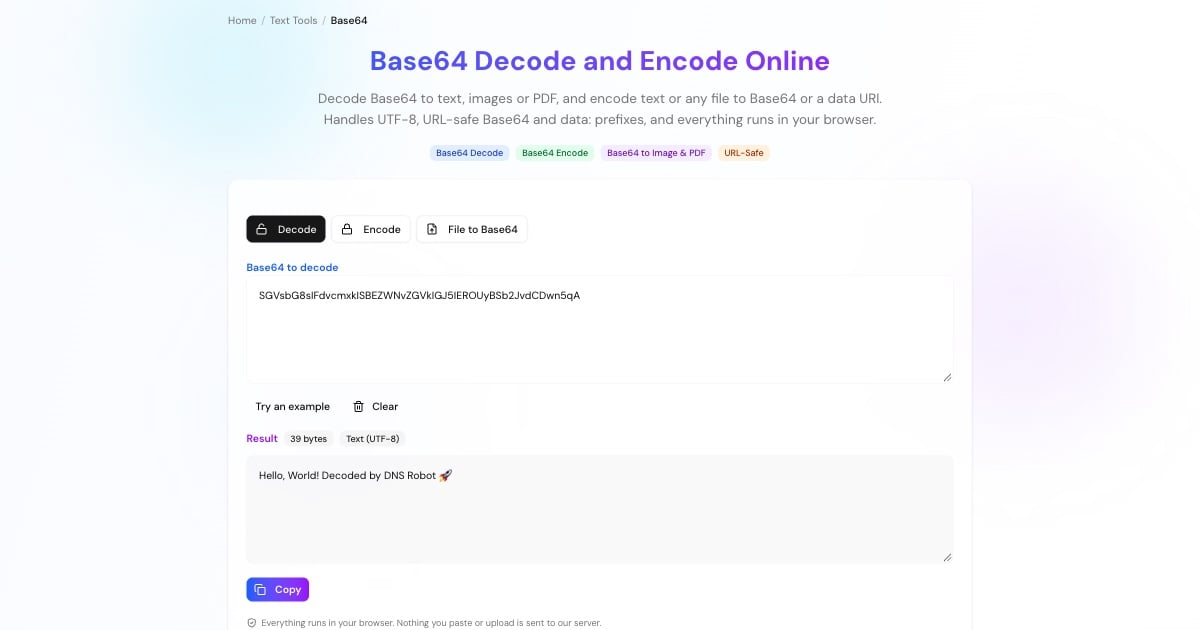
How to Decode Base64
Paste it into the Decode box. Line breaks, spaces, a data:...;base64, prefix, URL-safe characters (- and _) and missing = padding are all handled.
If the data is text, the decoded UTF-8 text appears straight away, ready to copy.
If the data is a file, the decoder recognises the format from its first bytes: images are previewed and PDFs, ZIPs and other files can be downloaded.
Advertisement
How to Encode Text or a File to Base64
Type or paste text in the Encode tab. It is encoded as UTF-8, so accents, Asian scripts and emoji round-trip correctly.
Tick URL-safe for Base64URL (used in URLs and JWTs), or wrap at 76 characters for MIME email bodies.
In File to Base64, drop any file up to 10 MB. Copy the raw Base64 or a ready-made data URI such as data:image/png;base64,... to embed it in HTML or CSS.
Base64 to Image and Base64 to PDF
Base64 often wraps a file: an image embedded in a web page or email, or a PDF returned by an API. The decoder checks the first bytes, known as magic numbers, to tell what the file is: PNG, JPEG, GIF, WebP and SVG images get a live preview, and PDF, ZIP, GZIP, MP3 and MP4 files get a download button. PDFs can also be opened in a new tab.
Going the other way, image to Base64 works in the File to Base64 tab: drop the image and copy the data URI.
Advertisement
Base64 Variants: Standard, URL-Safe, MIME and Data URIs
Uses + and / with = padding. The default in most libraries and APIs.
Swaps + and / for - and _ and usually drops the padding, so the result can sit in a URL or file name. JSON Web Tokens use it.
Standard Base64 broken into lines of 76 characters, as used for email attachments.
Base64 with a prefix that names the file type, such as data:image/png;base64,, so a browser can display it inline.
Base64 Is Encoding, Not Encryption
Base64 makes data safe to transport, not secret. Anyone can decode it in a second, including with this tool:
Never use Base64 to hide passwords or keys. An HTTP Basic authentication header is just
user:passwordin Base64, which is why it must only travel over HTTPS. Check a site's certificate with the SSL checker.JWT payloads are readable. The middle part of a JSON Web Token is Base64URL-encoded JSON, so anyone holding a token can read its claims.
Decoding here is private. This tool runs entirely in your browser; the data you paste or upload never reaches our server.
Need real secrecy? Use proper encryption, and generate strong secrets with the password generator.
Advertisement
Base64 in JavaScript, Python and the Command Line
Every language has Base64 built in. Remember to encode text as UTF-8 first, or non-English characters break.
// Encode UTF-8 text
const b64 = btoa(String.fromCharCode(...new TextEncoder().encode('héllo')))  // 'aMOpbGxv'
// Decode back to text
const text = new TextDecoder().decode(Uint8Array.from(atob(b64), (c) => c.charCodeAt(0)))import base64
b64 = base64.b64encode('héllo'.encode()).decode() # 'aMOpbGxv'
text = base64.b64decode(b64).decode() # 'héllo'
url_safe = base64.urlsafe_b64encode(b'\xfb\xff\xbf') # b'-_-_'echo -n 'hello' | base64 # aGVsbG8=
echo 'aGVsbG8=' | base64 --decode # hello
base64 -w 0 image.png > image.txt # Linux: one line, no wrapping[Convert]::ToBase64String([Text.Encoding]::UTF8.GetBytes('hello')) # aGVsbG8=
[Text.Encoding]::UTF8.GetString([Convert]::FromBase64String('aGVsbG8=')) # helloMore Encoding and Text Tools
Other converters for working with text and data: