What Does This IPv6 Test Check?
The test starts as soon as the page loads. Your browser contacts three test servers: one that only speaks IPv4, one that only speaks IPv6, and one dual-stack server that accepts both. If the IPv6-only server answers, your connection has working IPv6. The dual-stack server shows which protocol your browser chooses when it has a choice.
You also see your public IPv4 and IPv6 addresses, the provider your IPv6 address belongs to, its /64 network prefix, and whether it's native IPv6 from your ISP or comes through a tunnel such as Teredo or 6to4.
What Your IPv6 Score Means
IPv6 works and your browser picked it for the dual-stack test. You can reach IPv6-only sites and services.
IPv6 works, but your browser connected over IPv4 this time. Browsers give IPv6 a short head start, then race IPv4 against it and use whichever connects first, so this is normal.
The IPv6-only server didn't answer. Your ISP, router, VPN or device isn't providing IPv6. Most sites still work, because nearly all of them also support IPv4.
IPv6 works but the IPv4-only server didn't respond. Your network may be IPv6-only with no route to IPv4 sites, or something is blocking IPv4. Sites that support IPv6 still load; IPv4-only sites may not.
Advertisement
How to Test Your IPv6 Connection
The test runs by itself and takes a few seconds. Turn off your VPN first if you want to test your own ISP's connection, since many VPNs block IPv6.
The verdict tells you whether you have IPv6, IPv4 only or IPv6 only, with advice for your result.
See both public addresses, the IPv6 address type (native, Teredo, 6to4 or NAT64), the provider and the /64 prefix.
After you change a router or Windows setting, press Test again to confirm IPv6 now works.
Why Don't I Have IPv6?
If the test shows IPv4 only, one of these is usually the reason:
Your ISP doesn't offer IPv6 on your plan or in your area. This is still common with smaller ISPs and some business lines.
IPv6 is turned off on your router. Many routers ship with IPv6 disabled, or need the WAN IPv6 type set to match your ISP (often DHCPv6 or automatic).
A VPN is blocking IPv6. Many VPN apps disable IPv6 so your real IPv6 address can't leak around the tunnel. Disconnect and test again.
IPv6 is disabled on your device. On Windows, check that Internet Protocol Version 6 (TCP/IPv6) is ticked in your network adapter's properties.
An old router or mesh system doesn't support IPv6 at all, or doesn't pass it to devices on your Wi-Fi.
Advertisement
How to Enable IPv6
On your router: sign in to the admin page (see our router login guide), find the IPv6 or WAN settings, turn IPv6 on and choose the connection type your ISP uses. Save, restart and test again.
On Windows 11 and 10: open Control Panel → Network and Sharing Center → Change adapter settings, right-click your connection, choose Properties and tick Internet Protocol Version 6 (TCP/IPv6).
On macOS: System Settings → Network → your connection → Details → TCP/IP, and set Configure IPv6 to Automatically.
Ask your ISP whether IPv6 is available on your plan. Large ISPs such as Comcast Xfinity, T-Mobile and Reliance Jio already provide it by default.
Native IPv6, Tunnels and NAT64
Not every IPv6 address is the same. The test labels yours so you know what kind of IPv6 you have:
A global address from your ISP. This is what you want: fast and directly routed.
An old Microsoft tunnel that wraps IPv6 inside IPv4 UDP. Slow and unreliable; modern Windows no longer uses it by default.
An automatic tunnel that often breaks. RFC 7526 deprecated its anycast relays and says 6to4 must be off by default. Better turned off when native IPv6 is available.
Lets IPv6-only networks reach IPv4-only sites by translating addresses. Widely used by mobile carriers.
Advertisement
Check a Website's IPv6 Support
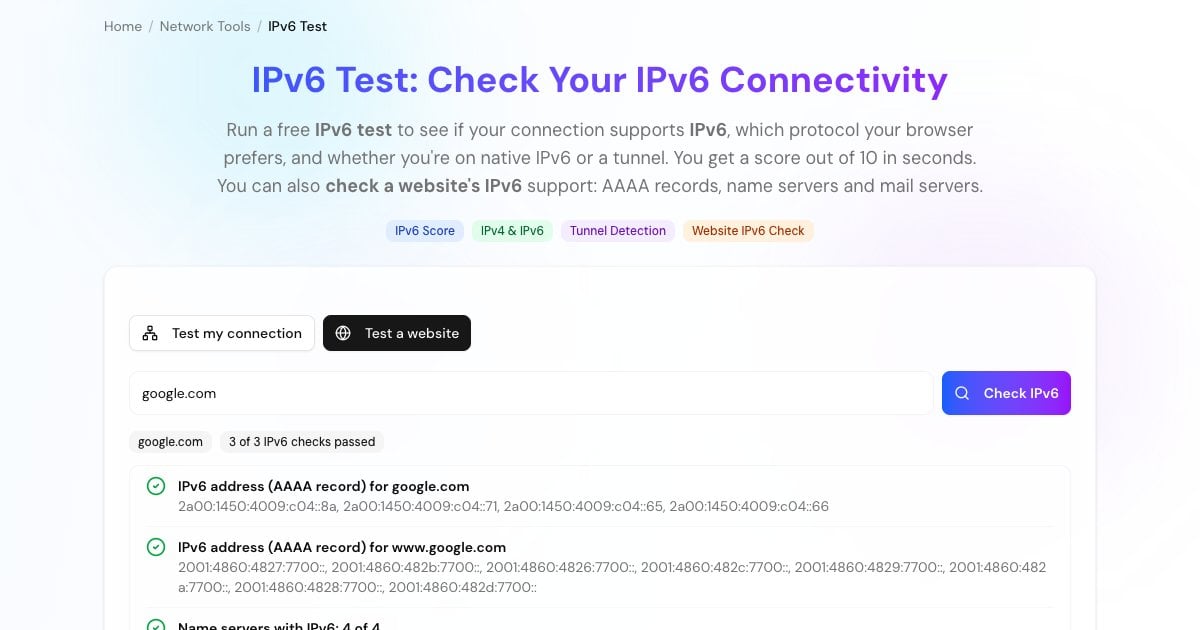
Open Test a website, enter a domain and the tool checks four things: whether the domain and its www name have AAAA records (IPv6 addresses), and whether its name servers and mail servers have IPv6 addresses too. That's what an IPv6-only visitor or mail server needs to reach the site and its email. Plenty of big sites still fail the first check: when we tested in October 2026, github.com had IPv6 name servers and mail servers but no AAAA record for the website itself.
The records are looked up through encrypted DNS in your browser. An AAAA record shows a site publishes an IPv6 address; to see every record type at once, use our DNS Lookup.
IPv6 vs IPv4 in a Nutshell
Address size: IPv4 addresses are 32 bits, about 4.3 billion in total, and the global free pool ran out in 2011. IPv6 addresses are 128 bits, enough for 3.4 × 10^38.
Format: IPv4 looks like
203.0.113.7; IPv6 looks like2001:db8::1, eight groups of hex digits where::stands for a run of zeros. Our IPv6 compression tool expands and shortens them.NAT: IPv4 networks hide many devices behind one public address. With IPv6 every device can have its own public address, while the router's firewall usually still blocks unsolicited traffic.
DNS records: IPv4 addresses live in A records, IPv6 addresses in AAAA records.
Advertisement
More Network Tools
More free tools to check your connection and IP addresses: