











TOTP Generator
Paste a 2FA secret or an otpauth:// link to get the current code and the next one. Computed in your browser: the secret is never sent.
SettingsTOTP · SHA-1 · 6 digits · 30 s
For plain secrets. An otpauth:// link carries its own settings.
Computed in your browser with Web Crypto. The secret never leaves this page and never goes into a URL.
Checking your device's clock…
What is TOTP?
TOTP (time-based one-time password, RFC 6238) turns a shared secret and the current time into a short code: the same secret and the same 30-second step give the same code on your phone and on the server.
The clock is cut into steps: T is the Unix time divided by 30, rounded down. The code is HOTP (RFC 4226) with T as the counter: an HMAC-SHA-1 of T keyed with the secret, cut to 31 bits at an offset the last byte chooses, then the last 6 digits. Nothing is sent between the phone and the server: both just compute.
The figure is RFC 6238's own test key at 00:00:59 UTC, one of the moments the RFC lists: it is step 1, and the code is the RFC's published value. The tool runs the same computation in your browser.
30-second steps since 1 January 1970
- Step 00–29 s755 224
- Step 130–59 s287 082
- Step 260–89 s359 152
- Step 390–119 s969 429
HMAC-SHA-1 of step 1, keyed with the secret
- 75
- a4
- 8a
- 19
- d4
- cb
- e1
- 00
- 64
- 4e
- 8a
- c1
- 39
- 7e
- ea
- 74
- 7a
- 2d
- 33
- ab
- The last byte's low 4 bits: offset 110xab → 11
- 4 bytes from the offset, top bit cleared: 1,094,287,0820xc1397eea
- Its last 6 digits: the code287 082
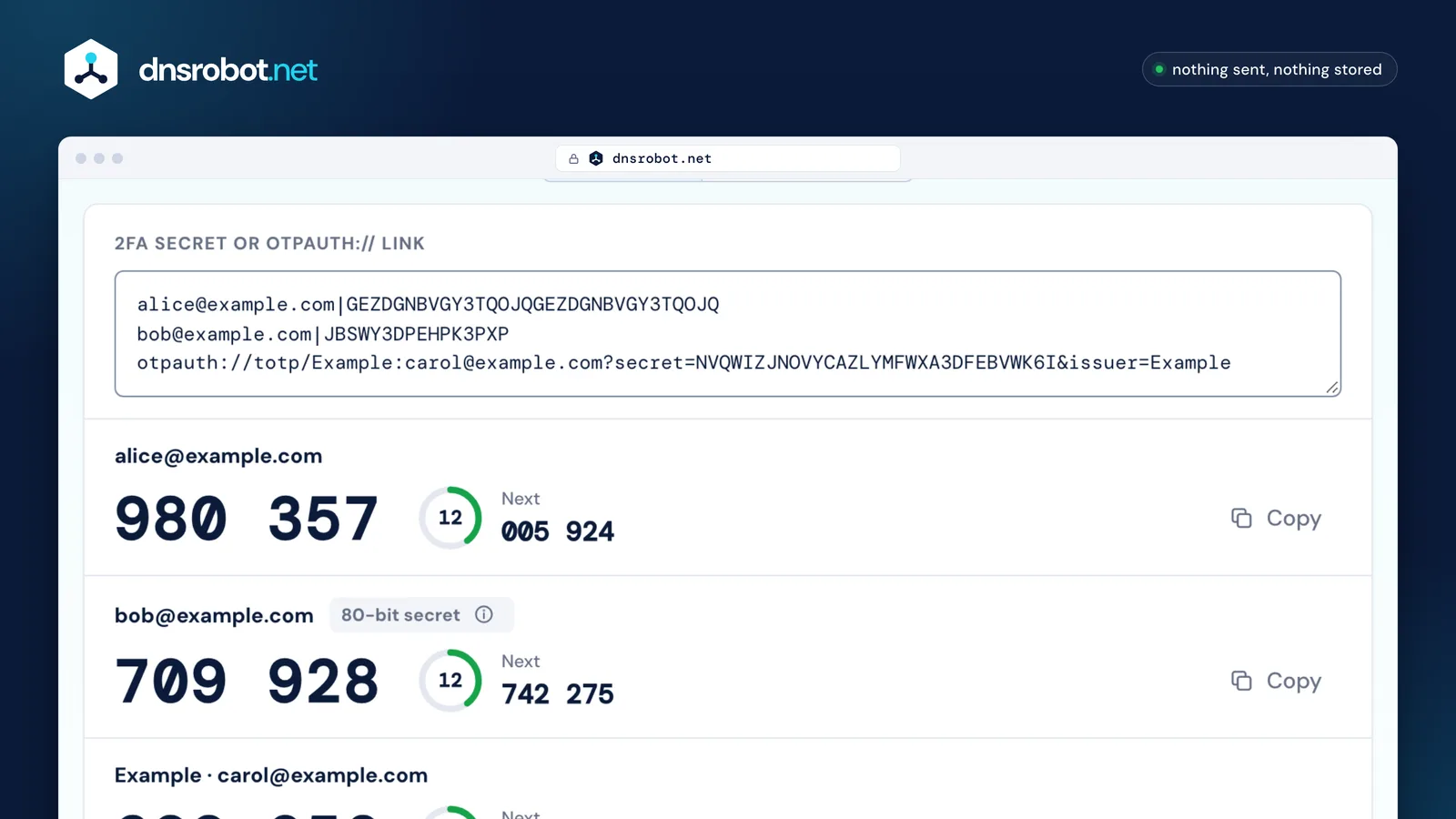
 One secret or manyA Base32 secret, an otpauth:// link, or one per line. Nothing you paste leaves the browser.The current codeComputed with Web Crypto from the secret and the 30-second step, as RFC 6238 describes it.Time left and the next codeThe ring counts down the step; the next code is ready when a login is slow or the clock is near the edge.What the key holdsSettings that aren't the defaults, and a secret shorter than the 128 bits RFC 4226 asks for.CopyCopies the code without its space. In the last five seconds, Copy next appears too.
How do I generate a key for Google Authenticator?
Make 20 random bytes, write them in Base32, and put them in an otpauth:// link with your service's name and the user's account; show that link as a QR code and the app adds the account.
Create a secret above does all of it in your browser: the secret comes from the browser's crypto.getRandomValues, and the link and QR code are built on the page. Keep the defaults (SHA-1, 6 digits, 30 s): they are what every authenticator app reads.
On a server, store the secret encrypted, check the first code the user types before turning 2FA on, allow a step of drift (RFC 6238 §5.2 and §6), and refuse a code that has already worked once. Give the user recovery codes in case the phone is lost.
- 20 random bytes
- Base32
- otpauth:// link
- QR code
 Scanned by the app
otpauth://totp/Example:alice@example.com?secret=JBSWY3DPEHPK3PXP&issuer=Example
- Scheme
- Type
- Label: issuer and account
- Secret (Base32)
- Issuer
Why is my 2FA code not working?
Most often the clock: a phone or computer whose time is off by more than a step makes codes the server no longer accepts. Turn on automatic date and time, then try again.
RFC 6238 recommends allowing at most one step for network delay and lets each server choose how much clock drift to forgive; many accept one step either side of their own. A clock off by more than about 30 seconds then starts to fail. This page checks your device's clock against our server's when it opens.
Then check the secret: a mistyped character (0 for O, 1 for I or L, 8 for B) makes a different, wrong code without any error. A setting the service didn't tell you about (SHA-256, 8 digits, 60 seconds) does the same. Last, RFC 6238 says a code that worked must not be accepted a second time: to sign in again, wait for the next one.
Google Authenticator has had no time-correction setting since version 7.0: Google's help says it uses the time setting of the phone's operating system, so fixing the phone's clock fixes its codes.
- The clock
- The secret, character by character
- Algorithm, digits and period
- A code already used
The otpauth:// format
An otpauth:// link (Google's Key Uri Format) holds everything an authenticator app needs: the type, a label, the Base32 secret, the issuer and the settings.
The label is the issuer and the account joined by a colon; the issuer should also be a parameter, because some apps read only that. Parameters left out take their defaults. The secret is Base32 without padding.
| Part | Needed | What it says |
|---|---|---|
| totp or hotp | Required | Time-based or counter-based codes. |
| label | Required | Issuer:account, shown in the app. The issuer prefix is recommended. |
| secret | Required | The shared secret in Base32. Google's page: padding “should be omitted”. |
| issuer | Strongly recommended | The service's name. Google's page: older Google Authenticator versions ignored it. |
| algorithm | Optional | SHA1 (default), SHA256 or SHA512. Google's page: ignored by Google Authenticator. |
| digits | Optional | 6 (default) or 8. Google's page: ignored on Android and BlackBerry. |
| period | Optional | Seconds per step, 30 by default (TOTP only). Google's page: ignored by Google Authenticator. |
| counter | HOTP only | The starting counter, required for hotp links. |
TOTP vs HOTP
HOTP (RFC 4226) moves to the next code when you ask for one; TOTP (RFC 6238) moves every 30 seconds by itself. The computation is the same: only the counter differs.
An HOTP code stays good until it is used, which is convenient and is also its weakness: a code someone sees can be used later. TOTP codes expire on their own. When an HOTP token is pressed without logging in, the server falls behind: RFC 4226 recommends a look-ahead window, in which the server tries the next few counters and catches up when one matches.
TOTP: the clock moves the counter
- 0 sCounter 0755 224
- 30 sCounter 1287 082
- 60 sCounter 2359 152
- 90 sCounter 3969 429
HOTP: each press moves the counter
- Press 1Counter 0755 224
- Press 2Counter 1287 082
- Press 3Counter 2359 152
- Press 4Counter 3969 429
Is it safe to paste a 2FA secret into a website?
Only into one that never sends it anywhere. This page computes the codes in your browser with Web Crypto: the secret never leaves the page, never goes into a URL and isn't stored.
A 2FA secret is as sensitive as a password: anyone who has it can make your codes. On this page it lives only in the text box and the page's memory: no request carries it, it isn't written to the address bar, history or browser storage, and it's gone when you close the tab. Our automated tests type a secret and fail if the page makes any request after it.
For everyday logins, keep secrets in an authenticator app. This page is for checking codes, testing a 2FA setup, or reading a key you already hold.
Your browser
- Your secret
- Decoded from Base32
- HMAC in Web Crypto
- Your code
Our server
Nothing is sent
0 requests carry the secret
TOTP Generator FAQ
How do I get a 2FA code from a secret key?
What is an otpauth:// link?
otpauth://totp/Example:alice@example.com?secret=JBSWY3DPEHPK3PXP&issuer=Example. It holds the type (totp or hotp), a label, the Base32 secret, the issuer and any non-default settings. Paste one above and the page reads all of them.Why does my authenticator show a different code?
Can I use SHA-256 or 8 digits?
Is my secret sent anywhere?
What is a TOTP secret?
How do I move 2FA to a new phone?
Is TOTP the same as an SMS code?
Missing something?Suggest a feature or a new tool
Related tools
Password Generator
Strong random passwords, passphrases and PINs made in your browser, each with its exact bits and crack time
Password Strength Tester
How long a password takes to crack by 8 named attacks, the patterns that weaken it, and a private breach check
QR Code Scanner
Scan QR codes from webcam or uploaded images instantly
QR Code Generator
Make QR codes for links, Wi-Fi, contacts, WhatsApp and UPI or Pix payments, with your logo and colours, read back before you download SVG, PNG or PDF