IPv4 vs IPv6: Key Differences, Speed Test & Which to Use
Advertisement
IPv4 vs IPv6 at a Glance
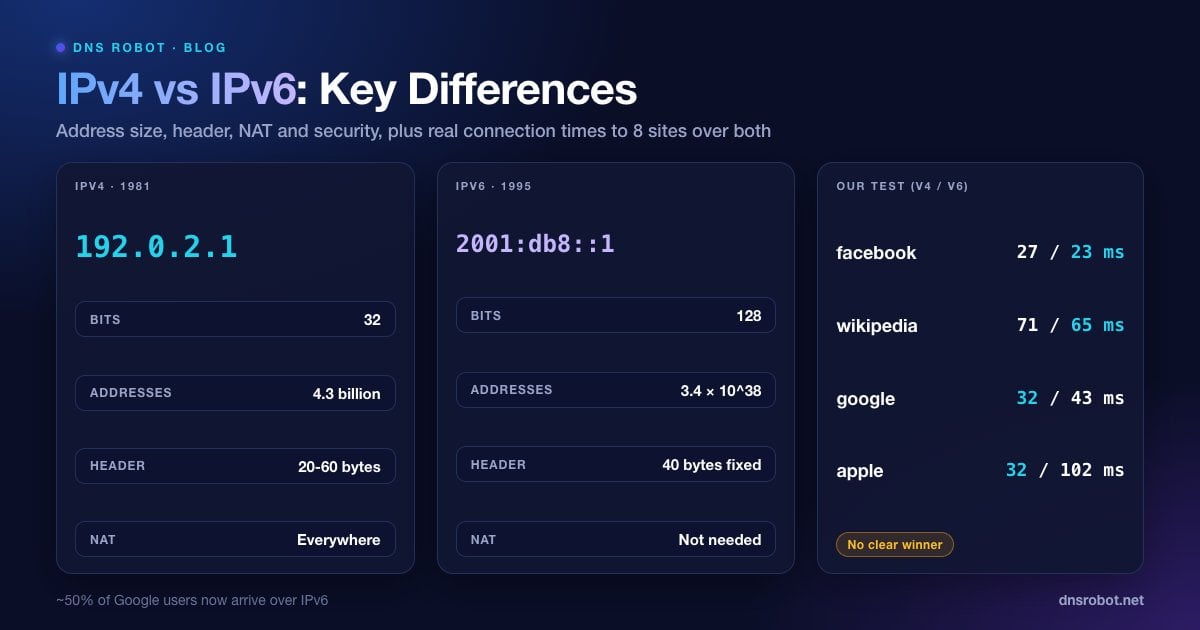
IPv4 and IPv6 are the two versions of the Internet Protocol, the rules that give every device an address and move packets between them. IPv4 has run the internet since 1983. IPv6 was designed in the 1990s because IPv4 was running out of addresses, and today the two run side by side. Here's how they compare:
| Feature | IPv4 | IPv6 |
|---|---|---|
| Address length | 32 bits | 128 bits |
| Number of addresses | About 4.3 billion (2^32) | About 3.4 × 10^38 (2^128) |
| Example | 192.0.2.1 | 2001:db8::1 |
| Notation | 4 decimal numbers, dots | 8 groups of 4 hex digits, colons |
| Header size | 20 to 60 bytes, variable | 40 bytes, fixed |
| Header checksum | Yes | No (left to other layers) |
| Fragmentation | Senders and routers | Sender only |
| Address setup | DHCP or manual | SLAAC, DHCPv6 or manual |
| Finding a neighbour's MAC | ARP | Neighbor Discovery (ICMPv6) |
| Broadcast | Yes | No, multicast instead |
| NAT | Almost everywhere | Not needed |
| DNS record | A | AAAA |
| Loopback | 127.0.0.1 | ::1 |
| Private range | 10.0.0.0/8, 172.16.0.0/12, 192.168.0.0/16 | fc00::/7 (unique local) |
What Is IPv4?
IPv4 (Internet Protocol version 4, RFC 791) was published in 1981. Its addresses are 32 bits long and written as four numbers from 0 to 255, such as 203.0.113.45. That allows 4,294,967,296 addresses, and once you remove the private, multicast and reserved ranges, about 3.7 billion are usable on the public internet.
That wasn't enough for a world of phones, laptops and smart TVs. IANA handed out its last free blocks in February 2011, ARIN (North America) ran out in September 2015 and RIPE NCC (Europe) in November 2019. Today organisations that need more IPv4 addresses mostly buy or lease them on a transfer market.
The internet kept growing on IPv4 thanks to NAT (network address translation): your router shares one public IPv4 address among every device at home, giving each a private address like 192.168.1.20. Many ISPs, especially mobile ones, add a second layer called carrier-grade NAT (CGNAT) and share one public address among many customers.
Advertisement
What Is IPv6?
IPv6 (Internet Protocol version 6) was first specified in 1995 (RFC 1883) and revised in 1998 (RFC 2460); its current specification is RFC 8200 from 2017. Its addresses are 128 bits long, written as eight groups of four hexadecimal digits: 2001:0db8:0000:0000:0000:ff00:0042:8329, or 2001:db8::ff00:42:8329 once zeros are shortened.
The address space is so large that a single local network, such as your home Wi-Fi, normally uses a /64: 2^64, or about 18 quintillion, addresses for one Wi-Fi network. Every device can have its own public address again, and NAT isn't needed.
Adoption has crept up for over a decade. Google's measurements show the share of users reaching Google over IPv6 swinging between about 46% midweek and 51.7% on Saturday 3 October 2026, higher at weekends most likely because more people are on mobile and home connections, which lead adoption.
Global unicast (
2000::/3): public addresses, the ones that start with 2 or 3.Link-local (
fe80::/10): every IPv6 interface has one; it only works on the local network.Unique local (
fc00::/7, in practicefd00::/8): private addresses, like 192.168.x.x in IPv4.Multicast (
ff00::/8): one-to-many delivery, which replaces IPv4 broadcast.
The Key Differences Explained
The bigger address is the headline, but IPv6 also changed how networks work day to day:
Simpler header. IPv6 drops the header checksum and optional fields from the main header and uses a fixed 40-byte layout, so routers can process packets with less work.
No fragmentation by routers. An IPv6 router never splits a packet. It sends a "Packet Too Big" message and the sender adjusts, which is why blocking all ICMPv6 can break IPv6 sites. Every IPv6 link must carry packets of at least 1,280 bytes.
Automatic configuration. With SLAAC, a device builds its own address from the network prefix the router advertises, with no DHCP server needed. DHCPv6 is still available for networks that want central control.
Neighbor Discovery instead of ARP. IPv6 finds other devices' MAC addresses with ICMPv6 messages rather than ARP broadcasts.
End-to-end addressing. Without NAT, a device's address is the same inside and outside the network, which makes peer-to-peer apps, gaming and remote access simpler, and makes the firewall the thing that keeps unwanted traffic out.
Advertisement
How to Read and Shorten an IPv6 Address
Two rules make IPv6 addresses shorter. First, leading zeros in each group can be dropped (0db8 becomes db8). Second, one run of all-zero groups can be replaced with ::, but only once per address, otherwise you couldn't tell how many zeros each :: stands for.
Full:        2001:0db8:0000:0000:0000:ff00:0042:8329
No leading 0s: 2001:db8:0:0:0:ff00:42:8329
Compressed:  2001:db8::ff00:42:8329

Loopback:    0000:0000:0000:0000:0000:0000:0000:0001  ->  ::1
IPv4-mapped: ::ffff:192.0.2.1  (an IPv4 address inside IPv6)
With a port: [2001:db8::1]:443 (brackets keep the colons apart)Is IPv6 Faster Than IPv4? We Tested It
In theory IPv6 can be quicker because it skips NAT and has a simpler header. In practice the route your packets take matters far more. We measured the TCP connection time to 8 large dual-stack sites over both protocols from a Jio fibre line in India on 5 October 2026 (median of 5 tries each, curl -4 vs curl -6):
| Site | IPv4 | IPv6 | Faster |
|---|---|---|---|
| www.facebook.com | 27 ms | 23 ms | IPv6 |
| www.wikipedia.org | 71 ms | 65 ms | IPv6 |
| www.cloudflare.com | 30 ms | 29 ms | IPv6 (tie) |
| www.netflix.com | 33 ms | 35 ms | IPv4 (tie) |
| www.youtube.com | 34 ms | 37 ms | IPv4 |
| www.google.com | 32 ms | 43 ms | IPv4 |
| www.microsoft.com | 39 ms | 52 ms | IPv4 |
| www.apple.com | 32 ms | 102 ms | IPv4 |
There's no consistent winner. Most results are within a few milliseconds, and the big gap on apple.com most likely came from IPv6 traffic being routed to a more distant server at that moment, not from the protocol. Your results will differ by ISP and location.
You rarely feel these gaps because browsers use Happy Eyeballs (RFC 8305): they try IPv6 first and, if it hasn't connected within about 250 to 300 ms, race an IPv4 connection and use whichever answers first. On mobile networks that are IPv6-only behind NAT64, IPv6 often has the edge because it avoids the translation step.
Advertisement
Is IPv6 More Secure Than IPv4?
Not automatically. IPsec, often quoted as an IPv6 security feature, works with both versions, and current standards treat IPv6 IPsec support as recommended rather than required. The security differences are mostly practical:
No NAT means the firewall matters. With IPv4, NAT hides home devices as a side effect. With IPv6 each device has a public address, so the router's firewall must block unsolicited inbound traffic. Most home routers do this by default, but it's worth checking.
Privacy addresses. Early IPv6 built addresses from the device's MAC address, which made it trackable everywhere. Most modern systems use temporary random addresses (RFC 8981) for outgoing connections.
Scanning is much harder. A /64 network has 18 quintillion addresses, so attackers can't sweep it the way they sweep IPv4 ranges.
Two stacks, two sets of rules. Firewalls, VPNs and monitoring tools must cover both protocols, or IPv6 becomes the unguarded side door.
How to Check if You Have IPv6
The quickest way is our IPv6 Test, which tells you in a few seconds whether your connection is IPv4-only, IPv6-only or dual stack. From the command line:
# Windows: look for an "IPv6 Address" starting with 2 or 3 (fe80:: is link-local only)
ipconfig
ping -6 google.com

# macOS
ifconfig | grep inet6
ping6 google.com

# Linux
ip -6 addr show scope global
ping -6 google.com
If you only see addresses starting with fe80::, your device has IPv6 switched on but your network isn't giving it a public IPv6 address. That's set on the router; many ISPs support IPv6 but leave it to be enabled in the router's WAN or IPv6 settings.
Advertisement
Should You Disable IPv6?
Usually not. Windows, macOS, Android and iOS all ship with IPv6 turned on, and Microsoft specifically advises against disabling it: Windows is tested with IPv6 enabled and some components may stop working without it. If you need IPv4 to win, Microsoft recommends changing the prefix policy to prefer IPv4 instead. When IPv6 is broken on a network, Happy Eyeballs already falls back to IPv4 in a fraction of a second.
Turning it off makes sense only as a temporary troubleshooting step, or when a VPN can't protect IPv6 traffic. Even then, a VPN that tunnels or blocks IPv6 traffic is the better fix.
How IPv4 and IPv6 Work Together
The switch to IPv6 is gradual, so networks use a few techniques to keep both working:
Dual stack: devices and servers run IPv4 and IPv6 at the same time. This is the most common setup on home broadband.
NAT64 and DNS64: an IPv6-only network reaches IPv4-only sites through a translator. DNS64 creates IPv6 addresses for those sites, often inside the well-known
64:ff9b::/96prefix.464XLAT: used by many mobile carriers on IPv6-only networks so that apps which only understand IPv4 keep working.
Tunnels: IPv6 packets wrapped in IPv4 (or the reverse) to cross networks that only carry one version. Older automatic tunnels such as 6to4 are discouraged, and 6to4's public anycast relays were deprecated in 2015 (RFC 7526).
Websites take part by publishing an AAAA record next to their A record. You can see whether a domain has one with our DNS Lookup, or check your own site's reachability over both protocols in the website tab of the IPv6 Test.
Does your connection have working IPv6?
Run DNS Robot's IPv6 Test to see in seconds whether you're on IPv4 only, IPv6 only or dual stack, with both of your public addresses side by side.
Try IPv6 TestAdvertisement
Frequently Asked Questions
Address size. IPv4 addresses are 32 bits (about 4.3 billion addresses) and IPv6 addresses are 128 bits (about 3.4 × 10^38), which removes the address shortage and the need for NAT.