








DNS_PROBE_FINISHED_NXDOMAIN: What It Means & How to Fix It
 Shaik Vahid10 min read
Key takeaway
DNS_PROBE_FINISHED_NXDOMAIN means Chrome couldn't get an address for the name, even though your DNS server answered Chrome's own test lookup, so Chrome concludes the domain doesn't exist. Usually it really is a "no such domain" (NXDOMAIN) answer: a typo, an expired domain, a cached "doesn't exist", Quad9 blocking it, or a VPN. Look the name up from public DNS: if it resolves there, the problem is on your side; if it fails everywhere, the domain itself is broken or expired.
Check it now

Start reading
- What Is DNS_
PROBE_ FINISHED_ NXDOMAIN? - What This Error Looks Like in Other Browsers
- NXDOMAIN vs Chrome's Other DNS_
PROBE Errors - Common Causes of DNS_
PROBE_ FINISHED_ NXDOMAIN - Fix 1: Check the Domain Name Spelling
- Fix 2: Flush Your DNS Cache
- Fix 3: Clear Chrome's Internal DNS Cache
- Fix 4: Switch to a Public DNS Server
- Fix 5: Check Your Hosts File
- Fix 6: Check Chrome's Secure DNS Setting
- Fix 7: Disable VPN or Antivirus Temporarily
- Fix 8: Check the Domain's Registration Status
- NXDOMAIN on Local Development Names
- Fix DNS_
PROBE_ FINISHED_ NXDOMAIN on Android - Fix DNS_
PROBE_ FINISHED_ NXDOMAIN on iPhone / iPad - How to Verify the Fix Worked
- Frequently Asked Questions
What Is DNS_PROBE_FINISHED_NXDOMAIN?
DNS_PROBE_FINISHED_NXDOMAIN means Chrome couldn't get an address for the website's name, while your DNS server answered Chrome's own test lookup, so Chrome concludes the domain doesn't exist. Usually that's a real NXDOMAIN ("non-existent domain") answer; a lookup that failed for another reason, such as a broken DNSSEC signature (SERVFAIL), shows the same page. Chrome titles it "This site can't be reached". People often search it as DNS_PROBE_NXDOMAIN; Chromium has no such code, it's the same error.
The one test that matters: look the name up from public DNS (the DNS Lookup below, or nslookup example.com 1.1.1.1). If public DNS finds it, the cause is on your side: a typo, a stale cache, your DNS server, a filtering service or a VPN. If public DNS says NXDOMAIN too, the domain is mistyped, expired or misconfigured, and only its owner can fix it.
Often the cause is a typo or something on your side, which you can fix in minutes; the steps below go from the quickest checks to the domain itself.
Does the domain exist in public DNS? Check now
What This Error Looks Like in Other Browsers
Every browser displays this DNS error differently, but the root cause is always the same — the domain could not be resolved.
| Browser | Error Message |
|---|---|
| Google Chrome | This site can't be reached — dns_probe_finished_nxdomain |
| Mozilla Firefox | Hmm. We're having trouble finding that site. |
| Microsoft Edge | Hmmm... can't reach this page |
| Safari | Safari Can't Find the Server |
| Brave | This site can't be reached — dns_probe_finished_nxdomain |
| Opera | This site can't be reached — dns_probe_finished_nxdomain |
Chromium-based browsers (Chrome, Edge, Brave, Opera) all show the same DNS_PROBE_FINISHED_NXDOMAIN code. Firefox and Safari show a more user-friendly message but the underlying problem is identical.
NXDOMAIN vs Chrome's Other DNS_PROBE Errors
Chrome runs a quick DNS check when a page fails to load and names the result with a DNS_PROBE code. Only one of them means the name doesn't exist:
| Code | What Chrome found | Where to look |
|---|---|---|
| DNS_PROBE_FINISHED_NXDOMAIN | Your DNS server works, but this name got no address (usually NXDOMAIN) | The spelling, then public DNS (this guide) |
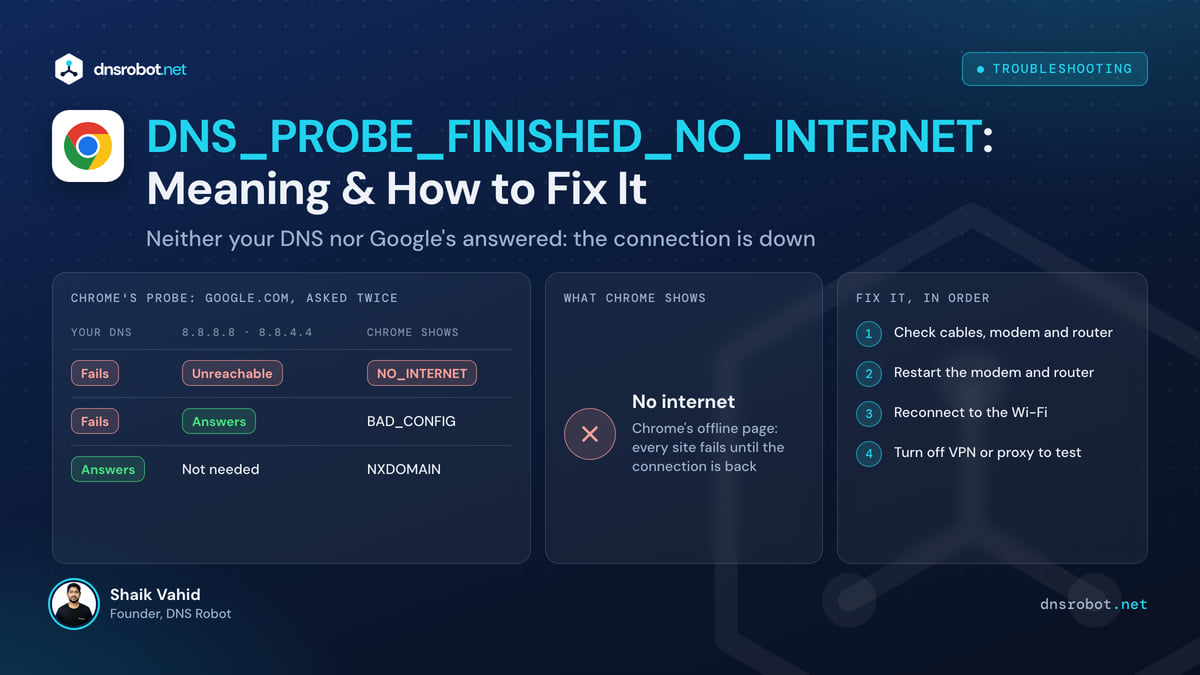
| DNS_PROBE_FINISHED_NO_INTERNET | No connection to any DNS server | Wi-Fi, cables, the router |
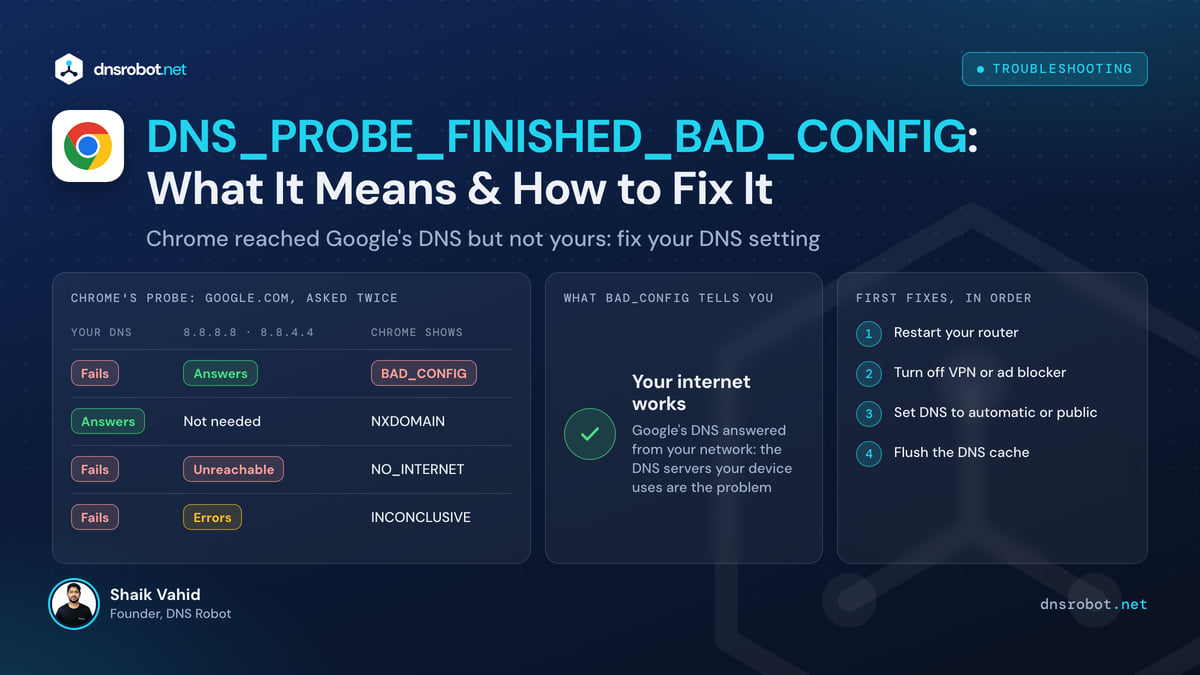
| DNS_PROBE_FINISHED_BAD_CONFIG | The configured DNS server doesn't answer properly | Your DNS settings: DNS server not responding |
| DNS_PROBE_FINISHED_BAD_SECURE_CONFIG | Chrome's Secure DNS (DNS-over-HTTPS) provider can't be reached | Settings → Privacy and security → Security → Use secure DNS |
| DNS_PROBE_STARTED / DNS_PROBE_POSSIBLE | The check is still running (STARTED), or a probe is possible but hasn't run (POSSIBLE) | DNS_PROBE_STARTED |
Chrome's ERR_NAME_NOT_RESOLVED is the same "no address for this name" failure, shown when Chrome doesn't run its check or the check is inconclusive: see ERR_NAME_NOT_RESOLVED.
Common Causes of DNS_PROBE_FINISHED_NXDOMAIN
The causes split into your side (most of them) and the domain's side.
- Typo in the URL — A very common cause. A single wrong character (e.g., gogle.com instead of google.com) triggers NXDOMAIN because the misspelled domain does not exist in DNS.
- A cached "doesn't exist" — your computer or your DNS server stored an earlier NXDOMAIN answer, for example from before the domain was set up, and repeats it until it expires
- Chrome's internal DNS cache — Chrome maintains its own DNS cache separate from your OS. Even after flushing the system cache, Chrome may still use a stale internal entry.
- A filtering DNS service — Quad9 answers NXDOMAIN for the domains it blocks, so a working site looks like it doesn't exist. (Pi-hole, AdGuard and Cloudflare for Families answer 0.0.0.0 by default, which shows a connection error instead)
- Domain not registered or expired — The website owner forgot to renew the domain, or the domain was never registered in the first place.
- A brand-new domain — a resolver that asked before the domain was set up keeps the "doesn't exist" answer for the zone's negative-caching time: 15 minutes for .com and .net
- A local name that isn't in your hosts file — development names like
myapp.testexist only where you define them (a wrong hosts entry gives a connection error instead, not NXDOMAIN) - VPN or firewall blocking — A VPN, proxy, or firewall is intercepting DNS queries and blocking or redirecting the domain.
- ISP DNS server issue — Your internet provider's DNS server is returning NXDOMAIN incorrectly, or it has not yet received the domain's DNS records.
Fix 1: Check the Domain Name Spelling
Check the URL in your address bar carefully: one wrong character is enough.
Look for common typos: missing letters (goole.com), extra letters (googgle.com), wrong TLD (.con instead of .com), or mixed-up characters (goog1e.com with a number 1 instead of letter l).
If someone sent you the link, try searching for the website on Google instead of clicking the link directly. If the domain truly does not exist, no search result will appear.
Fix 2: Flush Your DNS Cache
If the domain is spelled correctly, the next step is flushing your operating system's DNS cache. This clears all stored DNS entries and forces fresh lookups.
# Windows (Command Prompt as Administrator)
ipconfig /flushdns

# macOS
sudo dscacheutil -flushcache; sudo killall -HUP mDNSResponder

# Linux (systemd-resolved)
sudo resolvectl flush-caches

# Chrome OS
chrome://net-internals/#dns → Clear host cache
After flushing, try loading the website again. If the domain's DNS records were recently updated, flushing your cache allows your system to fetch the new records.
The commands for every system, routers included: how to flush DNS.
Fix 3: Clear Chrome's Internal DNS Cache
Chrome maintains its own DNS cache that is completely separate from your OS cache. Flushing the system cache alone is not enough — you must also clear Chrome's internal cache.
- Open Chrome and type
chrome://net-internals/#dnsin the address bar - Click "Clear host cache" to flush all cached DNS entries in Chrome
- Then go to
chrome://net-internals/#socketsand click "Flush socket pools" to reset open connections - Try loading the website again — Chrome will now perform a completely fresh DNS lookup
Fix 4: Switch to a Public DNS Server
Your ISP's DNS server may be returning incorrect NXDOMAIN responses, or it may not have the domain's records yet. Switching to a reliable public DNS server often resolves this.
| Provider | Primary DNS | Secondary DNS | Best For |
|---|---|---|---|
| Cloudflare | 1.1.1.1 | 1.0.0.1 | Speed and privacy |
| Google Public DNS | 8.8.8.8 | 8.8.4.4 | Reliability |
| Quad9 | 9.9.9.9 | 149.112.112.112 | Malware blocking |
| OpenDNS | 208.67.222.222 | 208.67.220.220 | Content filtering |
Change DNS on Windows
- Open Settings → Network & internet → Wi-Fi → Manage known networks → your network (for a cable: Ethernet → your network)
- Find DNS server assignment on that page
- Click Edit next to DNS server assignment → switch to Manual
- Enable IPv4 and set Preferred DNS to
1.1.1.1, Alternate to1.0.0.1 - Click Save and test the website again
Change DNS on macOS
- Open System Settings → Network → Wi-Fi → Details
- Click DNS in the sidebar
- Remove existing entries and add
1.1.1.1and1.0.0.1 - Click OK
Fix 5: Check Your Hosts File
Your hosts file maps names to addresses before DNS is asked. A wrong entry there (127.0.0.1 example.com) gives the name an address, so it shows as a refused or wrong site, not NXDOMAIN; remove such lines anyway, since malware and old ad-blockers add them.
Where the hosts file does cause NXDOMAIN is the reverse: a local development name (myapp.test, api.local) that you never added. Public DNS has never heard of it, so the lookup fails.
# Windows — open as Administrator:
notepad C:\Windows\System32\drivers\etc\hosts

# macOS / Linux:
sudo nano /etc/hosts

# Look for lines like:
# 127.0.0.1  example.com    ← This blocks the domain!
# 0.0.0.0    example.com    ← This also blocks it!

# If you find the domain listed, delete that line and save.After editing, save the file and flush the DNS cache (Fix 2).
Fix 6: Check Chrome's Secure DNS Setting
Chrome can send DNS lookups to its own provider over HTTPS instead of your system's DNS. If that provider filters (a family or security DNS), Chrome gets "no such domain" for sites other browsers load fine. (If the provider is unreachable, Chrome shows DNS_PROBE_FINISHED_BAD_SECURE_CONFIG instead.)
- Open
chrome://settings/security(Settings → Privacy and security → Security) - Find "Use secure DNS" and note which provider is selected
- Switch the "Select DNS provider" choice to OS default (when available), or to Google or Cloudflare, then reload the site
- Edge:
edge://settings/privacy→ Security → "Use secure DNS"
If changing the provider fixes it, the previous one was blocking or failing to resolve that domain.
Fix 7: Disable VPN or Antivirus Temporarily
VPNs send your DNS queries to their own servers, and security software, Pi-hole, routers and family DNS services filter names they consider risky. Quad9 answers NXDOMAIN for a blocked domain, so the site looks like it doesn't exist; most other filters answer 0.0.0.0, which shows a connection error instead.
Turn the VPN or filter off and reload. To see a Quad9 block for certain, use dig: Quad9's documentation says a domain it blocks returns NXDOMAIN with AUTHORITY: 0 (and no ra flag), while a domain that really doesn't exist comes back with the zone's SOA record (AUTHORITY: 1). Quad9's own test domain is isitblocked.org:
dig isitblocked.org @9.9.9.9

# ;; ->>HEADER<<- opcode: QUERY, status: NXDOMAIN
# ;; flags: qr rd ad; QUERY: 1, ANSWER: 0, AUTHORITY: 0   ← blocked by Quad9

# A name that really doesn't exist:
# ;; flags: qr rd ra; QUERY: 1, ANSWER: 0, AUTHORITY: 1 ← the zone's SOA comes backFix 8: Check the Domain's Registration Status
If none of the fixes above work, the domain itself may genuinely be unregistered or expired. This is especially common with new websites, recently changed domains, or domains that the owner forgot to renew.
To verify the domain's status:
- Use DNS Robot's WHOIS Lookup at /whois-lookup — enter the domain and check the registration and expiry dates
- Use DNS Robot's DNS Lookup at /dns-lookup — if no A, AAAA, or NS records exist, the domain has no DNS configuration
- New domain or new record? A resolver that looked the name up before it existed keeps the "doesn't exist" answer for the negative-caching time in the zone's SOA record (RFC 2308): 15 minutes for .com and .net, usually under an hour elsewhere. Public DNS may already see it while your ISP's resolver still says NXDOMAIN
- Registered but not resolving? If WHOIS shows the domain but it has no nameservers, or its status is clientHold or serverHold (after an expiry or an unverified registrant email), the TLD answers NXDOMAIN: fix it at the registrar. Nameservers that simply lack the zone give SERVFAIL or REFUSED instead
NXDOMAIN on Local Development Names
If the failing name is one you made up for development (myapp.test, api.local, a Docker service name), public DNS has never heard of it, so NXDOMAIN is the correct answer. Make the name resolve on your machine instead:
- Use localhost —
http://localhost:8000andhttp://127.0.0.1:8000always resolve; most dev servers (Django, Rails, Vite, Next.js) print one of them - Add the name to your hosts file —
127.0.0.1 myapp.test, then flush the DNS cache - Docker names — a service name like
dbresolves only inside the Docker network; from your computer uselocalhostand the published port .localnames — they use multicast DNS (mDNS), built into macOS, iOS and Windows 10 and 11; on Linux, enable Avahi or systemd-resolved's mDNS
Fix DNS_PROBE_FINISHED_NXDOMAIN on Android
The NXDOMAIN error appears on Android's Chrome browser with the same error code. Here is how to fix it.
- Clear Chrome's cache: Open Chrome → Settings → Privacy and security → Delete browsing data → tick Cached images and files → Delete data
- Check Private DNS: Settings → Network & internet → Private DNS (what it does). If it points at a filtering service, set it to Automatic or
dns.google - Toggle airplane mode: Turn airplane mode on for 10 seconds, then off — this forces a fresh network connection and DNS lookup
- Update Chrome: Open Play Store → search Chrome → tap Update if available
- Restart your device if none of the above works
Fix DNS_PROBE_FINISHED_NXDOMAIN on iPhone / iPad
On iOS, Safari shows "Safari Can't Find the Server" instead of the Chrome error code. If you use Chrome on iOS, you will see the DNS_PROBE_FINISHED_NXDOMAIN message. Here is how to fix it.
- Change DNS: Go to Settings → Wi-Fi → tap the (i) icon next to your network → Configure DNS → Manual → add
1.1.1.1and1.0.0.1 - Clear Safari's cache: Settings → Apps → Safari → Clear History and Website Data
- Clear Chrome's cache: in Chrome tap ⋯ (More) → Delete Browsing Data
- Toggle airplane mode: Turn on for 10 seconds, then off to reset the network connection
- Restart your device to clear all temporary DNS state
How to Verify the Fix Worked
After applying a fix, verify that DNS resolution is working for the specific domain.
# Test DNS resolution directly
nslookup example.com

# Test with a specific DNS server
nslookup example.com 1.1.1.1

# Detailed test (Mac/Linux)
dig example.com

# status: NXDOMAIN from your own resolver? Confirm with a public one
# before concluding the domain doesn't exist:
dig example.com @1.1.1.1
If nslookup returns an IP address, DNS is working and the website should load. If it still returns "Non-existent domain", either the domain is genuinely unregistered, or you need to try a different DNS server.
You can also use DNS Robot's DNS Lookup tool to check if the domain resolves from multiple global servers — this confirms whether the issue is local to your device or a global DNS problem.
Check if the domain exists in DNS
Look the domain up in DNS Robot's free DNS Lookup: it asks public resolvers directly. If they find it, your DNS, cache or filter is the problem; if they say NXDOMAIN too, the domain itself is broken or expired.
Sources
Frequently Asked Questions
What does DNS_PROBE_FINISHED_NXDOMAIN mean?
Is DNS_PROBE_NXDOMAIN the same error?
How do I fix DNS_PROBE_FINISHED_NXDOMAIN in Chrome?
Why do I keep getting DNS_PROBE_FINISHED_NXDOMAIN on every website?
How do I fix DNS_PROBE_FINISHED_NXDOMAIN on Android?
Can a DNS filter or ad-blocker cause NXDOMAIN?
Is DNS_PROBE_FINISHED_NXDOMAIN a virus?
What is the difference between NXDOMAIN and SERVFAIL?
Why does a new domain show DNS_PROBE_FINISHED_NXDOMAIN?
How do I check if a domain returns NXDOMAIN?
About the author
Shaik VahidFounder of DNS Robot. Vahid spent years in web hosting support fixing domains, DNS records, SSL certificates and email delivery for customers. He builds DNS Robot's tools and writes these guides from the errors people actually hit.
Related Articles
DNS_PROBE_FINISHED_BAD_CONFIG: What It Means & How to Fix It
DNS_PROBE_FINISHED_BAD_CONFIG means Chrome reached Google's DNS but not yours: your DNS servers are wrong or down. See how Chrome decides it and how to fix it.
DNS_PROBE_FINISHED_NO_INTERNET: Meaning & How to Fix It
DNS_PROBE_FINISHED_NO_INTERNET means Chrome couldn't reach your DNS or Google's 8.8.8.8: your connection is down. Find where it breaks and get back online.
How to Fix DNS Server Not Responding (Step-by-Step)
Fix "DNS server not responding" on Windows, Mac, phones and consoles: what the message means, the quick fixes that work, and how to check DNS is back.


