











192.168.178.1 Login: FRITZ!Box Admin, Password and fritz.box
192.168.178.1 login: open your FRITZ!Box at fritz.box, find the password on its type label, and change your Wi-Fi password.

A common router address
Or an admin hostname:28 more
Page didn't open? Try these fixes
- 1
Connect to the router's Wi-Fi or cable, and turn off mobile data. The admin page only works inside that network.
- 2
Use http://, not https://. Most routers have no certificate, so https:// fails or shows a warning.
- 3
Try the other common addresses above. Your router may use 192.168.0.1, 10.0.0.1 or 192.168.100.1 instead.
- 4
Look up your router's real address (the default gateway) with the steps at the bottom of this tool.
- 5
Turn off VPN, proxy and private DNS apps, or try another browser.
- 6
Still nothing? Restart the router, wait two minutes and try again. As a last resort, hold the reset button for 10 seconds (this erases your settings).
What Is 192.168.178.1?
192.168.178.1 is the factory address of the AVM FRITZ!Box: DSL, cable, fibre and LTE/5G models, and the ones that connect to a separate modem. The same user interface opens at fritz.box and at the emergency address 169.254.1.1. At factory settings the FRITZ!Box gives your devices addresses from 192.168.178.20 to 192.168.178.200.
Many internet providers supply a FRITZ!Box: in Germany 1&1 (as the 1&1 HomeServer), Vodafone, o2, EWE, NetCologne, M-net, PŸUR, easybell and Deutsche Glasfaser, in Austria A1, in the Netherlands Freedom and in Luxembourg Tango. Their help pages send customers to fritz.box or 192.168.178.1.
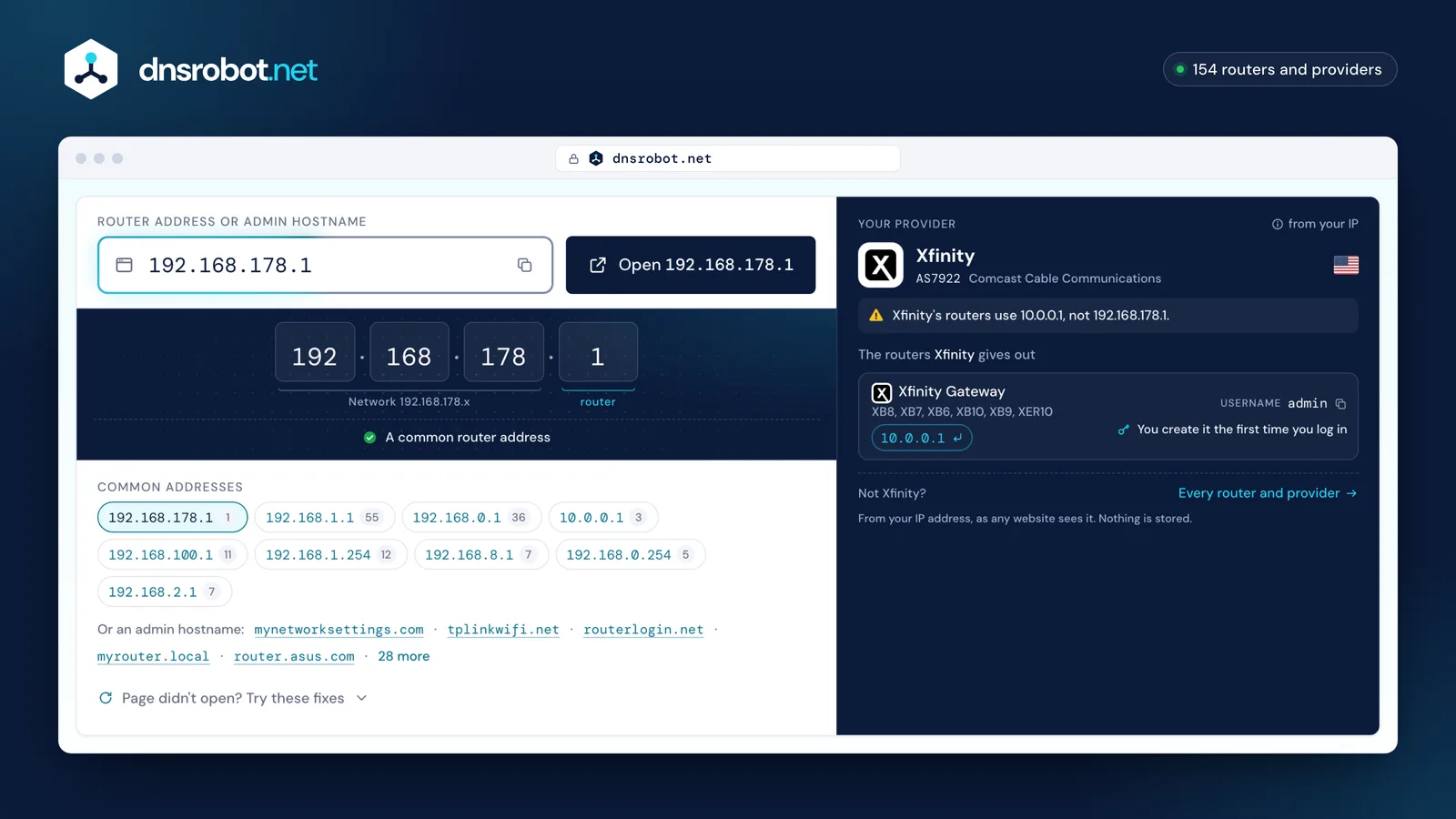
 Router addressType the address from your router's label, or pick a common one. Typos are fixed for you, and admin names like tplinkwifi.net work too.Open 192.168.178.1The most common router addressDid you mean 192.168.1.1? The button opens the corrected address.The most common router addressYour providerFrom your IP address, as any website sees it. Nothing is stored.
How does router login work?
Your router has two addresses. The local (private) address, such as 192.168.1.1, is used only inside your home and is the one you log in to. Private addresses come from three reserved ranges: 10.0.0.0/8, 172.16.0.0/12 and 192.168.0.0/16. Millions of homes use the same ones, and they cannot be reached from the internet.
- Your phone or laptop
- Reaches the admin page only through the router's own Wi-Fi or a cable
- Your router
- Serves the admin page on its private address; the internet sees only its public one
- The internet
- Has no route to 192.168.x.x or 10.x.x.x: those addresses exist inside each home
Who uses 192.168.178.1?
Default usernames and passwords from each maker's documentation. Click a value to copy it, and change the password after you log in.
1 login: what it looks like
- On the label1
Other countries' providers1
- Wi-Fi password is under
- Wi-Fi›Security›Wi-Fi network key Change the Wi-Fi password
- Note
- If fritz.box doesn't open, try the emergency address 169.254.1.1.
No brand matches that search.
How to Log In to 192.168.178.1
- 1
Connect to the FRITZ!Box
Join its Wi-Fi or plug in a network cable. The guest network won't do: its devices can't open the user interface.
- 2
Open fritz.box or the address
Type
http://fritz.boxorhttp://192.168.178.1in the browser's address bar, or tap the button above. - 3
Enter the FRITZ!Box password
It is printed on the type label and on the FRITZ! Notes service card. If FRITZ!Box users were set up, log in with a user's name and password instead.
- 4
Follow the wizard the first time
The first time the user interface opens, AVM's Initial Configuration wizard starts. Afterwards the menus, such as Wi-Fi (WLAN in German), hold the settings.
192.168.178.1 Password: the Type Label
There is no shared FRITZ!Box default password. Where to find yours:
- Current FRITZ!Box models: the preset FRITZ!Box password is printed on the type label on the outside of the housing and on the FRITZ! Notes service card (FRITZ! Notiz in German).
- It is not the Wi-Fi password. The type label lists the FRITZ!Box password, a QR code for Wi-Fi access and the Wi-Fi network key as separate items.
- No username needed: you log in with the FRITZ!Box password alone, unless FRITZ!Box users were set up; then each uses their own login.
- Older boxes: some had no preset password and ask you to set one at first login, as Deutsche Glasfaser describes for the FRITZ!Box 7490.
- Boxes from a provider: 1&1, Vodafone, EWE, PŸUR and A1 point to the label on the bottom of the box. Freedom's boxes show it under "FRITZ!Box Password" on the bottom or back: an English word with digits.
Change Your FRITZ!Box Wi-Fi Password
Log in at 192.168.178.1 and open Wi-Fi > Security: the password is the Wi-Fi network key. The network name is under Wi-Fi > Wi-Fi Network, which also shows a QR code your devices can scan to connect again. On a FRITZ!Box set to German, the menus are WLAN > Sicherheit (field WLAN-Netzwerkschlüssel) and WLAN > Funknetz.
Older English firmware says Wireless > Security and Network key instead, as Freedom's guide shows. Until you change them, the factory Wi-Fi settings are the ones on the type label.
Change the router's admin password as well, so nobody on your Wi-Fi can open its settings.
- 1
Log in to the admin page
Open fritz.box and log in.Open 192.168.178.1Default login:Printed on the label on the deviceIf fritz.box doesn't open, try the emergency address 169.254.1.1.
- 2
Open the Wi-Fi settings
Open this menu: Wi-Fi›Security - 3
Type a new password
Type the new password in the Wi-Fi network key field. Use 12 or more characters and WPA2 or WPA3 security.The Wi-Fi name (SSID) is under: Wi-Fi›Wi-Fi Network
- 4
Save and reconnect
Click Save or Apply. Every device disconnects and has to join again with the new password.
fritz.box and the Emergency Address 169.254.1.1
fritz.box opens the same user interface as 192.168.178.1, but only from a device that uses the FRITZ!Box for DNS. On a VPN, with custom DNS or on another network, fritz.box opens AVM's public help page instead of your router: type the IP address then.
Every FRITZ!Box can also be reached at the emergency (fallback) address 169.254.1.1, which can't be changed. Use it when the box's address was changed, or when it runs as an IP client or mesh repeater behind another router. AVM's steps: enter 169.254.1.1; if the page doesn't open, end any Wi-Fi connection to the FRITZ!Box, connect your computer to its LAN 2 socket with a cable, restart the computer and enter 169.254.1.1 again.
A FRITZ!Repeater or FRITZ!Powerline adapter is not at 192.168.178.1. Open fritz.repeater or fritz.powerline, or 192.168.178.2 while it isn't yet part of your FRITZ!Box home network.
192.168.178.1 Not Opening?
If the user interface doesn't load, check these in order:
What do you see?
You're on the guest network or another network
What to do
Devices on the FRITZ!Box guest Wi-Fi (192.168.179.x) can't open the user interface. Join the main Wi-Fi or plug in a cable.
fritz.box opens AVM's help page
What to do
Your device isn't using the FRITZ!Box for DNS, often because of a VPN or custom DNS. Type http://192.168.178.1 instead.
The address was changed, or the box runs behind another router
What to do
As an IP client or mesh repeater it takes its address from the other router. Use the emergency address http://169.254.1.1.
169.254.1.1 doesn't open either
What to do
End the Wi-Fi connection to the FRITZ!Box, connect your computer to the LAN 2 socket with a cable, restart the computer and enter http://169.254.1.1 again.
A letter crept into the address
What to do
192.168.l78.1 with a lower-case L won't open. Type the four numbers: http://192.168.178.1.
Find your router's IP address
Your router's address is your device's default gateway. Here is where each system shows it.
Press Windows + R, type cmd and press Enter. Run ipconfig and read the Default Gateway line under your Wi-Fi or Ethernet adapter.
Common Router IP Addresses and Who Uses Them
192.168.178.1 FAQ
How do I log in to 192.168.178.1?
What is the FRITZ!Box password?
Is 192.168.178.1 the FRITZ!Box address?
Why does fritz.box not open?
What is 169.254.1.1 on a FRITZ!Box?
How do I change the Wi-Fi password on a FRITZ!Box?
Which internet providers supply a FRITZ!Box?
How do I open a FRITZ!Repeater?
Can I open 192.168.178.1 from the guest network?
Is there a default username for the FRITZ!Box?
Missing something?Suggest a feature or a new tool
More Router and Network Tools
What Is My IP
Your public IPv4 and IPv6 at once, with the network, location and a VPN check
MAC Address Lookup
Identify device vendor from MAC address using IEEE database
DNS Speed Test
Time Cloudflare 1.1.1.1, Google 8.8.8.8 and more public DNS servers from your own browser, against your current DNS, and find the fastest for you
Port Checker
Test port connectivity and service availability
What Is My ISP
Discover your ISP, ASN, and connection details
Subnet Calculator
Network, broadcast, usable hosts and masks for any IPv4 or IPv6 block, plus VLSM, splits and cloud subnets