











192.168.2.1 Login: Telekom Speedport, Bell Home Hub and EasyBox Admin
192.168.2.1 login: open your Speedport, Bell Home Hub, Vodafone EasyBox, ELECOM or Belkin router's admin page and find its password.

A common router address
Or an admin hostname:28 more
Page didn't open? Try these fixes
- 1
Connect to the router's Wi-Fi or cable, and turn off mobile data. The admin page only works inside that network.
- 2
Use http://, not https://. Most routers have no certificate, so https:// fails or shows a warning.
- 3
Try the other common addresses above. Your router may use 192.168.0.1, 10.0.0.1 or 192.168.100.1 instead.
- 4
Look up your router's real address (the default gateway) with the steps at the bottom of this tool.
- 5
Turn off VPN, proxy and private DNS apps, or try another browser.
- 6
Still nothing? Restart the router, wait two minutes and try again. As a last resort, hold the reset button for 10 seconds (this erases your settings).
What Is 192.168.2.1?
192.168.2.1 is the default admin address of Telekom Speedport routers in Germany and of Bell's Home Hub and Giga Hub modems in Canada, along with Virgin Plus's Vincent modem. Vodafone's DSL EasyBox in Germany, ELECOM routers in Japan, and routers from Belkin and Edimax use it too.
Most of these devices print their own password on a label instead of using a shared default: Telekom calls it the device password (Gerätepasswort), and Bell uses the modem's serial number. Several also open by name, such as http://speedport.ip or http://easy.box.
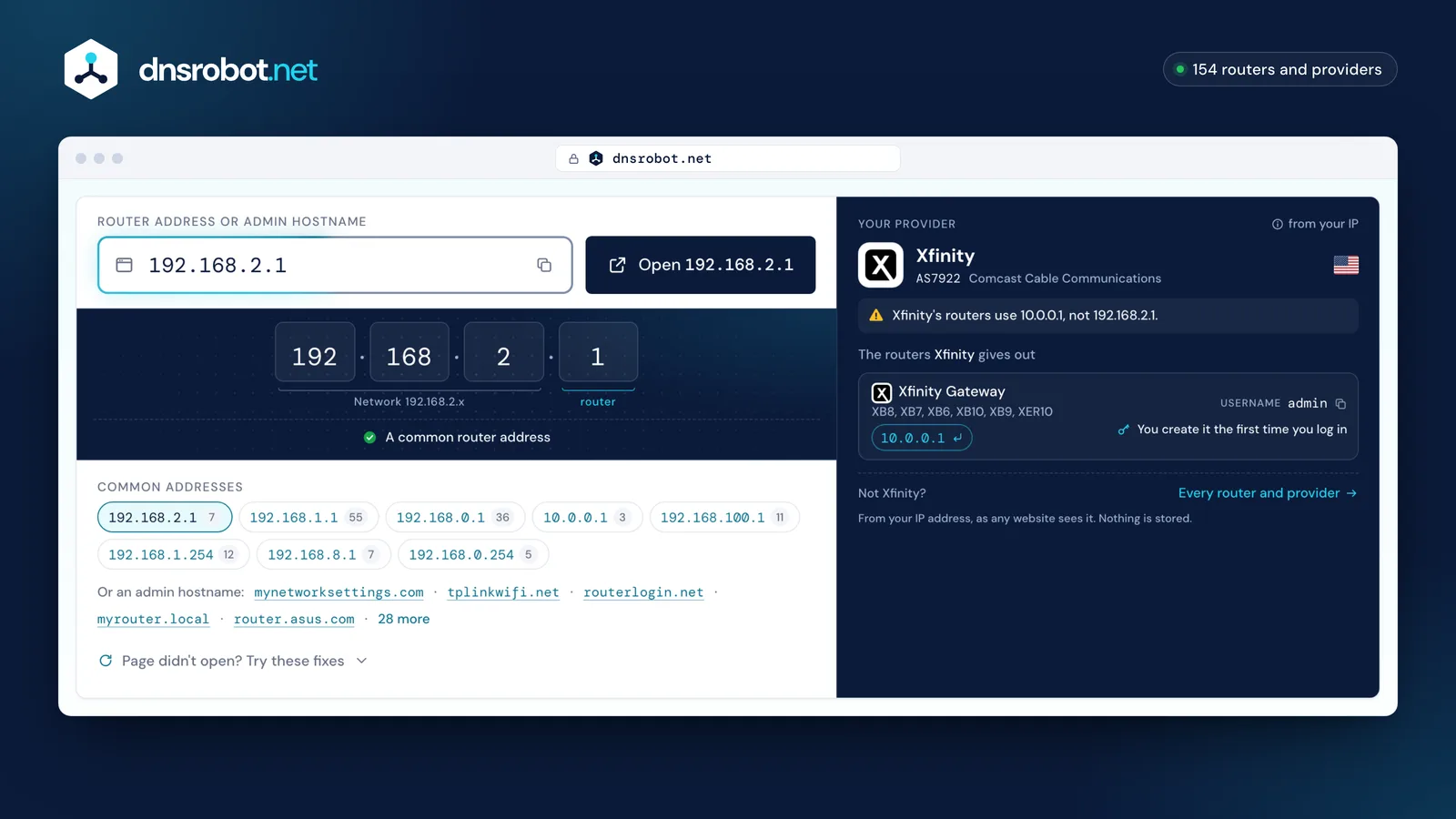
 Router addressType the address from your router's label, or pick a common one. Typos are fixed for you, and admin names like tplinkwifi.net work too.Open 192.168.2.1The most common router addressDid you mean 192.168.1.1? The button opens the corrected address.The most common router addressYour providerFrom your IP address, as any website sees it. Nothing is stored.
How does router login work?
Your router has two addresses. The local (private) address, such as 192.168.1.1, is used only inside your home and is the one you log in to. Private addresses come from three reserved ranges: 10.0.0.0/8, 172.16.0.0/12 and 192.168.0.0/16. Millions of homes use the same ones, and they cannot be reached from the internet.
- Your phone or laptop
- Reaches the admin page only through the router's own Wi-Fi or a cable
- Your router
- Serves the admin page on its private address; the internet sees only its public one
- The internet
- Has no route to 192.168.x.x or 10.x.x.x: those addresses exist inside each home
Who uses 192.168.2.1?
Default usernames and passwords from each maker's documentation. Click a value to copy it, and change the password after you log in.
7 logins: what they look like
- Public default3
- On the label4
Sold worldwide2
- Wi-Fi password is under
- Wireless›Security Change the Wi-Fi password
- Source
- belkin.com

- Password
- Newer models: printed on the label
- Wi-Fi password is under
- Wi-Fi Settings›Main Wi-Fi Change the Wi-Fi password
- Source
- download.edimax.com
Other countries' providers5

- Wi-Fi password is under
- Manage my Wi-Fi Change the Wi-Fi password
- Source
- support.bell.ca

- Wi-Fi password is under
- Manage my Wi-Fi Change the Wi-Fi password
- Source
- virginplus.ca

- Wi-Fi password is under
- Netzwerk›WLAN-Einstellungen›Name und Verschlüsselung›WLAN-Schlüssel Change the Wi-Fi password
- Note
- The device password is on the type plate.
- Source
- telekom.de

- Wi-Fi password is under
- WLAN›Allgemein Change the Wi-Fi password
- Source
- vodafone.de

- Source
- elecom.co.jp
No brand matches that search.
How to Log In to 192.168.2.1
- 1
Connect to the router
Join its Wi-Fi or plug in a network cable. On a phone, turn off mobile data.
- 2
Open the address
Type
http://192.168.2.1in the browser's address bar, or tap the button above. A Speedport also opens athttp://speedport.ip, an EasyBox athttp://easy.box. - 3
Enter the password from the label
Speedport: the device password on the type plate. Bell: the serial number on the sticker on the back. EasyBox: the EasyBox password on the sticker on the back, which is not the Wi-Fi password.
- 4
Open the Wi-Fi settings
Netzwerk → WLAN-Einstellungen on a Speedport, Manage my Wi-Fi on Bell and Virgin Plus, the WLAN tab on an EasyBox.
192.168.2.1 Default Password
Most routers on this address print their password on a label. Where to find yours:
- Telekom Speedport: no username; the device password (Gerätepasswort) is on the type plate and in the Router-Pass on the underside.
- Bell Home Hub 2000, 3000, 4000, Giga Hub and Giga Hub 2.0: password only, the modem's serial number from the sticker on the back. On the Home Hub 4000 and Giga Hub you can also read it on the front display under Modem Management. Bell's older Home Hub 1000 and Connection Hub use admin.
- Virgin Plus Vincent modem: password admin, no username.
- Vodafone EasyBox 804 and 904: the EasyBox password is on the sticker on the back of the box. It is not the Wi-Fi password.
- ELECOM (Japan): username admin; the password is a random string on the router's encryption key label (暗号化キーラベル) or on the setup sheet in the box (かんたんセットアップシート).
- Belkin (classic routers): no password. Click Login, leave the password field blank and click Submit.
- Edimax: older models such as the BR-6428nS use admin / 1234; newer ones such as the BR-6473AX have the username admin and a unique 8-digit password on the sticker.
- Forgotten password: a factory reset brings back the label or default password, but erases your Wi-Fi name, password and internet settings.
Change Your Wi-Fi Password on 192.168.2.1
On a Speedport, open Netzwerk → WLAN-Einstellungen → Name und Verschlüsselung, type the new key in WLAN-Schlüssel and click Speichern. On Bell and Virgin Plus modems, click Manage my Wi-Fi, change the primary network's name and password and click Save. On a Vodafone EasyBox 804, choose the WLAN tab, then Allgemein → Kennwort ändern, enter the new password and click Speichern.
ELECOM keeps it under Wi-Fi → ホームWi-Fi in the 暗号化キー (encryption key) field. On Belkin's classic routers open Wireless → Security and choose WPA/WPA2; on Edimax open Wi-Fi Settings → Main Wi-Fi. Bell also points Home Hub users to the Bell Wi-Fi app, and Telekom's MeinMagenta app opens the settings of the Speedport Smart 4 and Pro Plus.
Change the router's admin password as well, so nobody on your Wi-Fi can open its settings.
- 1
Log in to the admin page
- 2
Open the Wi-Fi settings
Open this menu: Wireless›Security - 3
Type a new password
Type the new password in the Wi-Fi password field. Use 12 or more characters and WPA2 or WPA3 security.The Wi-Fi name (SSID) is on the same page if you want to change it too.
- 4
Save and reconnect
Click Save or Apply. Every device disconnects and has to join again with the new password.
speedport.ip, easy.box and Other Names for 192.168.2.1
Several routers on this address also open by a name typed in the address bar: speedport.ip on Telekom Speedport routers, easy.box on the Vodafone EasyBox, vincent on Virgin Plus's Vincent modem and router on Belkin's classic routers. Bell's Home Hub and Giga Hub open at bell.ca/mymodem while the internet works, and at 192.168.2.1 when it doesn't.
Not every model in these families is on 192.168.2.1. Telekom's Speedport 7 has no browser menu: you manage it in the MeinMagenta app. Speedport LTE routers use 192.168.1.1. Vodafone's cable router, the Vodafone Station, is at 192.168.0.1, and Belkin's newer Wi-Fi 6 routers such as the RT1800 moved to 192.168.1.1 with the password admin.
Virgin Plus's other modems, Steve and Valérie, open at http://Steve and http://VALERIE with the default password admin; Virgin Plus doesn't give an address for them.
192.168.2.1 Not Opening?
If the page doesn't load, check these in order:
What do you see?
You're not on the router's network
What to do
Join its Wi-Fi or plug in a cable, and turn off mobile data on your phone.
The address went into a search box
What to do
Type http://192.168.2.1 in the address bar, or the router's name, such as http://speedport.ip.
Your model uses another address
What to do
Speedport LTE routers and Belkin's Wi-Fi 6 routers are at 192.168.1.1, the Vodafone Station at 192.168.0.1. Your device's default gateway shows the address to open (steps in the tool above).
Your Speedport has no web menu
What to do
The Speedport 7 is managed only in the MeinMagenta app.
The password is refused
What to do
Use the password from the label, not the Wi-Fi password: on Bell modems it is the serial number, on a Speedport the device password from the type plate.
Find your router's IP address
Your router's address is your device's default gateway. Here is where each system shows it.
Press Windows + R, type cmd and press Enter. Run ipconfig and read the Default Gateway line under your Wi-Fi or Ethernet adapter.
Common Router IP Addresses and Who Uses Them
192.168.2.1 FAQ
How do I log in to 192.168.2.1?
What is the speedport.ip password?
What is the Bell Home Hub admin password?
Which routers use 192.168.2.1?
What is the Vodafone EasyBox password?
What is the default password for a Belkin router at 192.168.2.1?
Why is 192.168.2.1 not opening?
How do I change the Wi-Fi password on a Speedport?
What is the Virgin Plus modem password?
What is the ELECOM router login?
Missing something?Suggest a feature or a new tool
More Router and Network Tools
What Is My IP
Your public IPv4 and IPv6 at once, with the network, location and a VPN check
MAC Address Lookup
Identify device vendor from MAC address using IEEE database
DNS Speed Test
Time Cloudflare 1.1.1.1, Google 8.8.8.8 and more public DNS servers from your own browser, against your current DNS, and find the fastest for you
Port Checker
Test port connectivity and service availability
What Is My ISP
Discover your ISP, ASN, and connection details
Subnet Calculator
Network, broadcast, usable hosts and masks for any IPv4 or IPv6 block, plus VLSM, splits and cloud subnets